iPhone Duo With No Screen Protector: 30 Days Later
A month after peeling the inner screen protector off my iPhone Duo: how the crease, fingerprints and off-angle viewing hold up, which apps got optimized, and why I'd still get AppleCare.
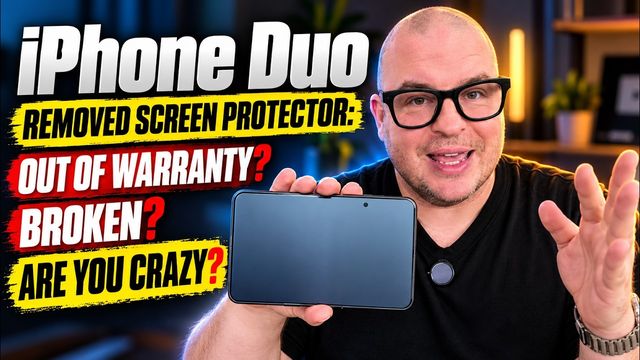
Quick summary: It’s been about a month since I took the inner screen protector off my iPhone Duo, and people in my comments still ask: is your phone okay? Is it broken? Short answer: it’s great. The display looks fantastic, I’ve had zero problems, and I enjoy it more without the protector. The trade-off is more fingerprints.
Key takeaways
- No problems after a month. The inner display still looks and feels really good.
- The crease is underrated. You can see it a little more without the protector, but it doesn’t look bad at all.
- Apps keep getting better. Google Docs, Spotify and even Apple’s App Store have been updated to look great on the wide inner screen.
- More fingerprints are the main downside. I just wipe them off, and I don’t notice them when the screen is on.
- Better vibrancy and off-angle viewing than with the matte protector.
- I still recommend AppleCare, even though I haven’t needed it.
Why people keep asking about my iPhone Duo
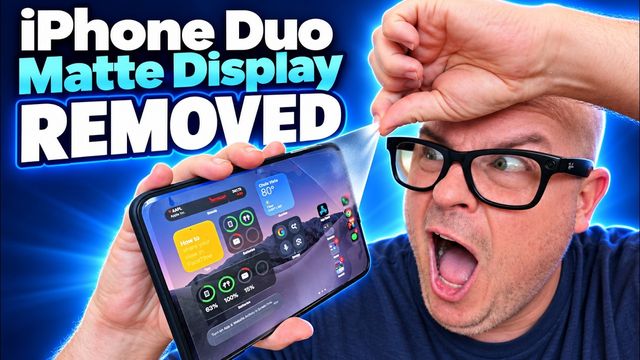
When I removed the matte screen protector, a lot of people were convinced the phone would break, or that I’d regret it. A month later, I’m happy to report it’s doing great. Look at it: it looks really good, and I have absolutely no problems with it.
How the crease looks now
The crease still looks really, really good to this day. Honestly, I think it’s an underrated crease. With the screen protector on, you barely see it. Take the protector off and you can see it a little bit more, but it’s one of those things that just doesn’t look bad at all. I said the same thing in my life without the matte screen protector video, and a month later that hasn’t changed.
Apps keep getting optimized for the wide screen
Since my last video on this, the iPhone Duo has gotten a lot of updates, and so have the apps. Google apps like Google Docs got updated, the Spotify app got updated, and even the App Store is now optimized to run great on the iPhone Duo. That’s been a really nice change.
Should you worry about the folding display?
I totally understand being worried about the display. It makes sense. But there are other things to think about with a folding phone too. This wide, short inner display is so different from almost any other phone on the market. Only a handful of companies make one right now (Huawei, Samsung and Apple, with Motorola coming), so it’s not a very common form factor.
Durability does come into play, obviously. But to me, app optimization is probably the bigger issue out of all of that, and as I mentioned, that keeps getting better. If you want to see how apps handle the shape, check out my iPhone Duo vs Galaxy Z Fold 8 app test.
Daily use, plus my front screen protector
Mine has been really, really good, and it still feels good in my hand. I do still use a screen protector on the front display, because it’s so easy, it’s clear and it looks great. It’s one less thing to worry about. That’s the dbrand Prism Glass screen protector for iPhone Duo, and I walk through installing it in my dbrand Grip case and Prism Glass review.
Yes, you get more fingerprints
The one thing I get more of without the inner protector is fingerprints. With the screen not completely off, you can definitely see more smudges. That’s not a big deal to me. I just wipe it off, and when the screen is on, I don’t notice them.
Where I do notice is in my videos. When I’m showing a really black screen and then look back at the footage, I go, “Oh yeah, there they are.” For day-to-day use, though, it’s no big deal. (I even ran an Apple Pencil on the bare iPhone Duo screen, and the marks it left were just smeared fingerprints that wiped right off.) If you want a clean screen, here’s how I clean my iPhone Duo screen.
Better vibrancy and off-angle viewing
On the plus side, vibrancy is a lot better without the matte protector, and the off-angle viewing is way improved. I’ve shown that multiple times, and it’s still true a month later. I just enjoy looking at it more.
If you change your mind: protector options and AppleCare
If you remove it and don’t like the way it looks, you’ve got options:
- Add a clear screen protector. I know people who have put clear protectors on, like the Latercase iPhone Duo screen protector.
- Buy a matte one. You could probably find matte protectors for it as well.
- Go back to Apple. Have Apple put one on for you and pay a bit of a premium.
And even though I haven’t had any issues, I do have AppleCare on mine, and I’d recommend getting it on this phone. Here’s why I’m getting AppleCare on the iPhone Duo and what the AppleCare deductibles look like.
My verdict after 30 days
It’s been great. It’s more fingerprinty, but the vibrancy is better, off-angle viewing is better, and I enjoy it more. If you’re going to remove it, you’ll be fine: your phone won’t break, and as I understand it, it won’t put you out of warranty. Let me know in the comments whether you’ve removed yours and how you feel about it.
Gear from this video
- Apple iPhone Duo (256GB) at Best Buy
- dbrand Prism Glass screen protector for iPhone Duo (what I use on the front display)
- Latercase iPhone Duo screen protector (clear glass option)
Watch the full video on YouTube, and subscribe to GregglesTV for daily tech news, reviews and walkthroughs.
See today’s GregglesTV Best Tech Deals or browse all deals posts.
Comments
Comments are moderated. Hate, slurs, spam and scam posts are blocked. Don’t include personal info you wouldn’t want public. See the privacy policy.
Loading comments…