iPhone Duo Without the Matte Screen Protector: Worth It?
I removed the iPhone Duo's matte screen protector: warranty questions, feel, the crease, colors, reflections and fingerprints, and whether you should.
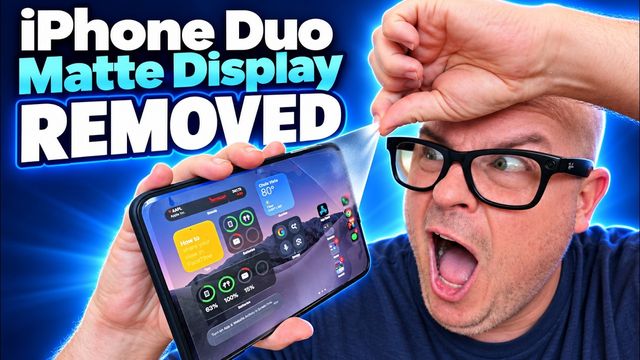
Quick summary: I ripped the matte screen protector off my iPhone Duo’s inner display, and I’ve been living without it. Here’s how it has held up, how it compares side by side with a Duo that still has the protector, and whether you should take yours off.
Key takeaways
- I removed it for three reasons: the shock value, I want vibrancy over a matte look, and these protectors get dirty over time anyway.
- In my understanding, removing it doesn’t stop Apple from fixing a genuine display defect. Physical damage is on you either way.
- Without it you get deeper blacks, more saturation and more vibrancy, but more reflections and fingerprints.
- It’s your call, and I have no regrets.
Why I removed the matte screen protector
One, I’ll be honest: I like the shock value. Everyone goes, “Oh my God, why did you do that?” Two, I don’t love the matte look. I don’t hate it, but I want vibrancy. Three, these protectors tend to get dirty and eventually need replacing, so I figured I’d do it while the phone was fresh.
Does it void your Apple warranty?
A lot of people asked. As I understand it, no. If you physically damage or break the screen, that’s not covered either way. But if it’s a manufacturing defect, like the defective displays a very small number of people are reporting, they should fix it even with the protector off.
What the screen protector actually does
That’s all it is: a protector. It guards against scratches and adds a matte, anti-reflective finish. It doesn’t do anything magical. It dulls the colors a bit. You could use any protector sold for it, matte or not, keep the included one, or go without. I always go without, and I’m not worried about micro-scratches.
How it’s held up
Very good, with no problems. Right after removing it there was a little adhesive residue, but that’s gone now, and it’s not sticky at all.
Bare vs. matte: how it feels
Comparing it with my backup iPhone Duo, which still has the protector on, the matte version feels a tiny bit more pleasant. Your finger doesn’t slide as much. The bare screen still feels smooth and not bad at all.
Can you see the crease more?
That was a big claim online. With the screen on, I could see the crease on the backup Duo with the protector, and I could barely see it on mine without it. With the screen off and cleaned, I can see it a little more easily on mine. Honestly, it’s not a big difference to me.
Colors, blacks and vibrancy
This is where it pays off. With the protector, black looks almost gray. Without it, it’s pure black. With the matte protector you lose color, vibrancy and saturation, and it looks a bit foggy.
Reflections and fingerprints
Pick your poison: without the protector, the screen is more reflective and shows more fingerprints. You can always wipe it down, and I don’t notice fingerprints much while using it.
Should you keep it on or take it off?
If you put a lot of value on anti-reflection, fewer fingerprints and avoiding small scratches, leave it on. If you want better color, deeper blacks and a better-looking display overall, take it off. It hasn’t broken my phone, and it’s been nothing but positive for me. It’s your prerogative.
Accessories I’m using
- dbrand Grip Case and Prism Glass for iPhone Duo (also at Best Buy)
- OhSnap Snapgrip stand, my favorite grip
Watch the full video on YouTube, and subscribe to GregglesTV for daily tech news, reviews and walkthroughs.
See today’s GregglesTV Best Tech Deals or browse all deals posts.
Comments
Comments are moderated. Hate, slurs, spam and scam posts are blocked. Don’t include personal info you wouldn’t want public. See the privacy policy.
Loading comments…