iPhone Duo: 10 Things Your Regular iPhone Can't Do
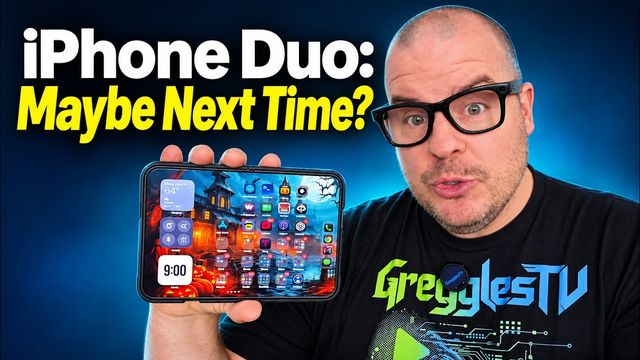
Dual-preview selfies, swipe-to-split multitasking, Apple Pencil, StandBy, Flex mode and Smart Take: what the iPhone Duo does that iPhones can't.
Quick summary: Here are 10 things you can do on the iPhone Duo that you either can’t do on a regular iPhone, or that are just better on the Duo.
Key takeaways
- The folding design unlocks camera tricks like dual-preview selfies and hands-free Smart Take photos.
- The big inside display makes multitasking, gaming, reading and TikTok much better, especially in optimized apps.
- You can prop the Duo up on its own for StandBy and Flex mode, with no stand or grip needed.
1. Selfies with the rear cameras and a live preview
Use the better rear cameras for selfies while still seeing yourself on the outside display. Open the camera and tap the dual-preview button.
2. Multitasking with two apps
Open any app, hold it to the left or right, let go, then pick a second app. It’s super simple and super fun.
3. Apple Pencil on both displays
You can use an Apple Pencil on the inside and outside displays to mark up a thumbnail, take notes or color. The Pencil is an extra purchase, but you can’t do this on a regular iPhone at all.
4. StandBy mode, no stand needed
Prop the phone up like a tent and you get a very usable clock. On a regular iPhone you’d need a grip or a stand to do the same thing.
5. Gaming on a bigger screen
Gaming is really cool on the Duo, especially when a game is optimized. Some games even let you use the fold itself. Toasty, for example, lets you open and close the phone as part of play. Even without that, the big 7.6-inch inside display gives you more real estate and makes games more immersive.
6. Flex mode
Fold the phone in half and supported apps split the screen: video on the top half, comments or browsing on the bottom. It’s a fun, different way to use apps hands-free.
7. Reading books
Hold it one way and scroll, or turn it and see two pages side by side. Comic books and regular books are fun on it when the app is optimized, like Apple Books.
8. TikTok’s built-in multitasking
TikTok did a knockout job on the Duo. Open the comments and the video stays playing beside them, updating as you flick through videos. It’s optimized well on both displays.
9. Smart Take photos
Fold the phone, prop it up, point the camera at yourself in photo mode, and it automatically takes photos of you when you’re in frame.
10. Mixing it all together
The real fun is combining these: propping it up, splitting the screen and using the bigger display however you like. What do you use your iPhone Duo for that you never did on a regular iPhone? Let me know in the comments on the video.
Watch the full video on YouTube, and subscribe to GregglesTV for daily tech news, reviews and walkthroughs.
See today’s GregglesTV Best Tech Deals or browse all deals posts.
Comments
Comments are moderated. Hate, slurs, spam and scam posts are blocked. Don’t include personal info you wouldn’t want public. See the privacy policy.
Loading comments…