iPhone Duo vs Galaxy Z Fold 8: I Tested the Same 20 Apps on Both
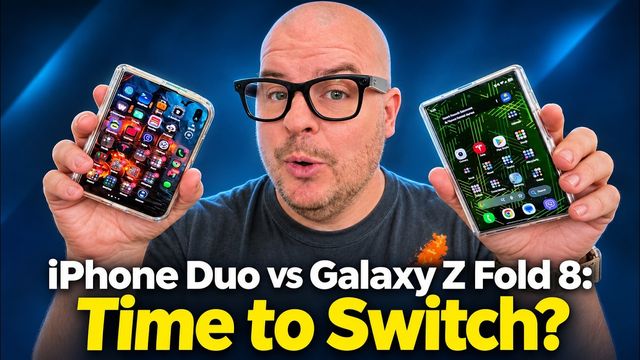
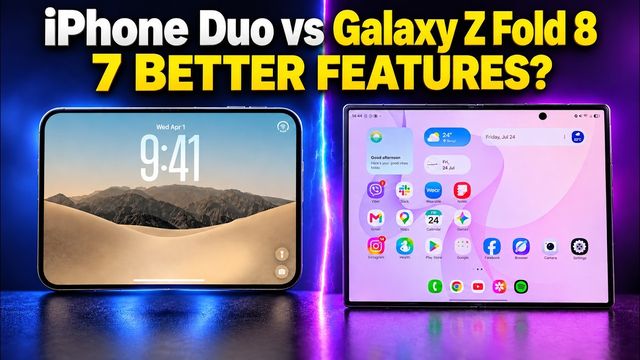
I ran the same 20 common apps, from YouTube Shorts and Instagram to Gmail, Chrome, Roblox and Amazon, on the iPhone Duo and Galaxy Z Fold 8. The Fold 8 wins, but not by much.
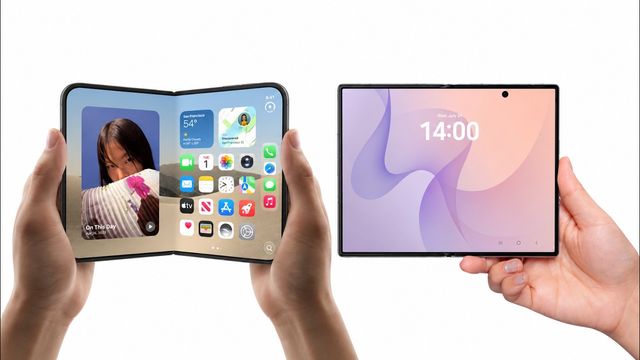
Quick summary: I wanted to see how the same apps actually look on the two hottest foldables right now, so I opened 20 very common apps on the Samsung Galaxy Z Fold 8 and the iPhone Duo, side by side, on both the outside and inside displays. My overall pick is the Galaxy Z Fold 8, but not by much. A lot of apps are already well optimized on the Duo, and the ones that aren’t mostly just need developer updates.
This video was sponsored by SUPCASE. Other links on this page are affiliate links.
Key takeaways
| App | My pick |
|---|---|
| YouTube Shorts and short videos | Very close, slight edge to Fold 8 |
| Tie | |
| TikTok | Tie |
| Netflix | Tie |
| Close inside, Fold 8 on the outside display | |
| Close inside, Fold 8 on the outside display | |
| X (Twitter) | Slight edge to Fold 8 |
| Gmail | Galaxy Z Fold 8 |
| Google Calendar | Galaxy Z Fold 8 |
| Chrome | Galaxy Z Fold 8 |
| Google Maps | Tie, fully optimized on both |
| Photos | Galaxy Z Fold 8 |
| Google Sheets | Galaxy Z Fold 8 |
| Spotify | Tie |
| Kindle | Fold 8 (cut off on the Duo) |
| Roblox and Minecraft | Playable on both, more screen on Fold 8 |
| Amazon | Galaxy Z Fold 8 |
| Apple Music | Tie, great on both |
| Overall | Galaxy Z Fold 8, but not by much |
The big theme: on the iPhone Duo, a lot of apps show black bars or a cut-off strip on the side, or a menu bar that sits over part of the screen. On the Fold 8, most of those same apps go full screen.
If you want the full hardware comparison (design, displays, speakers, battery, cameras), read my iPhone Duo vs Galaxy Z Fold 8 full comparison.
How I tested
I updated every app right before filming so both phones had the latest versions. Then I opened each app on the outside display and the inside display of both phones, and stood them up with their kickstand cases so you could see them side by side. I picked apps that are on both platforms, which is a little unfair to the iPhone, since Apple’s own apps like Safari and Books are generally optimized for the Duo. More on that at the end.
Short videos (YouTube Shorts)
This was closer than I expected. On the Fold 8, a little bit gets cut off on the left and right. You can zoom in a bit, but it pops right back out. On the iPhone, you miss a lot of the right side, and you get black bars on both sides because the video is shot in a 16:9 aspect ratio. Some people will like that, some won’t.
On the inside display, both look relatively the same and show basically the same information. When you watch in one orientation on the Fold 8, the camera cutout blocks part of the video, which is definitely a turn-off. It only really bugs me because my face happened to be right there in the shot. With most videos it’s not a big deal.
My pick: very close. I’d call it a slight edge to the Galaxy Z Fold 8.
Instagram and TikTok
Instagram is seemingly optimized on both. On the Duo, the menu sits on the side and doesn’t auto-hide, which I wish it did, but at least it’s easy to reach. On the Fold 8 it’s at the bottom, which isn’t terrible. Opened up, the menus end up on opposite sides, so the iPhone layout might be more comfortable if you’re right-handed and the Fold 8 for lefties. In full screen, they both look great. I couldn’t pick a winner.
TikTok looks amazing on both. On the iPhone, tapping a name automatically splits the screen in two, kind of multitasking for you, which I like. Comments pull up differently, and I think I like how they look on the iPhone better than taking up that much of the screen. On the outside displays, it’s very well optimized on both and takes up the whole display. Tie.
Netflix and Facebook
On Netflix, the iPhone’s menu comes in over the side instead of sitting at the bottom, which makes everything a little smaller in the browse view. Once you actually start watching, though, the video is about the same size on both. The Fold 8 has a bigger, more noticeable camera circle. Overall, I’d pretty much give it a tie.
Facebook is quite similar on both inside displays. On the outside displays, it looks better on the Galaxy Z Fold 8 because the menu bar on the iPhone gets in the way. Hopefully an update lets you swipe it away. Slight edge to the Fold 8.
Reddit and X
Reddit is close enough on the inside display that I wouldn’t pick a winner. On the outside display, I can see more on the Fold 8, and the iPhone’s menu gets in the way a bit, so the Fold 8 takes that one.
X (Twitter) looks optimized on both main displays. On the outside display, I can see a little more on the Fold 8, so I’d give it the win, but it’s pretty close.
Gmail and Google Calendar
This is where the Fold 8 pulls ahead. Gmail takes up the full screen on the Galaxy Z Fold 8, while on the iPhone Duo the menu bar stays put and cuts off part of the screen. On the outside display it’s just a little too small on the Duo. Fold 8 wins.
Google Calendar (I blurred mine out) looks a lot better on the Fold 8. It’s full screen. On the Duo, you can make it wide, but it cuts off a lot and isn’t optimized. That’s not Apple’s fault, it’s Google’s, but still. The good news: Apple’s own Calendar app matches up much nicer and is very well optimized on the main screen.
Chrome, Google Maps and Photos
In Chrome, the iPhone Duo gets a black cutoff bar on the right, while the Fold 8 goes full screen. Opened up, both look really nice, but on the outside display the Duo looks cut off and pretty small. Fold 8 wins.
Google Maps is completely optimized on both. Nothing cut off, inside or outside. No complaints at all. Tie.
In Google Photos, there’s a strip on the right of the Duo that I don’t like, while the Fold 8 is full screen. Same story on the outside displays with a big black bar on the iPhone. Fold 8 for the win.
Google Sheets, Spotify and Kindle
Google Sheets isn’t optimized on the Duo yet and doesn’t look great. It’s much more optimized on the Galaxy Z Fold 8.
Spotify is pretty similar on both screens. I love that it’s not cut off on the outside display and you still get the graphics going behind it. Tie.
The Kindle app gets cut off on the iPhone Duo, both on the outside and when you open it up full screen. In vertical, they’re similar enough that both look nice.
Roblox and Minecraft
Roblox is completely optimized for the Fold 8’s inside display. On the Duo there are some little black bars, but it’s completely playable. On the outside display, the Duo version gets a little small, while the Fold 8 is completely optimized and full screen.
With Minecraft, you just get much more screen real estate on the Galaxy Z Fold 8. Everything is optimized for it, inside and out. If gaming matters to you, check out my iPhone Duo gaming test with Fortnite, Minecraft and Roblox.
Amazon and Apple Music
The Amazon app looks rough on the Duo’s outside display. The black bar is so big it cuts off a lot. It’s usable, but definitely annoying. On the main displays, the iPhone still cuts off a fair amount on the right, but it’s big enough that it’s not annoying.
Apple Music looks amazing on both. On the iPhone, the menu bar is still there, but the app goes all the way to the side and takes full advantage of the display. Both outside displays look great too.
The SUPCASE kickstand cases I used
Both phones in this video are in SUPCASE cases, and the kickstands are the reason I could stand them up side by side, open or closed, vertical or horizontal.
- Kickstand on both. The iPhone Duo version actually rotates 360 degrees, so you always get the perfect angle.
- MagSafe magnets, so wireless charging and magnetic accessories stick on and stay put.
- A tempered glass screen protector built in over the outside display on both cases.
- Privacy glass on the iPhone Duo case, great on a plane or bus, and it also comes with a clear one if you prefer that.
- Protection all the way around, front and back, open or closed. These are some of the most protective cases I’ve used on my foldables.
Here’s the SUPCASE for the Galaxy Z Fold 8, and my full SUPCASE Galaxy Z Fold 8 case review.
My verdict
You’ve got to say the Galaxy Z Fold 8 wins this one. More apps go full screen on both displays, and you don’t get those black bars and cut-off strips I kept running into on the Duo with apps like Gmail, Chrome, Photos and Amazon.
But it’s not fair to write the iPhone Duo off. A lot of apps, like Instagram, TikTok, Google Maps, Spotify and Apple Music, already look great on it, and if you live in Apple’s own apps, those are generally optimized for the device. It’s only a matter of time before developers push the updates the Duo needs and it catches up.
If you already have a Fold 8, here’s how to fix apps that won’t go full screen, and why I’m still addicted to the Galaxy Z Fold 8. On the Duo, learn how to use Split View multitasking.
Shop the phones and cases
- Samsung Galaxy Z Fold 8 at Best Buy (Unlocked, 256GB, Graphite)
- Apple iPhone Duo at Best Buy (256GB)
- SUPCASE for iPhone Duo with 360 stand on Amazon
- SUPCASE for Galaxy Z Fold 8 on Amazon
Watch the full video on YouTube, and subscribe to GregglesTV for daily tech news, reviews and walkthroughs.
See today’s GregglesTV Best Tech Deals or browse all deals posts.
Comments
Comments are moderated. Hate, slurs, spam and scam posts are blocked. Don’t include personal info you wouldn’t want public. See the privacy policy.
Loading comments…