Apple Tested a 'Complication Column' for the iPhone Duo Lock Screen, and It Fills the Empty Space
A code leak shows Apple tried a column of two circular widgets along the right edge of the iPhone Duo Lock Screen. Here's what it looks like, where it was found, and why it may or may not ship.
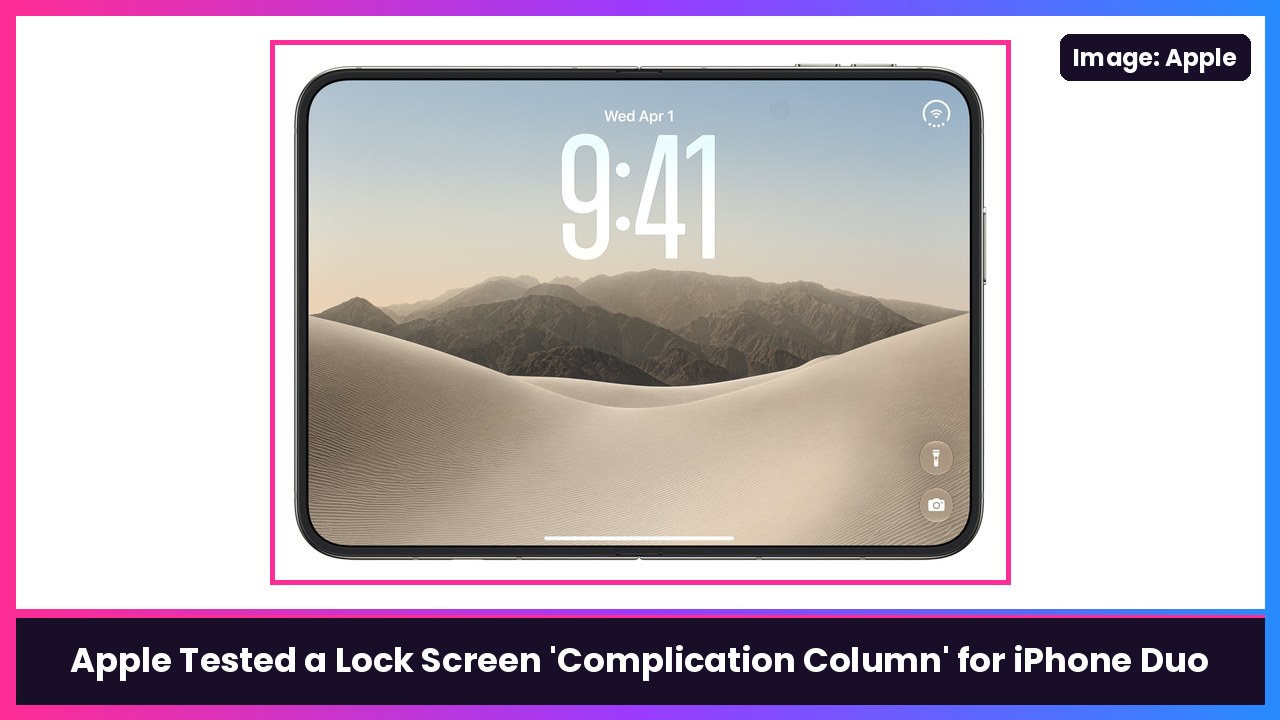
Quick summary: Apple has tested a new “complication column” for the iPhone Duo Lock Screen, according to code spelunker pdfu (@itspdfu) on X, as reported by 9to5Mac. It’s a vertical column with room for two circular widgets along the right edge of the Lock Screen. The catch: the flag is disabled, it was first seen in iOS 27.1, and there have been no code changes since, so nobody knows if it’s still coming.
What’s on the iPhone Duo Lock Screen today
As 9to5Mac lays out, the current iPhone Duo Lock Screen has:
- Widgets along the bottom of the screen.
- Two controls in the bottom-right, which default to flashlight and camera (you can swap them for other Apple or third-party controls).
- Cellular and Wi-Fi info up in the top-right.
That leaves a big blank strip down the right side, especially on the inner display, which you can see in Apple’s own image above.
What the leak shows
According to pdfu’s post, the complication column:
- Sits on the right edge, filling the gap between the flashlight/camera controls and the Wi-Fi/cellular status icons.
- Holds two circular widgets, the same size as the widgets along the bottom.
- Lives behind a SpringBoard flag that’s currently disabled.
- Was first spotted in iOS 27.1 code, with no changes since.
pdfu’s post put it simply: “Apple has tested a ‘complication column’ for iPhone Duo’s Lock Screen. It fits two circular widgets along the right edge.”
Will it ship?
Honestly, it’s a coin flip. A disabled flag that hasn’t been touched since iOS 27.1 can mean Apple shelved it, or that it’s waiting for a bigger Lock Screen update. 9to5Mac’s Chance Miller says he’d especially like to see it on the inner display’s Lock Screen, “where there’s currently a lot of wasted space,” and I agree. Apple is clearly still learning how to design iOS for a book-style foldable, and this is the kind of small tweak that makes the Duo feel more like its own thing.
What you can do right now
You can’t turn on the complication column yourself. But you can already make the Duo’s Lock Screen more useful:
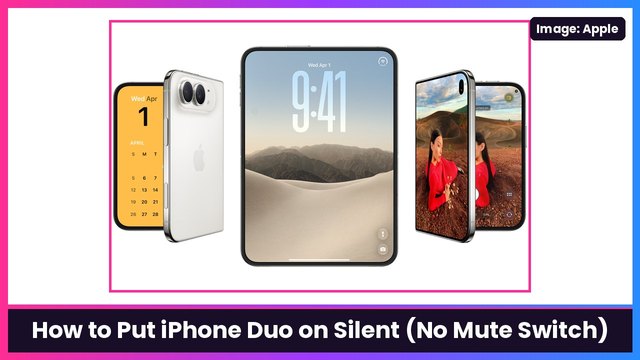
- Swap the two Lock Screen controls for something you actually use (Silent Mode is a great one, since the Duo has no mute switch). I walk through it in how to put iPhone Duo on silent.
- Set up the camera controls your way with this camera controls how-to.
- Get quick info without opening it using StandBy: how to use StandBy on iPhone Duo.
My take
I love this idea. Two extra circular widgets on the right side, like weather and battery for your Apple Watch or AirPods, would make the Duo’s Lock Screen way more glanceable. It’s not a reason to buy or wait on a Duo by itself, but I hope Apple flips the switch in a future iOS 27 update. Let me know in the comments what you’d put in that column.
Sources: 9to5Mac: Apple tested a ‘complication column’ for the iPhone Duo Lock Screen, per leak, pdfu (@itspdfu) on X, Nov 22, 2026. Lead image: Apple’s iPhone Duo product page.
Subscribe to GregglesTV for daily tech news, reviews and walkthroughs.
See today’s GregglesTV Best Tech Deals or browse all deals posts.

Comments
Comments are moderated. Hate, slurs, spam and scam posts are blocked. Don’t include personal info you wouldn’t want public. See the privacy policy.
Loading comments…