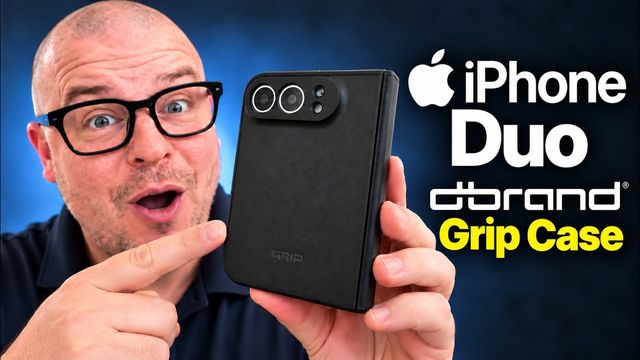
dbrand Grip Case, Prism Glass & Glow Skin for iPhone Duo
Installing dbrand's Grip case, Prism Glass and glow-in-the-dark skin on the iPhone Duo: hinge protection, MagSafe and install tips.
Quick summary: Is the dbrand Grip case the most protective case for the iPhone Duo? I installed it along with dbrand’s Prism Glass screen protector and the glow-in-the-dark skin. It’s crazy protective, with hinge protection and strong MagSafe magnets, and the glow skin looks awesome. This isn’t sponsored. I just really like dbrand’s stuff.
Key takeaways
- Install the glass first. dbrand specifically told me to put the Prism Glass on before the case.
- The Prism Glass comes in a two-pack with most supplies doubled, though only one squeegee and cloth.
- The Grip case has hinge protection, extra adhesive, and a strong magnet for MagSafe grips and wireless charging.
- The glow-in-the-dark skin charges up under light, and dbrand sells a UV light to boost it.
What’s in the box
The case comes in two parts. The front piece has adhesive pre-installed, and the back piece snaps on without adhesive. You also get extra adhesive. The Prism Glass comes in a pack of two, which is great if you mess up or break one later. Almost all the cleaning extras are doubled, but you only get one squeegee and one microfiber cloth.
Step 1: Clean the screen
Wipe the outside display with the included wet wipe, then the microfiber cloth. My one wish is that dbrand included a dust-removal sticker. I used a leftover one to grab any lint. With wipe, cloth and sticker, I usually get zero bubbles. Install in a non-dusty room if you can.
Step 2: Install the Prism Glass
Line it up at the top, hold it by the sides, pull the backing straight down and let it lay down. I had a few air bubbles, but the squeegee and my thumbs pushed them out. This is one of the easiest screen protectors I’ve installed. With supply delays on this phone, you really don’t want to break the front screen, especially if you’re a little clumsy.
Step 3: Install the Grip case
Snap on the back piece. Then peel the adhesive backing from the front piece. There’s a lot of adhesive, which is good because you want it to stick. Press it on and squeeze the sides for 30 seconds to a minute, or even longer. I’d also turn the phone off first. Mine accidentally turned on during the glass install.
The hinge protection stays in place when you open the phone. That’s awesome.
MagSafe, kickstand grip and wireless charging
The case has a magnet built in, and it’s super strong. I use an OhSnap grip stand on it, which lets the phone stand in basically any orientation. Wireless charging works through it without a problem, even though it’s a pretty thick case.
Step 4: The glow-in-the-dark skin
I applied dbrand’s glow-in-the-dark skin to the case, and honestly I think it’s the best I’ve ever installed one, with no real mess-ups. dbrand also sells a UV light to charge the glow. A few seconds under it, then lights down, and it glows like crazy. Just don’t shine UV on your skin.
Buttons and final thoughts
The buttons work great, the fingerprint sensor and camera button are accessible, and the bottom is open. The Prism Glass is very responsive. It’s a super heavy-duty case, and if you’re worried about protecting your iPhone Duo, this might be the case to get.
Watch the full video on YouTube, and subscribe to GregglesTV for daily tech news, reviews and walkthroughs.
See today’s GregglesTV Best Tech Deals or browse all deals posts.
Comments
Comments are moderated. Hate, slurs, spam and scam posts are blocked. Don’t include personal info you wouldn’t want public. See the privacy policy.
Loading comments…