How to Turn a YouTube Video Into a Blog Post With Grok Bot (Transcript to Finished Article)
A beginner's step-by-step guide to turning one of your YouTube videos into a clear, search-friendly blog post with Grok Bot: get the transcript, build an outline, draft in your voice, fact-check against the video, and get it ready to publish.
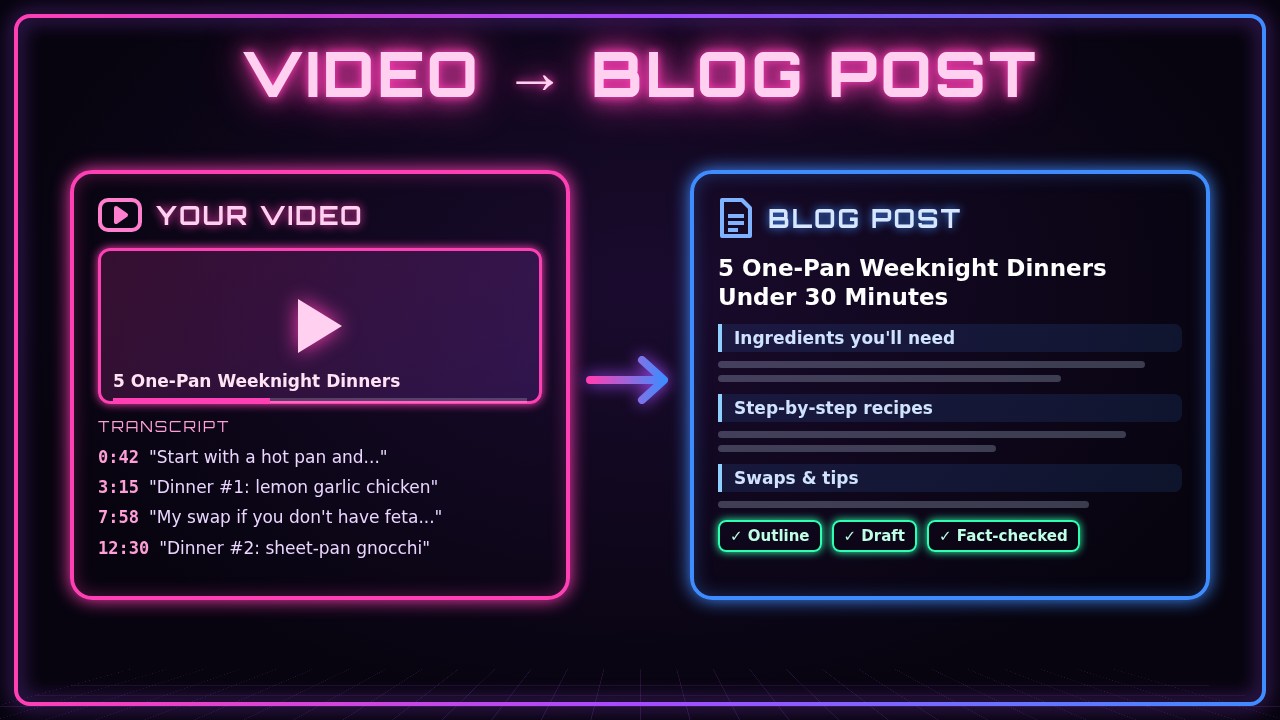
You already did the hard part: you planned, filmed, and edited a video. A blog post built from that same video gives people who’d rather read a second way to find you, it can show up in search results, and it’s easy to share. In this guide you’ll use Grok Bot to turn one YouTube video into a finished blog post: transcript, outline, draft, fact-check, and a final version ready to paste into your site.
Grok Bot does the heavy lifting of reading the transcript, organizing it, and writing a first draft. You stay in charge of the facts, the voice, and what gets published.
You’ll follow one running example: Leo, who runs a home-cooking YouTube channel called Weeknight Kitchen. His newest video is “5 One-Pan Weeknight Dinners Under 30 Minutes,” and he wants a matching recipe post on his blog.
What you need
- A Grok Bot chat
- A YouTube video you made (or have permission to use), and its link
- The video’s transcript, or a few minutes to copy it (more on that in step 2)
- Any facts that aren’t said out loud in the video, like exact amounts, prices, or links
- A place to publish: a blog, a website, or even a newsletter
- About 30 minutes for your first post
1. Decide what the post is for
Before you ask for anything, decide who the post is for and what it should help them do. A recipe post, a product review, and a tutorial all need different shapes.
I want to turn my YouTube video into a blog post. The video is "5 One-Pan Weeknight Dinners Under 30 Minutes" from my cooking channel, Weeknight Kitchen. The post is for busy home cooks who want quick dinners. It should be easy to skim, with an ingredient list and steps for each recipe. Before we start, ask me any questions you need answered.What you should see: Grok Bot confirms the goal and asks a few questions, like how long the post should be or whether you want the video embedded. Answer them now so the draft fits.
2. Give Grok Bot the transcript
The transcript is what Grok Bot works from. Share the video link and ask Grok Bot to get the transcript. If it can’t get it from the link (some videos don’t have captions, or the page won’t load), copy the transcript yourself from YouTube and paste it in.
Here's the video: [paste your YouTube link]. Please get the transcript, including timestamps if you can. If you can't get it, tell me, and I'll paste it in myself.If you’re pasting it yourself:
Here's the full transcript of my video, with timestamps. Read all of it before you do anything else, then tell me in 3 sentences what the video covers.

[paste the transcript here]
What you should see: a short summary that matches your video. If the summary misses a section or gets something wrong, the transcript may be incomplete. Fix that before moving on.
3. Ask for an outline first
Don’t jump straight to a full article. An outline is quick to check and easy to change.
Using the transcript, make an outline for the blog post. Include a title, a 2-sentence intro, a section for each of the 5 dinners (ingredients, then numbered steps), a "Swaps and tips" section, and a short wrap-up. Only use information from the video. Mark anything you're unsure about with [CHECK].What you should see: a clear outline with headings. For Leo, that’s one section per dinner (lemon garlic chicken, sheet-pan gnocchi, and so on), plus his ingredient swaps. Move, cut, or rename sections now. It’s much easier than editing a full draft.
4. Add the facts the video doesn’t say out loud
Videos skip details that a written post needs: exact amounts, oven temperatures, serving sizes, product names, or links. Give them to Grok Bot so it doesn’t have to guess.
Here are details that aren't in the transcript. Use them in the post:
- Lemon garlic chicken: 1.5 lb chicken thighs, 3 cloves garlic, 1 lemon, 425°F for 22 minutes
- Sheet-pan gnocchi: 1 lb shelf-stable gnocchi, 1 pint cherry tomatoes, 400°F for 20 minutes
- Every recipe serves 4
- Mention that the full video is embedded at the top of the post
If any recipe is still missing an amount or a time, list it for me instead of making one up.
What you should see: Grok Bot confirms what it will add and lists anything still missing. Fill in those gaps. Never let a recipe, price, or spec go out with a guessed number.
5. Tell Grok Bot how you sound
A post that sounds like you keeps readers who already know your videos. Give Grok Bot a short description of your style, or paste a paragraph you wrote before.
Write the way I talk in my videos: friendly, short sentences, a little playful, no fancy words. I say "weeknight win" a lot. Avoid phrases like "in today's fast-paced world." Here's a paragraph from an older post so you can match my style:

[paste a paragraph you wrote]
What you should see: a short note from Grok Bot on how it will write, sometimes with a sample sentence. If it sounds off, say what to change (“less formal,” “fewer exclamation points”).
6. Draft the full post
Now ask for the full draft, built from the approved outline, your facts, and your voice.
Write the full blog post from the outline we agreed on. Use my facts and my style. Keep paragraphs short, use the headings from the outline, and put ingredients as bullet lists and steps as numbered lists. Keep any [CHECK] marks in place. Aim for about 1,200 words.What you should see: a complete post in the chat. Read it once from top to bottom, the way a reader would.
7. Fact-check the draft against the video
AI drafts can mix things up, like swapping a temperature between two recipes. Ask Grok Bot to check its own work against the transcript and show you where each fact came from.
Go through the draft and list every number, time, temperature, ingredient amount, and product name. For each one, tell me whether it came from the transcript (with the timestamp), from the facts I gave you, or neither. Flag anything marked "neither" and anything still marked [CHECK].What you should see: a list with a source next to each fact. Anything labeled “neither” should be fixed or removed. Clear every [CHECK] before you publish. If you’re not sure, rewatch that part of your video.
8. Edit and make it yours
Read the draft and ask for changes in plain words, one at a time. Small, specific requests work best.
A few changes:
1. Make the intro shorter and start with the problem: "It's 6 PM and nobody knows what's for dinner."
2. In the gnocchi section, add my tip from the video about not crowding the pan.
3. Cut the wrap-up to 2 sentences and end by inviting readers to watch the video.
What you should see: an updated draft with just those changes. Repeat until you’re happy, then read it out loud once. Anything that sounds stiff is worth rewriting in your own words.
9. Add a title, description, and search basics
A few small pieces help people find the post in search and click on it when it’s shared.
Give me 5 title ideas for this post (under 60 characters each), a meta description under 155 characters, and a short URL slug. Also suggest alt text for these photos I'll add: the lemon garlic chicken in the pan, and the finished sheet-pan gnocchi.What you should see: a list of title options, a short description, a slug like one-pan-weeknight-dinners, and alt text for each photo. Pick the ones you like. Use your own photos or screenshots from your video, not images copied from other sites.
10. Get it ready to publish
Tell Grok Bot where the post is going so it can format it to match. Most blog platforms let you paste in plain text, Markdown, or HTML.
I'm publishing this on my blog. Please give me the final post as Markdown, with the video embed link at the top under the intro, my photos marked where they go, and a line at the end that links back to my YouTube channel. Don't publish anything; just give me the final text.What you should see: clean, formatted text you can paste into your blog editor. If Grok Bot built and manages your site, you can ask it to add the post there instead (see our guide on how to build and publish your own website with Grok Bot). Either way, preview the post before it goes live.
11. (Optional) Repeat it for every new video
Once you like the process, you can reuse it. Ask Grok Bot to save the steps as a checklist, or set up a routine that drafts a post when you have a new video (see how to set up daily routines with Grok Bot). Want short clips too? Try turning a long video into Shorts and Reels.
Save everything we did today as a reusable checklist for turning my videos into blog posts: my audience, my voice notes, the outline format, and the fact-check step. Next time I share a video link, follow it and show me the outline before you write the draft.What you should see: a short checklist you can reuse. Next time, you’ll go from link to outline in a couple of minutes.
Tips and troubleshooting
- Bad transcript, bad post. Auto-generated captions often mishear names and numbers (“flour” becomes “flower”). Skim the transcript first, or ask Grok Bot to “list any words in the transcript that look like caption mistakes.”
- Don’t paste the transcript as the post. A spoken video rambles and repeats. Readers want headings, lists, and short paragraphs, and that’s what the outline step is for.
- Draft too long? Ask for a target (“cut this to 900 words without removing any recipe steps”).
- Draft sounds generic? Give more of your real phrases, opinions, and stories from the video. Specific details make a post sound like a person wrote it.
- Grok Bot can’t open the video? Paste the transcript yourself. You can also paste your video description and chapter list, which help with the outline.
- Only use videos you have the rights to. Turning your own videos into posts is fine. Rewriting someone else’s video as your own article isn’t. If you reference another creator, credit and link them.
- Check links and products. If the post mentions a product or a store, make sure every link goes to the right page, and add a disclosure if any of them are affiliate links.
- You publish it, you own it. Read the final version yourself before it goes live. Grok Bot can draft and check, but you’re the one who knows what you meant to say.
Recap checklist
- Decided who the post is for and what shape it should take
- Gave Grok Bot the transcript (from the link or pasted in)
- Approved an outline before the full draft
- Added facts the video doesn’t say out loud
- Described your voice or shared a sample paragraph
- Got a full draft built from the outline
- Fact-checked every number and name against the video
- Edited the draft in small, specific steps
- Picked a title, description, slug, and photo alt text
- Got the final post formatted for your blog and previewed it
- (Optional) Saved the process as a reusable checklist
Gear that makes video-to-blog easier
Clean audio means a cleaner transcript, and a cleaner transcript means less fixing later. A small wireless mic like the DJI Mic Mini clips onto your shirt and picks up your voice clearly, even in a noisy kitchen. When you’re editing, a bigger screen lets you keep the video, the transcript, and your draft open side by side, and the Samsung 27” Odyssey G5 gives you a sharp QHD screen with plenty of room. And if you just need a simple laptop for writing and chatting with Grok Bot, the HP 14” Windows 11 laptop is a light, budget-friendly pick.
Subscribe to GregglesTV for daily tech news, reviews and walkthroughs.
See today’s GregglesTV Best Tech Deals or browse all deals posts.
Comments
Comments are moderated. Hate, slurs, spam and scam posts are blocked. Don’t include personal info you wouldn’t want public. See the privacy policy.
Loading comments…