Samsung Is Killing Quick Share's Private Sharing, and Files People Sent You Will Disappear. Here's What to Do Now
Samsung has posted an advance notice in the Galaxy Store that Quick Share's Private sharing feature is being discontinued, and it's already gone in the One UI 9.5 beta. Here's what's changing, what isn't, and what to do before the shutdown.
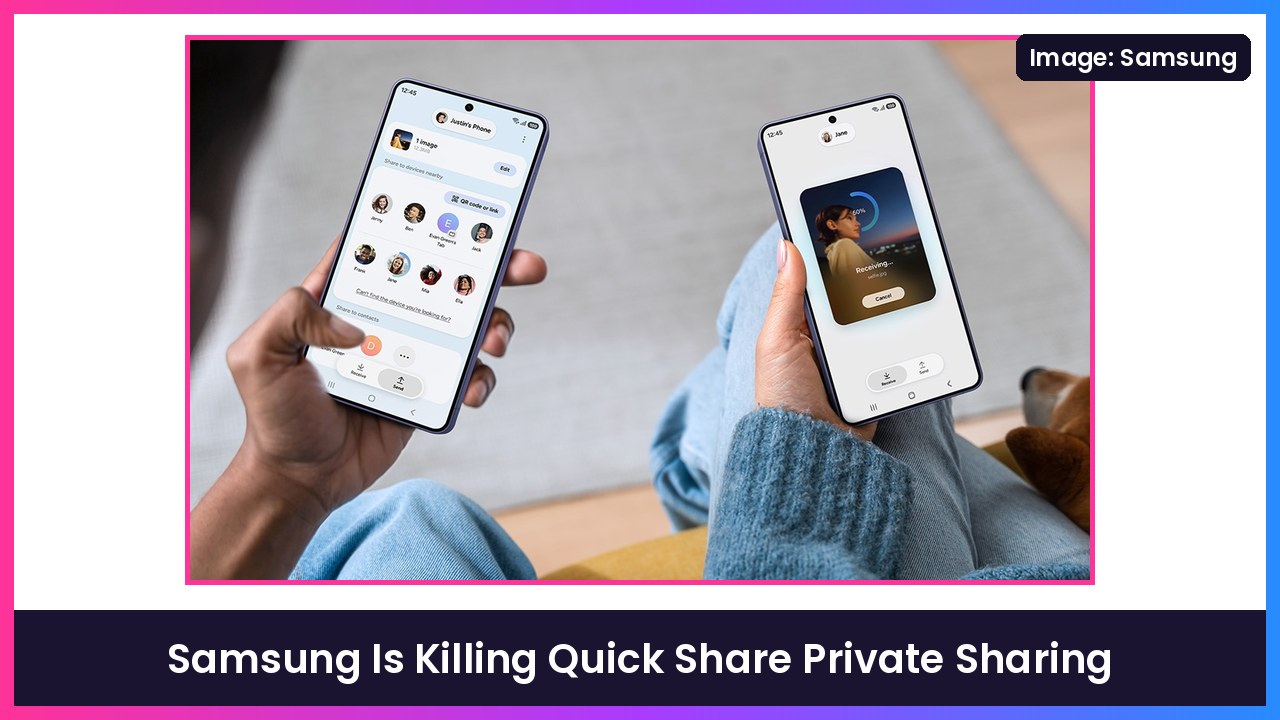
Quick summary: If you’ve ever used Private sharing in Samsung’s Quick Share to send something sensitive, like a photo of your ID or a private document, heads up: it’s going away. Android Authority reports Samsung added an “Advance notice of the upcoming discontinuation of the ‘Private sharing’ feature” to the Galaxy Store changelog for Quick Share version 13.9.10.5. And on a Galaxy S26 Ultra running the One UI 9.5 beta, it’s already gone. The big catch: once it shuts down, people lose access to files that were already shared with them this way.
Key takeaways
- What’s going away: Quick Share’s Private sharing mode, the one with expiration dates and no saving, forwarding or screenshots.
- When: Samsung hasn’t announced a date yet. SammyGuru first spotted an in-app string reading “Private sharing will end on %s”, with the date still a placeholder.
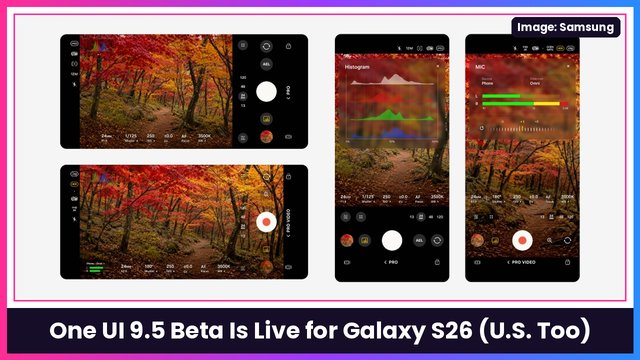
- Already gone in One UI 9.5 Beta 1: Android Authority says there’s no Private sharing toggle in Quick Share v13.9.50.30 on its Galaxy S26 Ultra, and the code is removed. Samsung’s beta changelog doesn’t mention it.
- What happens after: You can’t send or receive files with Private sharing, and recipients lose access to previously shared files.
- What’s NOT changing: Regular Quick Share transfers keep working, per Android Authority and SammyGuru.
What Private sharing actually did
If you never used it, here’s the deal. Per Samsung’s own Quick Share page, Private sharing let you set an expiration time and date on files and prevent recipients from screenshotting, saving or resending them. Samsung says the default expiration was 2 days, with a max of 7 days, and you could send up to 20 files and 200MB at a time. It only worked between Galaxy devices.
Samsung’s support guide also lets you revoke access after sending from Settings > Apps > Quick Share > Private sharing history. Android Authority adds that the feature encrypted files using blockchain technology instead of a standard local transfer.
So basically, it was the “this message will self-destruct” option. Really useful for sending a copy of your driver’s license to a family member, for example.
Why it matters
The part that’ll catch people off guard is the recipient side. According to the in-app strings Android Authority and SammyGuru found, when the shutdown hits, recipients lose access to any files previously shared with them through Private sharing. And because Private sharing blocks saving, you can’t just save those files before the cutoff.
SammyGuru says it’s unclear if the shutdown is tied to One UI 9.5, since the feature is missing on the new build even with the same Quick Share version. If it is, Private sharing could keep working on One UI 9 and older for a while. SammyGuru expects the wider One UI 9.5 rollout to start with the Galaxy S27 series, possibly not until Q2 2027.
Samsung didn’t give a reason. Android Police notes it isn’t known why the mode was removed in One UI 9.5.
What to do right now
- Check what people sent you. Think about anything friends or family sent you with Private sharing, like IDs, documents or photos, and open them while you still can.
- Need to keep something? Ask the sender to resend it another way, like a regular Quick Share transfer, since you can’t save Private shares yourself.
- Senders: Check Private sharing history in the same menu so you know what you’ve sent and who still has access.
- Back up the originals. The files you sent came from your phone, so make sure those originals are backed up. A Samsung T7 Portable SSD is an easy way to keep a copy offline.
- On the One UI 9.5 beta? The option is already gone. Here’s how to join the One UI 9.5 beta and what’s new if you’re curious, but I wouldn’t run it on your only phone.
Quick Share itself is actually getting better. Android Authority points out it gained AirDrop compatibility on the Galaxy S26 series and is preparing Tap to Share in One UI 9.5. Here’s my guide on how to use AirDrop on a Samsung Galaxy with an iPhone or Mac.
My take
I’ll be honest with you, I get why Samsung might trim a feature not a ton of people used, but the way this shuts down is kind of rough. Files just vanishing from the person you sent them to, with no way to save them, is something Samsung really needs to warn about inside the app with a clear date, not just in a Galaxy Store changelog. Until then, if anything important came to you through Private sharing, ask for it again now. If you’re shopping for a new Galaxy anyway, the Galaxy S26 Ultra and the more affordable Galaxy S26 FE both get all the latest Quick Share features.
Sources: Android Authority: Samsung is killing Quick Share’s Private sharing, and it’s already gone in One UI 9.5 beta, SammyGuru: Samsung Confirms Quick Share Private Sharing Shutdown, SammyGuru: Samsung May Be Pulling the Plug on This Handy Quick Share Feature, Android Police: Quick Share’s most useful privacy feature is disappearing, Samsung US: Quick Share, Samsung US: Private Share secure file sharing guide.
Subscribe to GregglesTV for daily tech news, reviews and walkthroughs.
See today’s GregglesTV Best Tech Deals or browse all deals posts.
Comments
Comments are moderated. Hate, slurs, spam and scam posts are blocked. Don’t include personal info you wouldn’t want public. See the privacy policy.
Loading comments…