One UI 9.5 Beta Is Live for Galaxy S26 in the U.S.: How to Join and the Best New Features
Samsung just opened the One UI 9.5 beta to Galaxy S26 owners in the U.S., UK, Germany, Korea, India and Poland. App Lock finally arrives, Pro mode gets custom presets, and here's how to sign up.
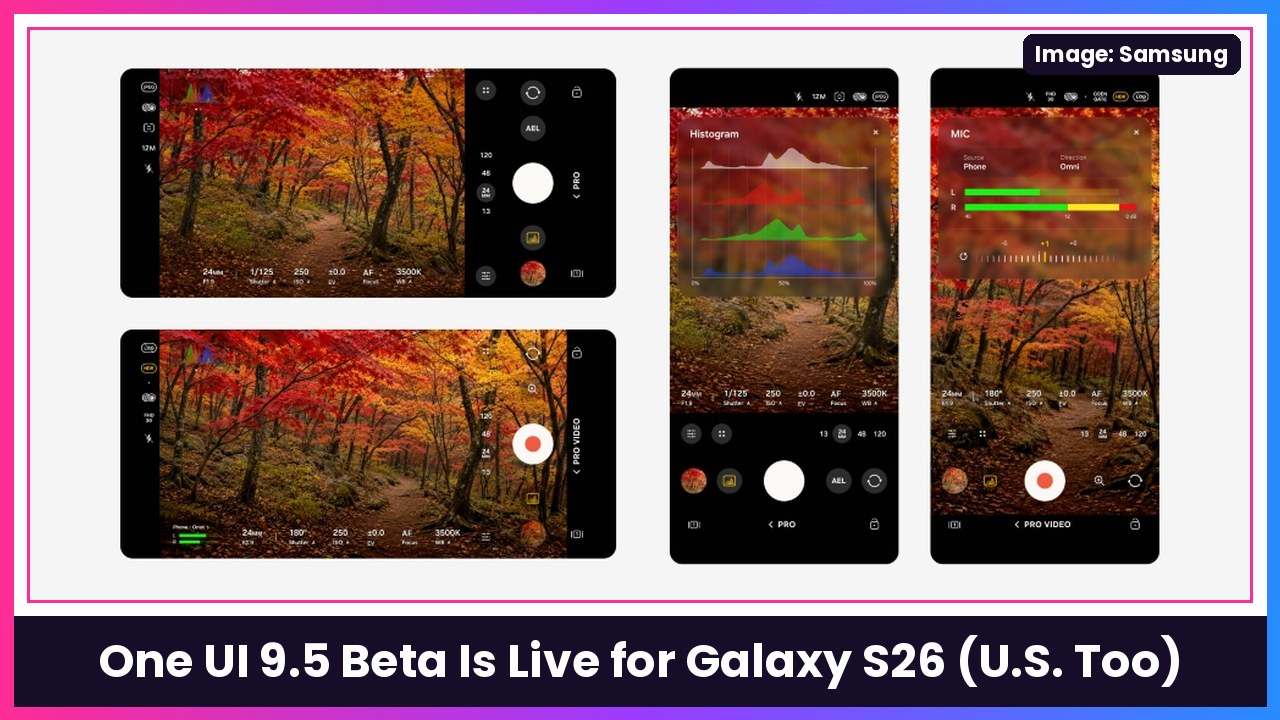
Quick summary: It’s here. Samsung has officially started the One UI 9.5 beta program, and it’s open today to Galaxy S26 series owners in the U.S., the UK, Germany, Korea, India and Poland. The headline features are a real App Lock (finally), custom presets in Pro and Pro video modes, a Mindful Note journal and Medications tracker in Samsung Health, and a bunch of lock screen upgrades. If you’ve got a Galaxy S26 Ultra or another S26, here’s how to get in and what you get.
How to join the One UI 9.5 beta
Samsung says eligible users apply through the Samsung Members app. Android Authority lays out the steps:
- Open the Samsung Members app on your Galaxy S26, S26+ or S26 Ultra.
- Look for the One UI 9.5 beta registration banner and sign up (if registration is open in your market).
- Once you’re approved, go to Settings > Software update > Download and install.
A few things to know before you jump in:
- It’s big. Android Authority says the download is about 3.49GB to 3.6GB, so use Wi-Fi and plug in. If you need a fast charger, Samsung’s 45W PD adapter with a 5A cable will get you charged up faster.
- It’s a beta. Expect bugs. I wouldn’t put it on the only phone you rely on for work.
- Back up first. Samsung Cloud or Smart Switch, your call, but do it before you install.
The features Samsung is highlighting
From Samsung’s newsroom post:
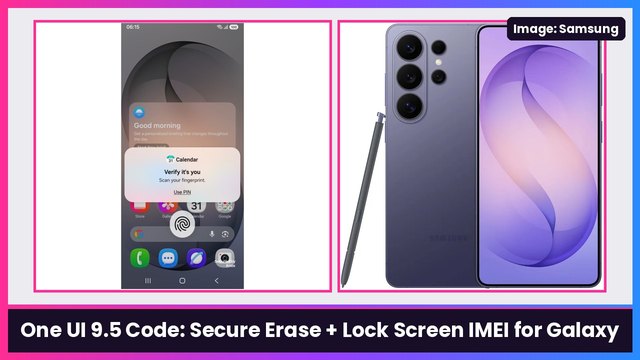
- App Lock: Lock individual apps with your biometrics or your screen lock. When an app is locked, Samsung says its notification content and widgets stay hidden, even if someone else is using your unlocked phone. This is different from Secure Folder, which makes a separate copy of the app, as Android Authority explains.
- Enhanced Pro and Pro video modes: Customizable controls and presets for your own shooting setups. Samsung’s footnote says this is only on models that support Pro and Pro video, and not the Lite versions of those modes.
- Simpler default camera: Improved controls plus a zoom bar, with key settings on one screen so you’re not digging through menus.
- Samsung Health Mindful Note: Free writing or guided prompts to reflect on your thoughts and feelings.
- Samsung Health Medications: Add prescriptions, vitamins and supplements, set reminders and track whether you took them. Availability may vary by market.
- Accessibility: A floating shortcut for frequently used controls, plus better hearing aid controls right in the notification panel, including volume and which sounds go to your hearing aids.
More goodies from the full changelog
Android Authority’s changelog breakdown lists a lot more. My favorites:
- Live effect wallpapers: Lock screen wallpapers get depth that shifts as you tilt your phone.
- Lock screen clock with seconds: Pick how long it stays up: 10 seconds, 30 seconds, 1, 2, 5 or 10 minutes.
- Pause before app launch: An optional 10-second pause before a chosen app or category opens, to help you think twice before doomscrolling.
- Face and fingerprint at the same time: If you’ve registered both, either one works without an extra tap.
- Privacy Display for secure features (Ultra only): Privacy Display can now turn on automatically for locked apps, Secret mode in Samsung Browser, private albums and locked notes.
- PPTX and DOCX in My Files: Open PowerPoint and Word files without installing Office.
- Better DeX windows: Snap to all four corners and auto-split into 2, 3 or 4 windows.
- Search in the Quick panel editor: Find a control by app or control name instead of scrolling.
- Downloadable ringtones: Older versions of Over the Horizon plus classic Samsung ringtones.
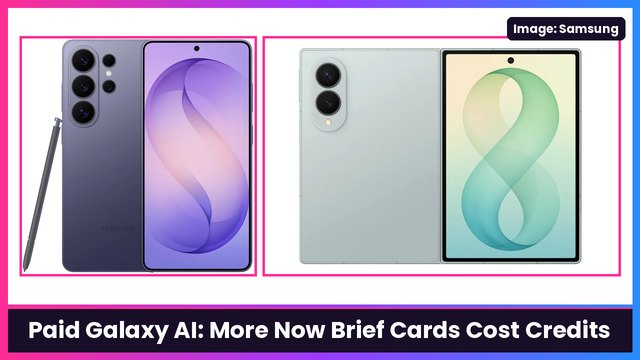
One thing going away: the changelog says Audio brief and Moments will no longer be available in Now brief after you upgrade.
What about the Fold 8 and other Galaxy phones?
Right now, Samsung’s post only lists the Galaxy S26 series for this beta. If you’re on a Galaxy Z Fold 8 you’ll have to wait. Samsung hasn’t said when other phones get the beta or when the stable release lands, so I’m not going to guess.
My take
App Lock alone makes this a big update. People have been asking Samsung for a simple, native way to lock one app for years, and hiding the widgets and notifications too is exactly how it should work. The Pro mode presets are a nice win for anyone who shoots a lot of video. If you’re on an S26 and you like living on the edge, go sign up. Everyone else, hang tight for the stable build.
For more on what One UI 9.5 is bringing, check out my earlier One UI 9.5 and Galaxy AI Premium rundown and the paid Galaxy AI Now Brief leak.
Sources: Samsung Global Newsroom: Samsung Begins One UI 9.5 Beta Program, Android Authority: One UI 9.5 beta is rolling out to Galaxy S26 series, Android Authority: Here’s everything new in Samsung One UI 9.5 beta.
Subscribe to GregglesTV for daily tech news, reviews and walkthroughs.
See today’s GregglesTV Best Tech Deals or browse all deals posts.
Comments
Comments are moderated. Hate, slurs, spam and scam posts are blocked. Don’t include personal info you wouldn’t want public. See the privacy policy.
Loading comments…