Samsung One UI 9.5: My Favorite New Features So Far
I've been using One UI 9.5 on the Galaxy S26, and these are the four new features I like most: App Lock for individual apps, the 3D live effect lock screen wallpaper, searchable Quick Settings controls and the classic Over the Horizon ringtones.
Quick summary: One UI 9.5 is now available to download on the Galaxy S26 phones (it’s rolling out through Samsung’s beta program right now), and after using it for a bit, these are my favorite new features. None of them are going to blow your mind, but a couple of them are genuinely useful, and one is a fun little throwback for longtime Samsung fans.
Key takeaways
- App Lock lets you lock individual apps with your fingerprint or pattern, right from the home screen.
- You can also manage App Lock from Settings > Security and privacy > App Lock.
- The 3D live effect wallpaper makes your lock screen shift as you tilt the phone.
- Quick Settings now has a search when you add controls, so you don’t have to scroll through everything.
- You can download the old Over the Horizon ringtones from your sound settings.
1. Lock individual apps
This is the big one. You can now lock any individual app. Long press an app on your home screen and you’ll see a new lock option. Tap it and Samsung tells you exactly what happens: while the app is locked, its widget is removed from your home screen and its notification content is hidden.
Hit Lock, and from then on you have to use your fingerprint or your pattern to open that app. Once you unlock it, you’re in, and it works with basically any app, including the store apps. If you share your phone with someone in your house (I let my wife use this one), this is a really nice thing to have.
2. App Lock in Settings
If you’d rather lock a bunch of apps at once, you don’t have to do it one by one from the home screen:
- Open Settings and search for App lock. It lives under Security and privacy.
- Tap App lock and confirm with your fingerprint.
- Tap the toggle next to any app to lock or unlock it.
Pick one from this list and it’s locked automatically, so this is probably the easier way if you want to lock a lot of apps. If you’re on a Galaxy S26 Ultra, this alone makes the update worth a look.
3. 3D live effect lock screen wallpaper
Next up is the new 3D-style wallpaper. To set it up:
- Long press your lock screen.
- Enter your PIN, pattern or fingerprint.
- Swipe all the way over to Live effect and tap Download.
The first time, the phone may need to download an extra component before it can add the effect, so give it a second. Then hit Done. Now when you tilt the phone, the wallpaper moves with you and creates a live, depth effect on your lock screen. It’s not amazing, but I’m digging it. It’s one of those little touches that makes the phone feel a bit more lively.
4. Search your Quick Settings controls
I like this one a lot, and as far as I can tell it’s new. I didn’t see it on my Galaxy Z Fold 8 Ultra, and I believe it’s new to One UI 9.5.
- Swipe down from the top of the screen.
- Tap the pencil icon to edit your quick toggles.
- Go to Add control.
Now there’s a search at the top. So if you’re looking for something like the screen record toggle, you can just search for it instead of browsing through every control. Small change, but it’s nice to have.
5. The classic Over the Horizon ringtones
This is a really cool one for Samsung fans:
- Go into Settings > Sounds and vibration > Ringtone.
- Tap the download button.
You’ll find a bunch of the really old Over the Horizon ringtones, plus other older Samsung tones. Again, I didn’t see this on my Z Fold. Download one and it shows up in your ringtone list, ready to select. I’ve already got one set. If you miss the old ones, they’re back, which makes it a fun little Easter egg.
Should you rush to get One UI 9.5?
Other than these, I don’t really see many differences that are going to blow you away. There are some other changes, but honestly, it’s not that exciting yet, so I wouldn’t go out of my way to get it today. It’s still cool to have, though, and if more exciting stuff shows up, I’ll definitely let you know. It’s also a big download, so plug in with a fast charger like Samsung’s 45W PD adapter with a 5A cable before you install.
Which of these features is your favorite? Let me know in the comments on the video.
More One UI 9.5 coverage
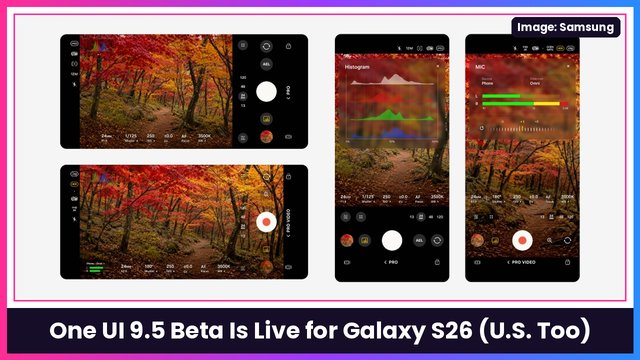
- One UI 9.5 beta is live for Galaxy S26 in the U.S.: how to join and the best new features
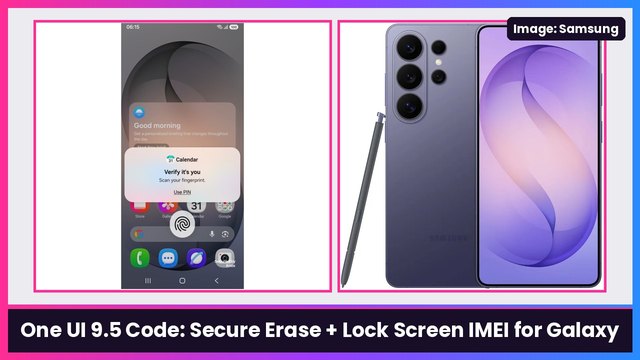
- One UI 9.5 code hints at Secure Erase and a lock screen IMEI option
- One UI 9.5 leaks: Personal Agent Core, a Galaxy AI usage meter and PlayOn
- Samsung’s Memory app could be One UI 9.5’s answer to Pixel Screenshots
- Samsung’s Expert RAW is getting a big redesign for Galaxy S27
- Samsung’s rollable is back, plus what’s coming in One UI 9.5
Watch the full video on YouTube, and subscribe to GregglesTV for daily tech news, reviews and walkthroughs.
See today’s GregglesTV Best Tech Deals or browse all deals posts.
Comments
Comments are moderated. Hate, slurs, spam and scam posts are blocked. Don’t include personal info you wouldn’t want public. See the privacy policy.
Loading comments…