Oura Is Dropping Android 11 on December 8, and You Could Lose Your Ring's Health History. Here's How to Save It
Oura will stop supporting Android 11 on December 8, 2026, and warns that if you upgrade your phone later, your historical Oura data won't carry over. Here's how to check your Android version, update, and request a data export now, since Oura says exports can take up to 10 days.
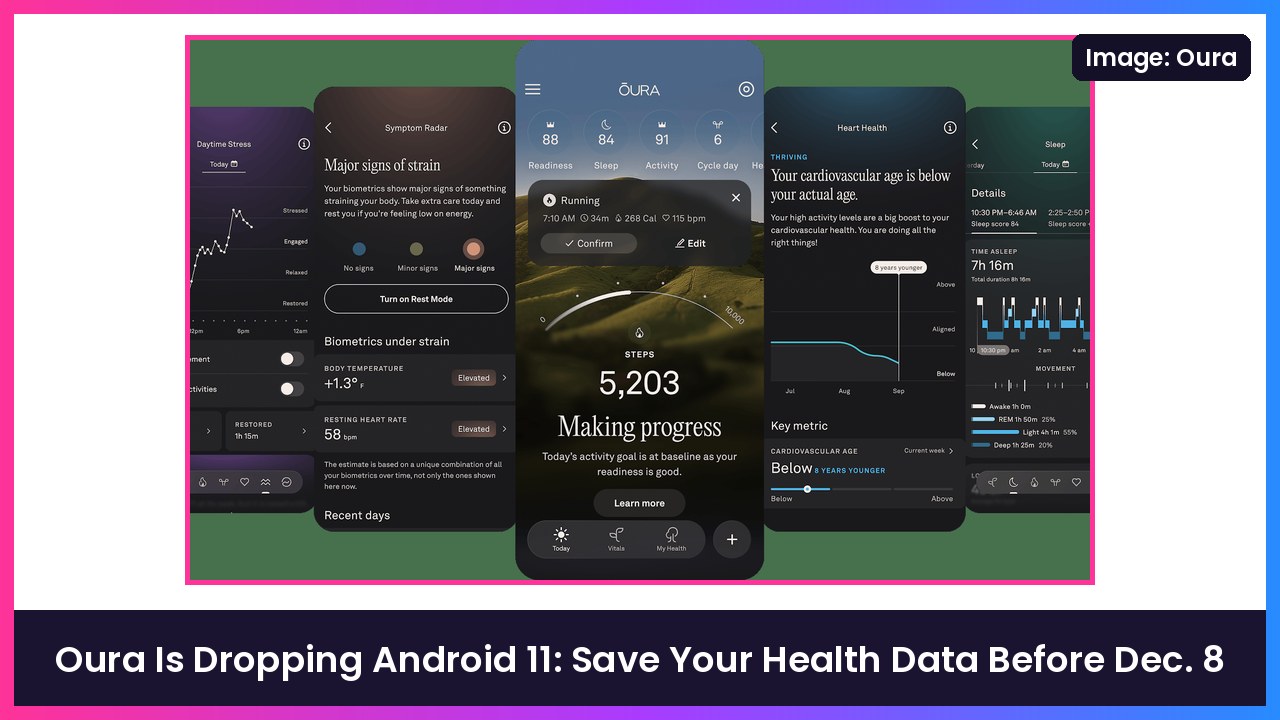
Quick summary: All right, guys, if you wear an Oura Ring and you’re still on an older Android phone, this one’s really, really important. Oura has updated its support page to say it will drop support for Android 11 on December 8, 2026. Oura says to update to Android 12 or higher “to ensure no loss of data or features,” and here’s the part that got people’s attention: if you upgrade your phone’s system later, “your historical Oura data will not carry over.” So if your phone is on Android 11, check for an update now, and request a backup of your Oura data today, because Oura says exports can take up to 10 days.
Key takeaways
- The date: Oura drops Android 11 support on December 8, 2026.
- What you need: A phone on Android 12 or higher. (iPhone users aren’t affected by this change. Oura’s current iOS requirement is iOS 16 and up.)
- If you stay on Android 11: Oura says you “may still be able to use some limited historical Oura App features.”
- The big catch: If you upgrade your phone’s system after the deadline, Oura says your historical Oura data will not carry over.
- Back it up now: Anyone can request a data export through Oura’s Membership Hub, with or without a membership, but Oura says it can take up to 10 days, and December 8 is only 11 days away.
What Oura actually said
Here’s the exact wording from Oura’s Software Updates for Android page, last updated November 24, 2026:
Oura will drop support for Android 11 on December 8, 2026. If you are using an Android device, be sure to update to Android 12 or higher to ensure no loss of data or features. If you decide not to upgrade, you may still be able to use some limited historical Oura App features. Please note that if you do upgrade your smartphone system later, your historical Oura data will not carry over.
The same note now appears on Oura’s Set Up the Oura App page. As The Verge points out, companies drop old OS versions all the time, and Android 11 came out back in 2020. Usually that just means you stop getting new features. Losing historical health data is a lot more unusual, and Oura hasn’t explained why that data wouldn’t be preserved. Android Authority notes this can mean losing years of sleep, activity and recovery history, the stuff that makes an Oura Ring more useful the longer you wear it.
Step 1: Check which Android version you have
Google’s Android Help says to:
- Open your phone’s Settings app.
- Tap About phone, then Android version.
If it says 12 or higher, you’re fine for this change. If it says 11, keep going.
Step 2: Look for a system update
Per Google, open Settings, tap System, then Software updates, and follow the on-screen steps. (On Samsung phones, look for Software update in Settings.) Google’s tips: connect to Wi-Fi and charge to at least 75% first.
I’ll be honest with you, though: Google also says older devices can’t always run newer Android versions. If your phone is stuck on Android 11 with no update available, that’s the real problem here. You’d need a newer phone to keep using Oura fully, and based on Oura’s wording, it’s better to make that move before December 8, not after.
Step 3: Request your Oura data export today
Even if you’re planning to update, I’d grab a backup anyway. Oura’s Export & Share Your Oura Data page says this option is available to all Oura users, with or without an active membership:
- In the Oura app, tap the menu in the upper-left of the Today screen, then Settings, scroll to Account, and tap Manage membership to open the Membership Hub. (Oura’s Membership page lists that path. You can also log in to the Membership Hub on the web.)
- Select Export data.
- Select Request your data.
- Wait for Oura’s email. Oura says it may take up to 10 days before your data is ready.
- Go back to the Membership Hub and tap the export to download it.
Oura says the download comes in CSV format. One heads-up from Oura: time durations in the export are listed in seconds, not hours and minutes. And obviously, don’t tap anything that deletes your account.
Why it matters
Oura is one of the most popular smart rings out there, and the whole pitch is long-term trends: sleep, readiness, activity and more. Losing that history because you updated your phone a few weeks too late would be a real bummer. The 10-day export window is the part I’d pay attention to. If you request it this weekend, you should have it before the deadline.
It’s also a good reminder to check how long your phone will keep getting updates. I wrote about something similar when Amazon ended software updates for older Kindles. If you’re on a Motorola phone, here’s how to update to Android 17.
My take
Look, Android 11 is six years old, so I get Oura moving on. But the “your historical data will not carry over” line is rough, and I’d love to see Oura explain it or fix it. Until then, here’s my advice: check your Android version today, update if you can, and request your Oura export right now no matter what. If you need a new phone, a budget pick like the Galaxy A37 5G is more than enough for Oura, and I’ve linked a few options down below.
Sources: Oura Support: Software Updates for Android, Oura Support: Set Up the Oura App, Oura Support: Export & Share Your Oura Data, Oura Support: Oura Membership, Android Help: Check & update your Android version, The Verge, Android Authority, Oura app screens (image).
Subscribe to GregglesTV for daily tech news, reviews and walkthroughs.
See today’s GregglesTV Best Tech Deals or browse all deals posts.

Comments
Comments are moderated. Hate, slurs, spam and scam posts are blocked. Don’t include personal info you wouldn’t want public. See the privacy policy.
Loading comments…