WhatsApp Finally Adds Scheduled Messages: Send Texts, Photos and Videos Up to 14 Days Later, Even If Your Phone Is Off
WhatsApp is rolling out one of its most requested features: scheduled messages in 1:1 and group chats. Here's how it works, what it supports, and when you'll get it.
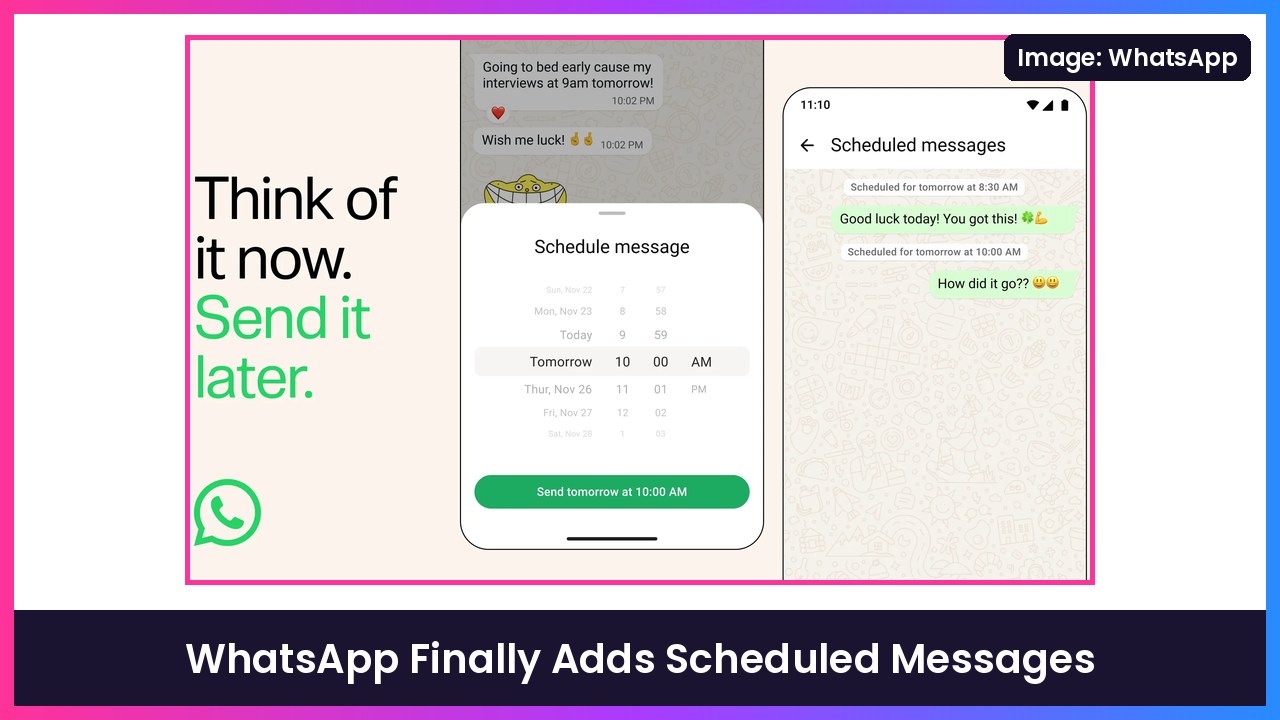
Quick summary: It’s finally here, guys. WhatsApp announced today that it’s adding scheduled messages, which it calls one of its most requested features. You write the message now and pick when it sends, anywhere from 10 minutes to 14 days later, in both 1:1 and group chats. And here’s the part I really like: it still sends even if your phone is off or the battery is dead. It’s rolling out globally over the coming weeks, so you might not see it today.
Key takeaways
- What: Schedule a WhatsApp message to send later, from 10 minutes up to 14 days ahead.
- Where: Works in 1:1 chats and group chats.
- What you can send: Text, photos and videos, according to WhatsApp.
- How: Press and hold the send button, then pick the date and time.
- Phone off? Doesn’t matter. WhatsApp says the message still shows up at the time you picked.
- Still private: Scheduled messages stay end-to-end encrypted.
- When: Rolling out globally over the coming weeks, on both iPhone and Android, per TechCrunch.
How it works
WhatsApp’s own explanation is really simple:
- Type your message (or attach a photo or video) like you normally would.
- Press and hold the send button.
- Pick the date and time you want it to arrive.
To the person getting it, it looks like any other message. WhatsApp says you can see all of the future messages you have lined up and delete them before they send if you change your mind. Gadgets 360 reports the pending messages show up in a section on the chat info screen, and that deleting one doesn’t notify the other person, since it was never delivered.
Gadgets 360 also spotted a group chat detail worth knowing: a scheduled group message only goes to people who were in the group when you scheduled it. Someone who joins later won’t get it.
What it doesn’t do (yet)
- Voice notes: 9to5Google notes WhatsApp only lists text, photos and videos, so voice notes apparently aren’t included.
- Changing the send time: WhatsApp’s post only mentions viewing and deleting scheduled messages. TechCrunch says it isn’t clear yet whether you can reschedule one, so for now, plan on deleting and re-scheduling.
Why this is a big deal
Google Messages, Signal and Telegram have had scheduling for a while, as Android Authority points out, so WhatsApp is catching up here. But WhatsApp is the one a ton of people actually use for family group chats, and the timing is perfect for the holidays.
The examples WhatsApp gives are spot on: you remember at 11 PM to wish someone luck on an exam tomorrow morning, or you want a birthday message to land at midnight in your friend’s time zone, not yours. I’ll be honest with you, the phone-off part is what makes this really useful. Schedule the “Happy Thanksgiving” texts, get on the plane, and they still go out. Love it.
When will I get it?
WhatsApp says it’s rolling out globally over the coming weeks. Engadget and Gadgets 360 both describe it as a gradual rollout. Make sure WhatsApp is updated from the App Store or Google Play, and if pressing and holding the send button doesn’t bring up the schedule option yet, it just hasn’t reached your account.
Using Google Messages on Android instead? You can already do this there. Here’s my guide on how to schedule a text in Google Messages.
Sources: WhatsApp Blog, 9to5Google, TechCrunch, Android Authority, Engadget, Gadgets 360.
Thanks for reading. Have a great day.
Subscribe to GregglesTV for daily tech news, reviews and walkthroughs.
See today’s GregglesTV Best Tech Deals or browse all deals posts.



Comments
Comments are moderated. Hate, slurs, spam and scam posts are blocked. Don’t include personal info you wouldn’t want public. See the privacy policy.
Loading comments…