One UI 9.5 Code Reveals 4 New Galaxy Features: Scam Detection for WhatsApp Calls, Walking Alerts, an AI Watermark Toggle and Zoom Enhancer
Android Authority dug through the One UI 9.5 beta and found four features Samsung hasn't announced yet, from scam and deepfake warnings in WhatsApp and Telegram calls to AI-powered zoom in Gallery. Here's what each one does.
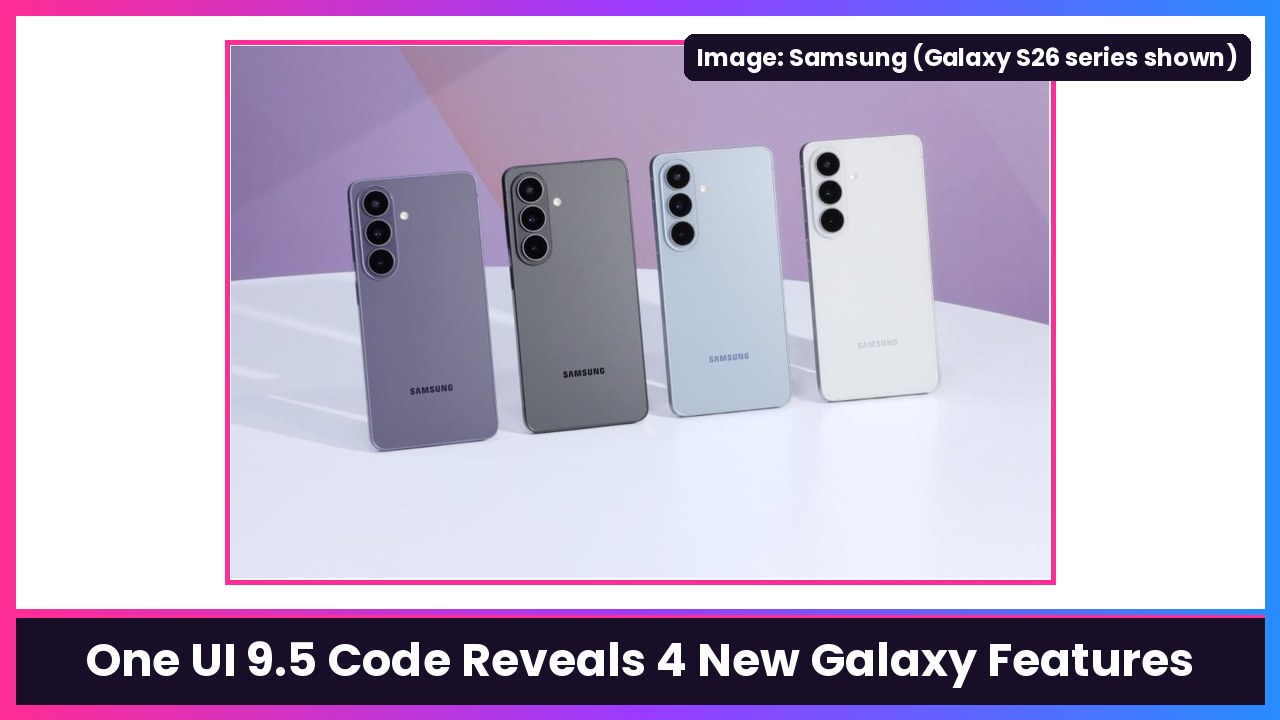
Quick summary: The One UI 9.5 beta has only been out on the Galaxy S26 series for about a week, and people are already finding stuff Samsung hasn’t talked about. Overnight, Android Authority published four separate APK teardowns showing features hiding in the beta’s code. None of them are official yet, and Android Authority is clear that work-in-progress code may never ship. But a couple of these are genuinely useful. Here’s the rundown.
Key takeaways
- Scam Detection in other apps: warnings about scam calls and AI deepfake voices in WhatsApp, Telegram, Google Meet and more. Code points to South Korea first.
- Real-time walking alerts: a nudge when you’re using your phone while walking, like Google’s Heads Up.
- AI watermark toggle: a setting to turn off the visible “AI-generated content” watermark on Galaxy AI edits.
- Zoom enhancer: a Gallery tool that uses cloud generative AI to sharpen zoomed-in photos.
- None are announced. Samsung’s official One UI 9.5 beta features are App Lock, new Pro camera modes, Mindful Note and Medications.
1. Scam Detection for WhatsApp, Telegram and other calling apps
Right now, Samsung’s scam call protection only covers regular phone calls. Android Authority found strings in the One UI 9.5 Beta 1 Call Assistant app for a new “Scam detection in other apps” option. It says: “All incoming and outgoing calls in the apps you select will be checked for scams.”
- The code includes a default list of 14 apps, including KakaoTalk, WhatsApp, Google Meet, LINE, Messenger, Telegram, Instagram and Signal. Samsung can trim the list from its servers, and you’d only see apps you have installed.
- During a call you’d get a “Check call for scams?” notification with Start and Stop buttons.
- Warnings would cover a scam conversation, a known scammer’s voice and an AI-altered (deepfake) voice.
- Android Authority says the analysis runs on your phone.
- Limits: you can’t use Live Translate and Scam Detection on the same call, and it stops if you switch to video.
The catch for US readers: the working code is for South Korea (Samsung’s engine) and China (a China Mobile engine). Android Authority also says the setting seems tied to a newer Galaxy AI version that its Galaxy S26 Ultra doesn’t have yet, which it reads as pointing toward the Galaxy S27. So don’t expect this in the US anytime soon. Want protection today? Here’s how to block spam and scam calls on a Samsung Galaxy.
2. Real-time walking alerts
Samsung already has a Walking screen time page in Digital Wellbeing that tells you how long you stared at your phone while walking, after the fact. Android Authority manually enabled a new “Get real-time walking alerts” option in the menu on that page.
- Turn it on and you’d get a notification that says “You’ve been using your phone while walking.”
- Samsung’s confirmation text warns that detection can take time, so you still need to watch where you’re going.
- Android Authority notes Google is retiring its own Heads Up feature in 2027, so Samsung could end up with this just as Pixel loses it.
Android Authority says it enabled the screens but couldn’t confirm the alerts actually work yet.
3. A toggle to hide the AI watermark
When you edit a photo with Galaxy AI tools, Samsung stamps a visible watermark on it. New strings found by Android Authority point to a “Show visible AI watermark” setting you could turn off.
- If you turn it off, a pop-up would say: “You are responsible for complying with any laws or regulations that require AI-generated content to be labeled.”
- Android Authority thinks Samsung will likely keep adding C2PA Content Credentials (hidden metadata about edits) even with the visible watermark off.
This one’s a little controversial. I get why people hate a watermark on their photos, but I can also see why Samsung might think twice before shipping it.
4. Zoom enhancer in Gallery
This one sounds like Samsung’s answer to the Pixel’s Pro Zoom. Android Authority found a “Zoom enhancer” option in the Editing section of Samsung Gallery’s settings. Samsung’s description says it will “use AI to enhance clarity and sharpness at higher zoom levels,” and warns that “AI-generated details may differ from the actual scene.”
- It looks like it runs in the cloud. Android Authority says it won’t work if you’ve turned on Galaxy AI’s Process data only on device setting.
- Unlike Pixel’s Pro Zoom, which you turn on in the camera, this looks like something you’d apply in Gallery after you take the photo.
- There’s no word on which phones get it or when.
What Samsung has actually announced
For the record, Samsung’s own One UI 9.5 beta announcement lists enhanced Pro and Pro video modes, a new zoom bar, Mind Note and Medications in Samsung Health, a floating accessibility shortcut, better hearing aid controls and App Lock. The beta is open to the Galaxy S26 series through the Samsung Members app. If you want in, here’s how to join the One UI 9.5 beta, and here are my favorite One UI 9.5 features so far.
My take
The walking alerts and Zoom enhancer are the two I’d actually use. The walking one especially. I’m guilty of it, and a little nudge is better than a weekly chart. Scam Detection for WhatsApp calls is a great idea too, I just wish the code pointed to the US instead of Korea and China first. The AI watermark toggle? I’m torn. If you’re shopping for a new Galaxy right now, the Galaxy S26 Ultra is the phone getting One UI 9.5 first, and the Galaxy S26 FE is the budget pick. Just remember: none of these four features are confirmed yet.
Sources: Android Authority: Scam Detection for WhatsApp, Telegram calls, Android Authority: Real-time walking alerts, Android Authority: AI watermark toggle, Android Authority: Zoom enhancer, Samsung Newsroom: Samsung Begins One UI 9.5 Beta Program.
Subscribe to GregglesTV for daily tech news, reviews and walkthroughs.
See today’s GregglesTV Best Tech Deals or browse all deals posts.


Comments
Comments are moderated. Hate, slurs, spam and scam posts are blocked. Don’t include personal info you wouldn’t want public. See the privacy policy.
Loading comments…