Moto Razr Ultra 2026 Review: Flip It Baby One More Time
I go hands-on with the wood-back Motorola Razr Ultra 2026: the 4-inch cover screen and 7-inch inner display, 50MP cameras, Snapdragon 8 Elite gaming and Geekbench scores, speakers, charging and whether it's worth about $1,299.
Heads-up: This is not a sponsored video. Links on this page are affiliate links, so if you buy through them I may earn a commission at no extra cost to you.
Quick summary: All right, guys, this is the Motorola Razr Ultra 2026, Moto’s top flip phone, and the one I have has this wood-style back that looks really, really nice and premium. It’s about $1,299, so get your wallets ready, but I’ll be honest with you: it’s fast, the cover screen is genuinely useful, the speakers are good and the cameras are decent. It’s expensive, but it’s a really nice phone.
Key specs from the video
| Razr Ultra 2026 | |
|---|---|
| Outside (cover) display | 4.0 inches, up to 3,000 nits, Corning Gorilla Glass Ceramic 3 |
| Inside display | 7 inches, up to 5,000 nits peak, ultra-thin glass |
| HDR | Dolby Vision and HDR10+ on both screens |
| Cameras | 50MP main, 50MP ultrawide, 50MP selfie |
| Chip / memory | Snapdragon 8 Elite, 16GB RAM, 512GB storage |
| Battery / charging | 5,000mAh, 68W wired, 30W wireless (no charger in the box) |
| Price I mention | About $1,299 |
Quick note on price: Motorola’s list price for the unlocked 16/512GB model is $1,499.99, and Android Authority reports it’s down to $1,299.99 on Amazon for Black Friday in both Pantone Cocoa and Orient Blue. Prices change, so check before you buy.
Design and displays
What is going on, welcome to Greggles TV. This version has a wood backing, and it honestly looks and feels premium in your hand. The build quality is really nice.
The outside display is a full 4-inch screen that gets up to 3,000 nits, and when you open it up, the inside display is 7 inches and hits up to 5,000 nits of peak brightness. Both screens support Dolby Vision and HDR10+. You get Gorilla Glass Ceramic 3 on the outside and ultra-thin glass on the inside.
I know some of you are going to ask about the crease. You can see it a little bit when the screen is off, but it’s not terrible, and with the display on it’s nearly, nearly invisible.
Cameras and photo samples
All three cameras are 50 megapixels: the main camera, the ultrawide and the selfie camera on the inside. In the video I walk around outside with the front camera and then close the phone and shoot with the rear cameras, which is just easier to hold that way. It was almost sunset (it’s winter), and I even tried to find an apple left on the tree in the sun.
My take: the photos and videos did a fairly nice job. They didn’t blow me away, but they’re definitely good enough for nice everyday photos and videos. Check out the samples in the video and let me know what you think of the stabilization and the microphones.
Gaming and benchmarks
Inside is the Snapdragon 8 Elite with 16GB of RAM. I loaded up a Roblox game, turned off auto graphics and pushed every manual setting all the way to the top, and it ran it no problem at all. No slowdown, good frame rates, and the inside display looks really good while you play.
Here’s what Geekbench 7 showed on my unit:
- GPU: 12,031
- CPU single-core: 1,233
- CPU multi-core: 6,614
Nothing that’s going to blow you away. It’s not going to compete with the newer Snapdragon 8 Elite Gen 5 phones, but it’s more than enough to play games on.
Day-to-day performance
Honestly, day-to-day stuff is really smooth. I didn’t notice any lag moving around the OS, apps open fairly quick and websites load really, really fast. I’ve been pretty impressed with it in general.
The outside display is the star
This is where the Razr Ultra is really fun. From the cover screen you can:
- Take photos and videos with the rear cameras, and just tap the screen to start and stop recording.
- Play games right on the outside display.
- Text and look at your pictures without opening the phone, plus there’s some AI stuff in there too.
- Manage your panels: add or remove communication apps, or tap the plus sign to add things like Spotify.
- Add apps: in the apps section there’s an edit button, so you can add games, your browser or whatever you find useful. I added my browser and could scroll through websites right on the cover screen. Pretty neat.
Flip stand mode
Remember, this is a flip phone, so you can half-fold it and stand it up. Open the camera, set it down like a little tripod, and it’s a lot easier to take videos and photos hands-free.
Speakers and video playback
I turned the music all the way up, and the speakers actually sound pretty good and get fairly loud. For video, if you don’t pinch in you get pretty big black bars on the sides, and when you pinch in to fill the screen you lose a bit of the picture. I could still watch it either way.
Charging, battery and storage
There’s no charging brick in the box, but it charges at up to 68 watts wired and up to 30 watts wirelessly, and it has a 5,000mAh battery. It’s kind of a rarity these days to get 512GB of storage and 16GB of RAM, so that’s really nice to see.
Software and settings
The software isn’t bad at all, and you get a lot of customization. In settings you’ll find options for the external display, notifications, Smart Connect, sounds and vibrations, storage, and gestures you can turn on and off.
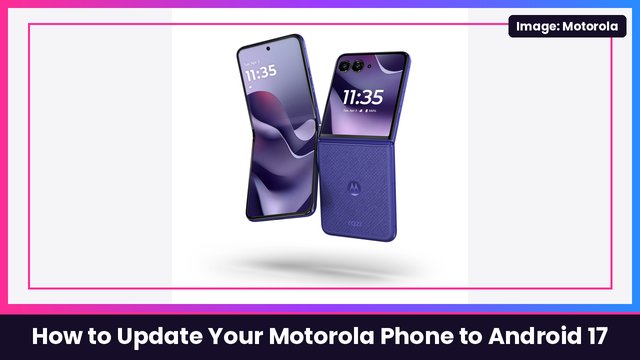
If you’re on a Moto already, here’s how to update your Motorola phone to Android 17.
Final thoughts: is the Razr Ultra 2026 worth it?
It’s a really nice phone. It’s fast, it’s fluid, the cameras are decent, day-to-day performance is great, you can game on it, and the software has lots of customization. The build quality looks really nice and it feels good in your hand. At around $1,300 it’s kind of expensive, but nowadays that’s kind of what you’d expect for a flagship foldable.
- Get the Razr Ultra 2026 in Pantone Cocoa or Orient Blue if you want Moto’s most powerful flip with the big cover screen.
- Want to spend less? The regular Razr 2026 is Motorola’s cheaper flip.
- Prefer Samsung? The Galaxy Z Flip 8 is the other big flip to look at, and here are the first 20 things I do on a Galaxy Z Flip 8.
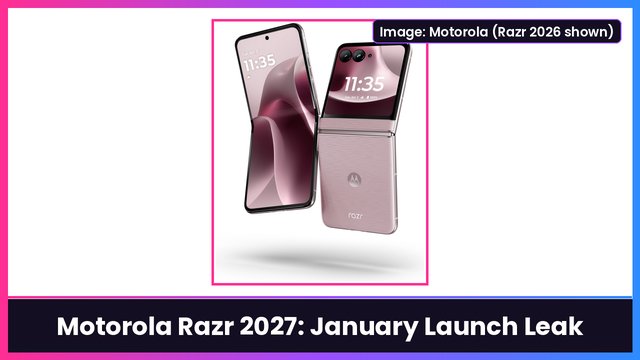
Thinking about waiting? Check out the Razr 2027 January launch leak and the leaked Motorola Razr Flex wide foldable.
Thanks for watching. Have a great day.
Watch the full video on YouTube, and subscribe to GregglesTV for daily tech news, reviews and walkthroughs.
See today’s GregglesTV Best Tech Deals or browse all deals posts.
Comments
Comments are moderated. Hate, slurs, spam and scam posts are blocked. Don’t include personal info you wouldn’t want public. See the privacy policy.
Loading comments…