8 Galaxy Z Fold 8 Features the iPhone Duo Needs
I flipped my wish list around: these 8 Galaxy Z Fold 8 features, from resizable split screens and a taskbar to notification history and a lighter build, should come to the iPhone Duo.
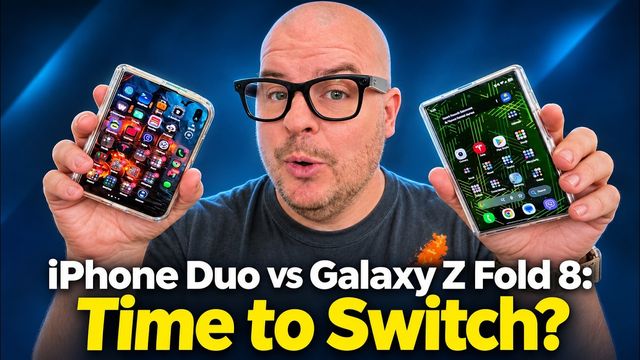
Quick summary: Earlier this month I made a list of iPhone Duo features the Galaxy Z Fold 8 needs. This time I’m flipping it around. After going back and forth between the Galaxy Z Fold 8 and the iPhone Duo, there are 8 things Samsung does that I really want Apple to borrow. Most of them are software, so they’re totally possible.
Key takeaways
- Multitasking: resizable split screens, three apps at once and a taskbar at the bottom.
- App control: force any app to full screen, and go back with a swipe from either side.
- Everyday stuff: notification history and separate home screens for the cover and inside displays.
- Hardware: weight. The Fold 8 is 201 grams, and the Duo feels a lot heavier in the hand.
1. Resizable split screens
On the Fold 8, when I have two apps side by side, I can grab the divider and make one app bigger and the other smaller, however I want. On the iPhone Duo you just can’t do that the same way. Split view on the Duo is easy to start (here’s my iPhone Duo split view how-to), but once you’re in it, I want the freedom to size things myself.
2. Run three apps at once
Samsung lets you pull up a third app on the inside screen, and even with three apps running you can still resize them. You can also rearrange them, drag one to a different spot, and the layout reorganizes itself. You are the master of your domain. You can’t do that on the iPhone Duo. If you want ideas, check out my best 3-app multitasking setups on the Fold 8.
3. A taskbar at the bottom
On the Fold 8 you get a taskbar along the bottom of the inside screen. Next to your apps, it shows up to four apps you were just in, so you can jump right back into them. On the iPhone you only get what Apple gives you in the dock. You can only put four there, and if you want more you have to use folders.
I also like that the taskbar can auto-hide. Right now it’s showing on my home screen, but when I open an app it gets out of the way. If you’d rather have it stay put, there’s a setting on the Samsung phone to make it persistent. Super helpful, and I’d love to see it on the Duo.
4. Force apps to full screen
On the iPhone Duo, some apps still show up with black bars. There’s a button to expand them, but even then you can still end up with bars on the sides.
On a Samsung foldable, you can fix that yourself. For any app you can choose app default, full screen or 16:9. App default is usually right, but when it isn’t, you just switch to full screen and it fills the whole display. It basically overrides what the developer did and lets you set it up the way you want. I walk through it step by step in how to fix full-screen and portrait apps on the Fold 8. Apple should let Duo owners do the same.
5. Back gesture from either side
On the iPhone, you sometimes get a little back button in the app, but you can’t count on it. On the Fold 8 there’s a back gesture that works no matter what: I can swipe in from the right side to go back, or from the left side to go back. Either way works.
That would help a lot of people who are left-handed or just like holding the phone in their left hand. I’d go even further and let you move more of the controls to the left side, so you have some real control over where things live.
6. Notification history
Have you ever swiped away a notification and gone, “Dang, I don’t know what that said”? Samsung and Google have a fix for that. On the Fold 8, go to Settings > Notifications > Advanced settings > Notification history. Turn it on, and from then on it captures the notifications you dismiss, so you can scroll back through the list and see what you missed.
The catch is that it only saves notifications after you turn it on, so do it now if you haven’t. It’s such an easy fix. Come on, Apple, add it to the Duo.
7. Separate home screens
On the iPhone Duo, your home screens are exactly the same on the outside and the inside. On the Fold 8 you can do the same thing (there’s an option to make them match), but otherwise the cover screen and the inside screen can be set up however you want. If you want your home screens to look different, or similar, you have the choice. The iPhone should definitely give you that option too.
I also prefer how Samsung lays out the pages. On the Fold 8 it’s simply your home screens, the same idea as the outside. On the Duo it feels like you’re swiping, and swiping, and swiping across to get where you’re going. It’s fine, but I’d rather it work the way Samsung does it.
8. Weight
This last one is physical. The iPhone Duo is really heavy. The Galaxy Z Fold 8 is 201 grams, and it’s a massive difference. The Fold 8 is a lot more comfortable and easier to hold. My wife says the same thing in her Fold 8 review. If weight matters to you at all, the Z Fold 8 wins without a doubt.
Honestly, I don’t see Apple fixing this one anytime soon. iPhones have been getting heavier, not lighter.
Will Apple add any of these?
All of these are possible for the iPhone Duo. Will Apple do all of them? Probably not. But it wouldn’t surprise me at all if a few showed up, especially software things like notification history or more flexible split screens. Hopefully it’s just a matter of time before Apple makes a great phone even better.
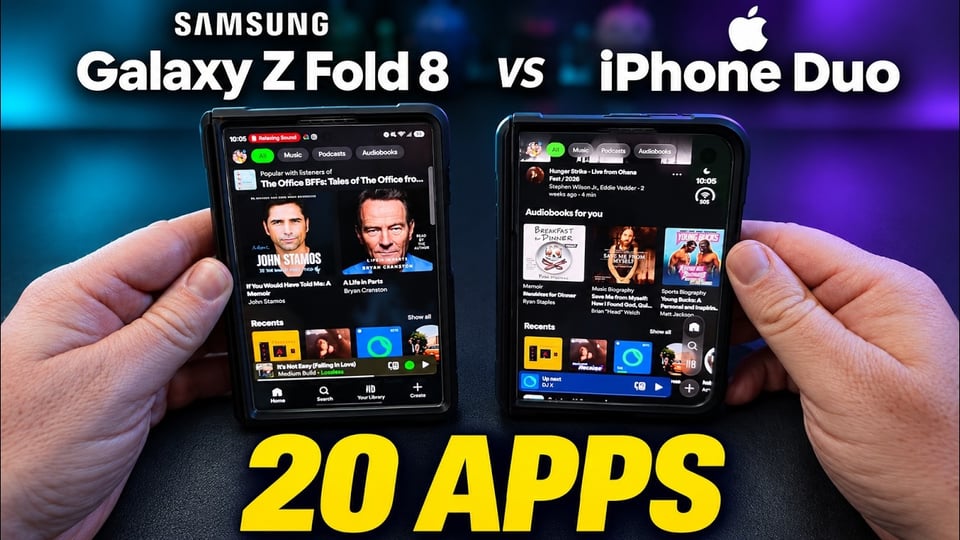
If you want to see how the two phones compare app by app, read iPhone Duo vs Galaxy Z Fold 8: I tested the same 20 apps on both. Which feature do you want most on the iPhone Duo? Let me know in the comments on the video.
Shop the phones and accessories
- Galaxy Z Fold 8 at Best Buy
- iPhone Duo at Best Buy
- Benks Crystal case for the Galaxy Z Fold 8, code GREGGLESTV (see my Benks Crystal case review)
- OhSnap Snap Grip, my favorite phone grips
Watch the full video on YouTube, and subscribe to GregglesTV for daily tech news, reviews and walkthroughs.
See today’s GregglesTV Best Tech Deals or browse all deals posts.
Comments
Comments are moderated. Hate, slurs, spam and scam posts are blocked. Don’t include personal info you wouldn’t want public. See the privacy policy.
Loading comments…