1Password Says a Hacker Took Customer Names and Emails, but Vaults and Passwords Are Safe. Here's What to Do Now
1Password disclosed a security incident: an attacker got into its backend systems through an employee's GitHub account and copied account info like names and email addresses. Vaults weren't touched, but phishing is the real risk now.
Quick summary: If you use 1Password, here’s what you need to know. The company posted an update today saying an attacker got into some of its backend systems and copied account information for a subset of customers, including the names and email addresses people use to sign in. The big thing: 1Password says your vaults, the items in them and the keys that protect them were not affected, and you don’t need to change anything in your account. The real risk now is phishing, so watch out for fake 1Password emails.
Key takeaways
- What was taken: Names, sign-in email addresses, account and user IDs, account creation and last sign-in times, public keys, and tokens from certain emailed invitation and account recovery links, per 1Password.
- What wasn’t: Vaults and everything in them, the keys that protect them, account recovery keys, and 1Password’s apps and browser extensions. 1Password doesn’t store your account password or Secret Key.
- Do you need to do anything? 1Password says no, nothing needs to be updated in your account.
- The real risk: Phishing. Be careful with unexpected emails about 1Password invitations or account recovery you didn’t start.
- How many people? 1Password hasn’t said, as The Verge and TechCrunch both point out.
What happened
According to 1Password, on November 19, 2026, it started investigating signs that an attacker had gotten into an employee’s corporate GitHub account. The attacker used that account to access source code and push malicious code to backend services, which downloaded administrative data about customers.
1Password says the attacker also copied source code from private repositories and got into its CI/CD system (the system it uses to build and ship its software). The company says source code doesn’t contain user secrets, and it has rotated every internal credential that may have been exposed. It also says there’s no impact to its services or product security, and the apps are working normally.
About those recovery and invite links
This is the part that sounds scary, so let’s break it down. Some of the stolen data included tokens from emailed links for invitations, provisioning and account recovery. 1Password says a token can’t get into an account by itself. It only works together with an SSO sign-in or a code sent to your registered email.
Just to be safe, 1Password made those emailed codes much harder to guess: they went from six numbers to ten letters and numbers. 1Password says only a small number of users were in that invite or recovery state during the incident, and those people were notified directly.
What 1Password says it did
- Disabled the affected GitHub account, revoked the stolen token and removed the access the attacker created
- Rotated or revoked internal credentials that may have been exposed
- Lengthened the codes in invitation and recovery emails from six digits to ten characters
- Tightened internal GitHub, CI/CD and endpoint controls, and added new detections for this kind of attack
- Says it found no evidence of account takeovers using the exposed provisioning tokens
- Brought in independent cybersecurity experts to check its containment and cleanup
What I’d do right now
- Don’t click 1Password emails you didn’t expect. Especially anything about an invitation or an account recovery you didn’t start. 1Password specifically warns about unexpected emails, texts or calls that mention 1Password, invitations or account recovery.
- Remember the rule: 1Password says it will never ask for your account password or Secret Key. Only type those into the official 1Password app or website, and only when you opened the app or typed the address yourself. If something looks off, 1Password says to report it to support@1password.com.
- Open the app yourself instead of following links. If something’s wrong, it’ll show up there.
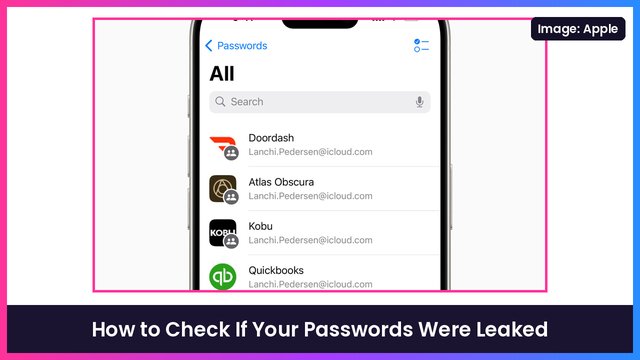
- Run a password check anyway. It’s a good habit after any breach news. In 1Password that’s Watchtower, and your phone has its own checker too. Here’s my step-by-step on how to check if your passwords were leaked on iPhone, Pixel and Galaxy.
I’ll be honest with you, a password manager getting hit sounds like the worst case, but this one is about who you are (name and email), not what’s in your vault. That’s still not great, because now scammers know you’re a 1Password customer, so stay sharp with your inbox for the next few weeks.
Sources: 1Password, The Verge, TechCrunch.
Thanks for reading. Have a great day.
Subscribe to GregglesTV for daily tech news, reviews and walkthroughs.
See today’s GregglesTV Best Tech Deals or browse all deals posts.
Comments
Comments are moderated. Hate, slurs, spam and scam posts are blocked. Don’t include personal info you wouldn’t want public. See the privacy policy.
Loading comments…