Malicious Ads Are Targeting Out-of-Date iPhones to Steal Crypto Seed Phrases and Passwords: What to Do
Security firm Confiant says a campaign it calls MoldyRoost bought ads on 480+ domains in 47+ countries that try to hack older iPhones the moment the landing page loads. Here's which iOS versions are at risk and the settings to check.
Quick summary: Less than a week after hackers used Optimizely to push iPhone exploits through CNN, BBC and Zoom’s websites, researchers have found a separate, bigger operation doing the same thing through ads. Ad-security firm Confiant says a group it calls MoldyRoost bought ads that, when tapped on a vulnerable iPhone, try to take over the phone just by loading the landing page. No download, no “allow” button. The target: crypto wallet seed phrases, passwords, messages and photos. Confiant says it hasn’t seen any exploit code for iOS 26 or later, so an up-to-date iPhone is in good shape. If yours isn’t up to date, update tonight.
What Confiant found
In a report published November 20, Confiant researchers Roshan and Eliya Stein say that between May 12 and November 17, 2026, they tied 480+ ad domains to MoldyRoost across six sub-groups, targeting more than 47 countries. The biggest group mostly hit Hong Kong, Japan, Singapore and the UK, but several of the smaller groups ran ads in the US too.
Here’s how it works, per Confiant:
- MoldyRoost buys programmatic ads at scale, like any advertiser would.
- The ad’s landing page uses cloaking. Anything that isn’t an iPhone running Safari (or, for some groups, an in-app browser like Facebook’s or Instagram’s) just sees a normal decoy site, which is how the ads slip past ad-network reviewers.
- On an iPhone, a hidden, invisible frame reads your iOS version and fires the matching exploit kit. In one example, a fake Agoda travel ad showed an 18-second “loading” bar to keep you on the page while the exploit ran.
- If you tapped inside an app’s built-in browser, some versions try to bounce you into Safari, either automatically or with a “Please open with Safari” card.
Confiant also found one of the group’s servers had its source code exposed in mid-November, which confirmed how the operation tracks every stolen wallet back to the ad campaign that brought the victim in. crypto.news adds that the leaked code included updates for wallet apps like Bitget Wallet, Tonkeeper and OKX Wallet.
Confiant says MoldyRoost is separate from the Optimizely attack on November 16, though both used the same exploit kits.
Which iPhones are at risk
MoldyRoost didn’t write its own exploits. Confiant says it reuses kits that Google’s Threat Intelligence Group and iVerify documented back in March:
| Exploit kit | iOS versions targeted (per Confiant) |
|---|---|
| Coruna | iOS 13.0 to 17.2.1 |
| DarkSword | iOS 18.4 to 18.7 |
| SilkPath / GhostWave | Newer branches for phones already patched against the older kits, aimed at up-to-date iOS 18 and iOS 26.3 (the actual code was missing from the leak) |
Confiant says Apple had fixed all six DarkSword bugs by iOS 26.3. The attackers’ code does recognize iOS 26, but Confiant says it has seen no iOS 26 exploit code and can’t say whether those branches work. None of the reports I read mention iOS 27.
What the kits steal, per Confiant: Coruna hooks wallet apps like MetaMask, Phantom and Trust Wallet and hunts for seed phrases saved in notes and QR codes in your photos. DarkSword grabs iMessage, WhatsApp and Telegram data, your keychain passwords, saved Wi-Fi passwords, location history and wallet data, and one of its backdoors can take screenshots and record the microphone.
What I’d do right now
- Update your iPhone. Go to Settings > General > Software Update and tap Download and Install if an update shows up. Apple’s update guide says to plug in and connect to Wi-Fi first.
- Turn on automatic updates: Settings > General > Software Update > Automatic Updates, then turn on Automatically Install, so your iPhone installs updates overnight while charging.
- Get crypto seed phrases out of your phone. These kits specifically look for seed phrases in notes and screenshots or QR codes in your photo library. If you keep one there, move it to paper or a hardware wallet and delete the digital copy.
- Don’t tap random ads, especially ones that push you to “open in Safari.” A legit ad doesn’t need a specific browser.
- Stuck on an iPhone that can’t update past iOS 17 or 18? That’s exactly who these attacks are built for. Don’t keep crypto or banking apps on it.
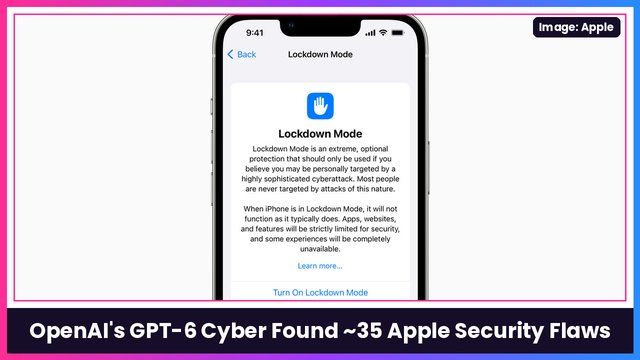
- High-risk? Apple’s Lockdown Mode (Settings > Privacy & Security > Lockdown Mode) limits web features exploits like these rely on. It’s overkill for most people, but it exists.
My take
Two big iPhone web attacks using the same exploit kits in one week tells you these tools are out in the wild now. Confiant says they passed from spyware vendors to espionage groups to regular criminals, and now they’re being pushed through ad networks. The good news is the fix is the same as last week: update. If you’re holding onto an older iPhone that’s stuck on an old version, Black Friday is a good time to move to something like the iPhone 18 Pro Max or iPhone Duo. And keep it charged (an Anker 10000mAh MagSafe pack helps) so those overnight updates actually install.
Related: hackers used CNN, BBC and Zoom’s sites to target iPhones.
Sources: Confiant: MoldyRoost: A Malvertising Machine Built to Deliver iOS Exploits (Nov 20), crypto.news: Malicious iPhone ads target crypto wallet seed phrases in 47 countries (Nov 22), Apple Support: Update your iPhone or iPad, Apple Support: About Lockdown Mode.
Subscribe to GregglesTV for daily tech news, reviews and walkthroughs.
See today’s GregglesTV Best Tech Deals or browse all deals posts.
Comments
Comments are moderated. Hate, slurs, spam and scam posts are blocked. Don’t include personal info you wouldn’t want public. See the privacy policy.
Loading comments…