How to Check If Your Android Phone Can Get Google's New 3D Emoji (RAM, Storage and Android 17), Step by Step
Google just published the requirements for its Noto 3D emoji: Android 17, at least 6GB of RAM, 128GB of storage and 10GB free. Here's how to check all three on your phone in about a minute, plus why Galaxy phones won't get them.
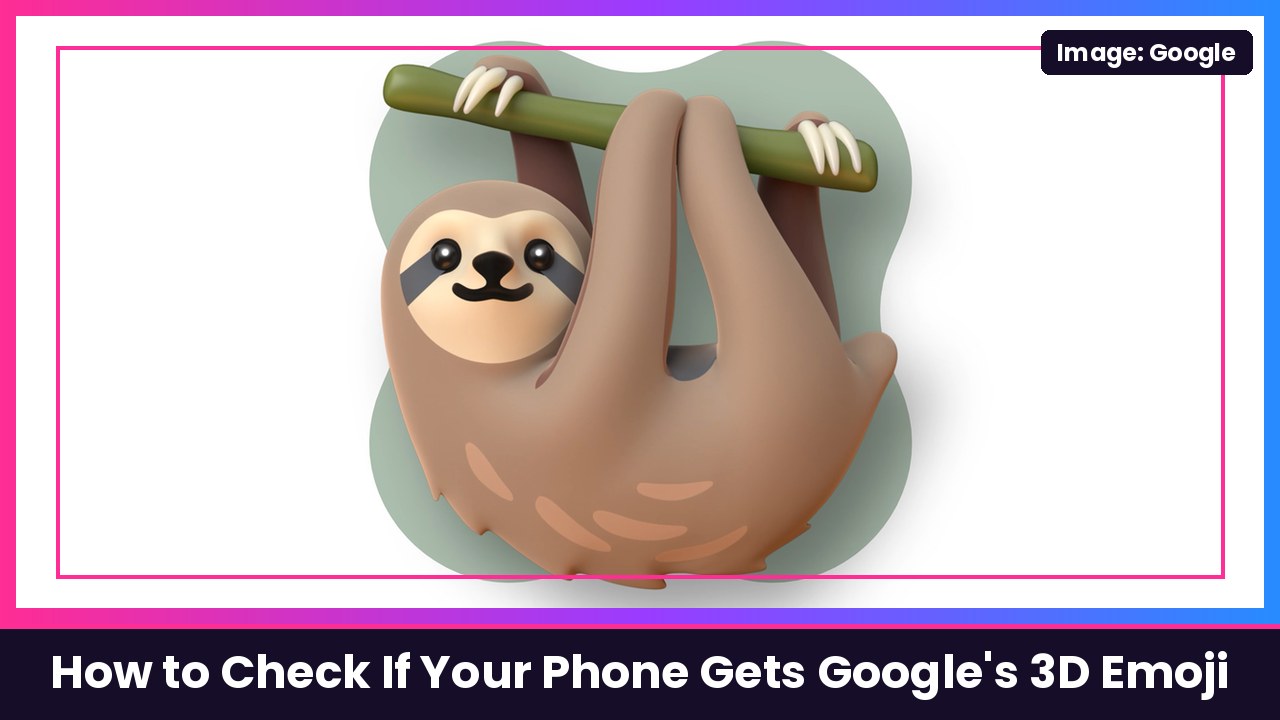
Quick summary: Google’s chunky new Noto 3D emoji shipped on the Pixel 11 in August and have since rolled out to older Pixels, and this week Google finally spelled out who else can get them. According to Google’s new support page, Learn about Noto 3D Emoji on Android, your phone needs Android 17, at least 6GB of RAM, at least 128GB of total storage and at least 10GB of free space, and it has to come from a supported manufacturer that gets system or Google Play services updates. 9to5Google called those specs “wild,” and honestly, for emoji, they kind of are. Here’s how to check every requirement on your own phone, using Google’s own steps.
Why the 3D emoji need so much
Google says the old Android emoji were 2D vector graphics, while Noto 3D emoji are a high-resolution bitmap font, basically pre-rendered images with more texture and depth. That’s why they need room on your phone, and it’s also why Google says they can look a little soft or blurry when an app scales them up or you zoom in.
Step 1: Check your Android version
- Open the Settings app.
- Tap About phone. (On some phones, it’s System > About phone.)
- Scroll down to Android version. Google says it must be Android 17.0 or higher.
If you’re below Android 17, check for a system update first. Nothing else matters until you’re on 17.
Step 2: Check how much RAM your phone has
- Open the Settings app and search for “RAM” or “Memory.”
- Tap System > Developer options > Memory. (On some phones, it’s Device care > Memory.)
- Google says you need 6GB of RAM or higher.
Heads up: Developer options are hidden by default on most phones. If searching “RAM” doesn’t get you there, your phone’s spec sheet will list it too.
Step 3: Check your total storage and free space
- Open the Settings app and search for “Storage.”
- Look at your total storage. It must be 128GB or higher.
- Look at your available space. You need at least 10GB free.
If you’re under 10GB free, clear out old videos, offline downloads or apps you don’t use, then leave the phone alone for a bit (see the next section).
Step 4: Plug in and connect to Wi-Fi
There’s no download button. Google says a supported phone will automatically download the 3D emoji when it’s on Wi-Fi and charging, and right now there isn’t a way to force the download. So once you pass the checks above, just charge on Wi-Fi overnight and check your keyboard in the morning.
Who won’t get them
- Samsung Galaxy phones: Google says Samsung devices use a proprietary emoji font and do not receive the 3D font update, so even a Galaxy S26 Ultra with plenty of RAM sticks with Samsung’s emoji.
- WhatsApp and other apps with their own emoji: Google says third-party messaging apps that ship their own emoji fonts, like WhatsApp, won’t show the 3D designs because they don’t use your phone’s system font.
- Phones under 6GB of RAM, even if they’re on Android 17.
My take
I love the look of these, but 10GB free and 6GB of RAM for emoji is a lot, and it means a bunch of budget Android phones are left out. If you’re on a recent Pixel, you’re almost certainly fine. Just make sure you’ve got storage to spare, especially if a pile of 4K video already ate yours.
If you’re shopping for a Pixel for the new emoji, the Pixel 10 Pro is a solid pick (its 128GB base model meets Google’s storage minimum, so keep 10GB free), and the Pixel 11 Pro Fold gives those emoji a giant inner screen. Pair either with Pixel Buds Pro 2.
Sources: Google Android Help: Learn about Noto 3D Emoji on Android, Google Keyword blog: Express yourself authentically with Google’s Noto 3D emoji, Google Keyword blog: How design, data and AI shaped Google’s Noto 3D emoji, 9to5Google.
Subscribe to GregglesTV for daily tech news, reviews and walkthroughs.
See today’s GregglesTV Best Tech Deals or browse all deals posts.

Comments
Comments are moderated. Hate, slurs, spam and scam posts are blocked. Don’t include personal info you wouldn’t want public. See the privacy policy.
Loading comments…