Will Google's Gemini AI Glasses Work With Your Phone? Here's What's Officially Compatible
Google and Samsung's new Gemini AI glasses work with select Pixel, Galaxy, and iPhone models — not every phone. Here's the official compatibility list, what's limited on iPhone, and the apps you need.
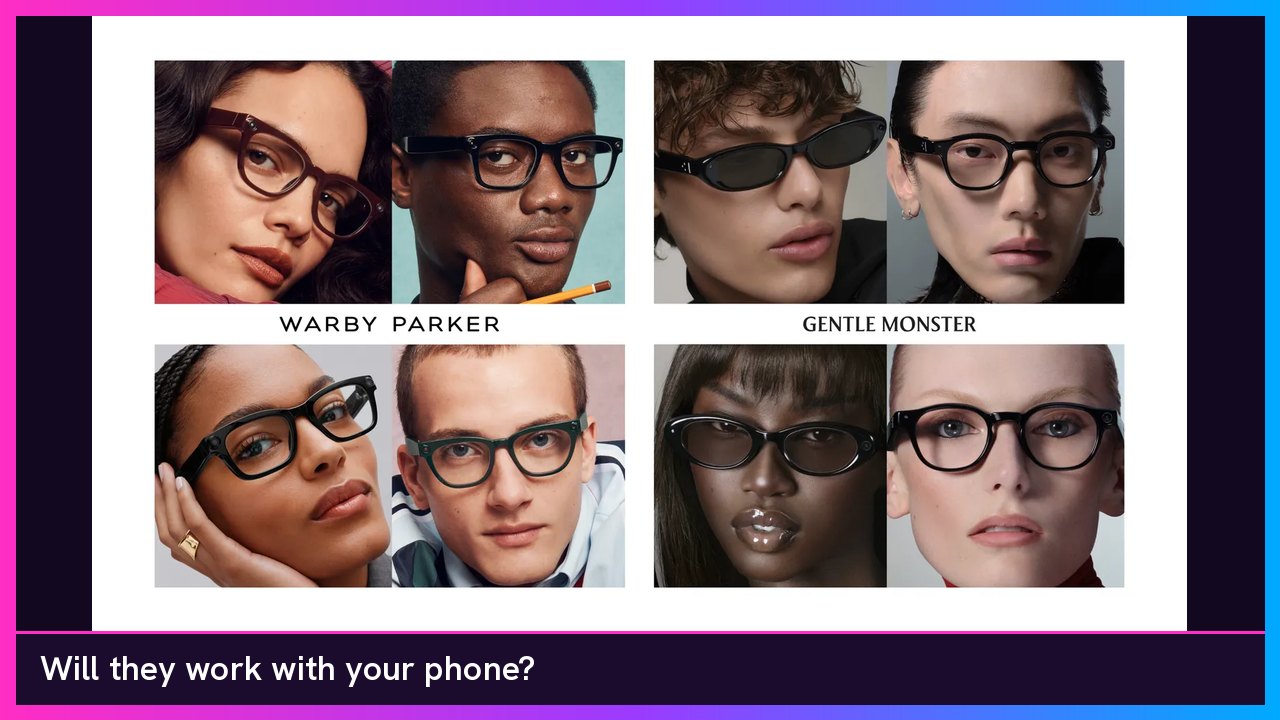
Quick summary: Yes, Google and Samsung’s Intelligent Eyewear works with phones — but only some of them. Official pages from Google, Samsung, and Gentle Monster list select Pixel, Galaxy, and iPhone models. Other Android brands are not on that list. iPhone support is real, with a few officially confirmed limits, and a wording mismatch on exactly which iPhone 13 models make the cut.
Pre-orders opened today at Warby Parker and Gentle Monster, and the glasses are scheduled to arrive December 10. I already covered the prices and features, where you can actually buy them, and the first hands-on reviews. This one is just about whether your phone will work.
The official compatibility list
None of the official pages I checked published a model-by-model chart like “S24 Ultra, yes; S22, no.” They list phone lines and software versions. Here’s that official wording, side by side:
| Phone line | What official sources say you need |
|---|---|
| Google Pixel | Pixel 7 series and later, running the Android 17 September 2026 update or later. Gentle Monster also describes this as Android 17 Q3 or later. |
| Samsung Galaxy | Galaxy S, Galaxy S FE, Galaxy Z Fold, Z Flip, and Fold Ultra series running One UI 9.0 or higher. Gentle Monster also lists Android 17 Q2 or later for Galaxy phones. |
| Apple iPhone | glasses.google, Samsung’s spec table, and Gentle Monster say iPhone 13 and later with at least 6GB of RAM, running iOS 26.6 or later. Google’s launch blog shortens that to “iPhone 13 Pro and above.” |
You also need a Bluetooth connection to your phone for a lot of the useful stuff, including asking Gemini about what you see and streaming media. Google’s FAQ says some basics — volume, checking battery life, or taking a photo — can work without Bluetooth.
Do you need a Pixel or a Galaxy?
No. A Samsung or Pixel phone is not required to use the glasses. An iPhone can pair too. What is required is a phone from one of those three officially listed families, with the right software.
A regular Galaxy or Pixel also is not automatically enough. Official lists do not include Galaxy A-series phones, or other Android brands like Motorola, OnePlus, Xiaomi, or Oppo. WIRED reported that a Google spokesperson said the company will share more about expanding support to other phones in 2027 after launch. There is no official timeline beyond that.
Samsung and Gentle Monster also have not posted a public list of which older S, FE, Fold, or Flip phones will actually be on One UI 9.0 when these glasses ship. So if you have an older Galaxy in those series, the official test is whether it’s on One UI 9.0 or higher — not a year cutoff I can confirm from Google or Samsung’s own pages. Android Authority has reported a tighter reading (S23 and newer, Fold 5 / Flip 5 and newer). I’m leaving that as their reporting, not as an official Samsung or Google list, because I have not seen that exact cutoff on the companies’ product pages.
Galaxy phones do unlock extras the others don’t. Samsung says Bixby works only with Galaxy phones, and that pairing with a Galaxy phone, Galaxy Watch (Wear OS 7.0 or above), and Galaxy Buds opens ecosystem features — including viewing captured photos and videos on your phone, Now Bar, and controlling Gemini with watch gestures after you install the Glasses controller app on the Watch. Samsung’s wording is that the glasses “work best” with Galaxy devices. I haven’t seen an official, complete feature matrix for Pixel versus Galaxy versus iPhone.
Yes, iPhone works — with some limits
iPhone support is official. Google, Samsung, and Gentle Monster all say these glasses work with iPhones, not just Android.
The one messy part is the iPhone 13 line. Google’s launch blog says iPhone 13 Pro and above. The more detailed lists on glasses.google, Samsung’s newsroom spec table, and Gentle Monster’s U.S. user guide say iPhone 13 and later with at least 6GB of RAM, on iOS 26.6 or later. If you have a 13 Pro or anything newer that meets the RAM and iOS floor, you’re in the official window. If you have a base iPhone 13 or 13 mini, I would not treat that as clearly confirmed, because of that wording mismatch and the 6GB minimum. Neither company has published a model-by-model iPhone chart.
Google has confirmed a few features are Android-only at launch:
- Guided Vision and Aira visual assistance, which the Google blog says are “only available when paired with a compatible Android phone.”
- Audible, which the same blog says is Android-only at launch.
9to5Google reports that on iOS, Gemini can make calls, send 1:1 messages (including iMessage), and receive notifications, and that Google’s Glasses companion app on iPhone handles things like HDR processing and saving photos and videos (up to 90 seconds) to Apple Photos. That’s 9to5Google’s reporting, not a line I found in Google’s footnotes.
What app do you need?
Here’s what official pages actually name:
- A valid Google Account, and you have to be 18 or older. Gentle Monster’s user guide says setup cannot be completed without your own eligible account. Google says Intelligent Eyewear is only available for use with Google accounts from the United States and South Korea, and that it requires a compatible 18+ Google Account.
- Samsung also says that to activate the glasses, both a Samsung Account and a Google Account must be set to a country where Intelligent Eyewear is officially sold. Accounts set to other countries cannot be used for activation. Once it’s activated, Samsung says you can use the glasses outside those countries, though some features may be limited. I have not seen Google’s blog spell out a Samsung Account requirement for iPhone or Pixel users, so I’m repeating Samsung’s activation note as Samsung stated it.
- iPhone: Gentle Monster’s U.S. user guide says to download the Glasses App from the App Store. That same page currently says “Glasses app coming soon,” which makes sense with the glasses not shipping until December 10.
- Android: The same guide says Intelligent Eyewear supports Fast Pairing on Android 17 or later. 9to5Google also refers to a Glasses companion app supporting the Pixel, Galaxy, and iPhone lists above.
- For specific features, Google says you’ll need the Google Translate app for live translation, Google Maps for navigation, and Google Meet for video calling.
Samsung’s FAQ is vaguer on the phone app. It just says you need a compatible smartphone and a Bluetooth connection, and that Wi-Fi may be required to import captured content and install software updates.
Do you need a paid Gemini subscription?
Google and Samsung have not said you need a paid Gemini or Google AI subscription just to use the glasses. I looked for that requirement on the official pages, and it isn’t there.
What they do say is looser: “some features require setup or subscription,” and Gemini’s availability, functions, and languages “may vary by country, device, operating system and subscription.” The Google blog also notes that Guided Vision and Aira “may require subscription or membership,” and Aira is a human visual interpreter, so a membership there would not surprise me.
Until Google or Samsung publishes a clearer breakdown, I would not assume the core glasses experience is locked behind Gemini Advanced or a similar paid plan — and I would not promise that every Gemini feature is free either. That part is not confirmed yet.
Compatible phones you can buy, and Meta glasses you can get today
If you’re shopping for a phone that is clearly in the official window, current Galaxy S26 Ultra, Galaxy Z Fold 8, Pixel 11 Pro Fold, and iPhone 18 Pro Max models all sit inside those listed lines.
Google and Samsung’s glasses are only on pre-order until December 10, and you still can’t check out at Google, Samsung, Best Buy, or Amazon. If you want AI glasses you can buy right now, Meta’s lineup is in stock. I checked meta.com on November 12: Ray-Ban Meta Wayfarer (Gen 3) starts at $449, the Meta Ray-Ban Display with Neural Band starts at $799, and Oakley Meta Vanguard starts at $499. Ray-Ban Meta Wayfarer (Gen 1) and Skyler (Gen 1) are on sale from $224 (was $299). Use promo code GREGGLESTV at checkout on Meta’s site. The Gen 1 Wayfarer is also at Best Buy.
- Samsung Galaxy S26 Ultra at Samsung
- Samsung Galaxy Z Fold 8 at Best Buy
- Google Pixel 11 Pro Fold at Best Buy
- Apple iPhone 18 Pro Max at Best Buy
- Ray-Ban Meta Wayfarer (Gen 3) at Meta, from $449
- Ray-Ban Meta Wayfarer (Gen 1) at Meta, sale from $224 (was $299)
- Ray-Ban Meta Skyler (Gen 1) at Meta, sale from $224 (was $299)
- Meta Ray-Ban Display + Neural Band at Meta, from $799
- Oakley Meta Vanguard at Meta, from $499
- Ray-Ban Meta Wayfarer (Gen 1) at Best Buy
Sources
- Google: Intelligent eyewear collections with Gemini features
- Google: glasses.google FAQ
- Samsung US: December release and compatibility specs
- Samsung US: Intelligent Eyewear product page and FAQ
- Gentle Monster US: Intelligent Eyewear user guide
- Gentle Monster: Intelligent Eyewear overview
- Warby Parker: Intelligent Eyewear
- WIRED: Google and Samsung’s Android XR Smart Glasses Are Finally Here
- 9to5Google: Google’s new Android XR glasses work with iPhone
- 9to5Google: Google launches Intelligent Eyewear
- Android Authority: Samsung and Google smart glasses phone compatibility list
Subscribe to GregglesTV for daily tech news, reviews and walkthroughs.
See today’s GregglesTV Best Tech Deals or browse all deals posts.

Comments
Comments are moderated. Hate, slurs, spam and scam posts are blocked. Don’t include personal info you wouldn’t want public. See the privacy policy.
Loading comments…