Which Meta Glasses Should You Buy? Ray-Ban Meta Gen 3 vs Gen 2 vs Gen 1, Meta Adventurer and Ray-Ban Meta Audio
I own every pair: Ray-Ban Meta Gen 1, Gen 2 and Gen 3, the Meta Adventurer and the camera-free Ray-Ban Meta audio glasses. Here's who each one is for and which I'd actually buy.
Heads-up: This is not a sponsored video. VR Wave has sponsored videos of mine in the past, and I do mention them below, but nobody paid for this one. Links on this page are affiliate links.
Quick summary: All right, guys, I own basically every pair of Meta glasses at this point, some for months and some for years. So if you’re standing there trying to figure out which ones to buy, here’s the honest breakdown: the Ray-Ban Meta Gen 2 is the sweet spot for most people, the Gen 3 is the safe bet if you can get a good price, the Gen 1 is only worth it at a really cheap price, the Meta Adventurer is the value pick with a great fit, and the Ray-Ban Meta audio glasses are for people who want all-day battery and don’t care about a camera.
Who each pair is for (quick picks)
- Ray-Ban Meta Gen 3: you want the newest pair, the best battery of the camera models, and the longest support, and you don’t mind paying the most.
- Ray-Ban Meta Gen 2: you want almost everything the Gen 3s do for a lot less money. This is my sweet-spot pick.
- Ray-Ban Meta Gen 1: only if you find them really cheap (I’d say under $150) and you’ll wear them a couple of hours at a time.
- Meta Adventurer: you want a newer pair at a really good price, a fold-flat case, and a size that fits you.
- Ray-Ban Meta audio glasses: you want calls, music and Meta AI with no camera, the best battery life and the lightest frames.
1. Ray-Ban Meta Gen 3: the safe bet (but the most expensive)
The Ray-Ban Meta Gen 3 are the newest Ray-Bans. Compared with the Gen 2s you’re getting about one more hour on the glasses and about two more hours through the case. The camera and the recording light are a little bit smaller too, and they have bridge support for your nose that you can install.
I’ll be honest with you, other than that, it’s not that big of a difference versus the Gen 2s. Versus the Gen 1s, though, the battery difference is a lot.
The other big reason to get them: the Gen 3s should be supported the longest. Eventually the Gen 1s and Gen 2s are going to miss out on features and stop getting support, and the Gen 3s should keep going longer. So they’re a really, really safe bet, they’re just the most expensive. When I made the video they were around $500 or more depending on the style. My take: if you know you’re keeping them for a long time and you find a good deal, like under $400, go for it. And if you ever see them for around $300 to $350, grab them.
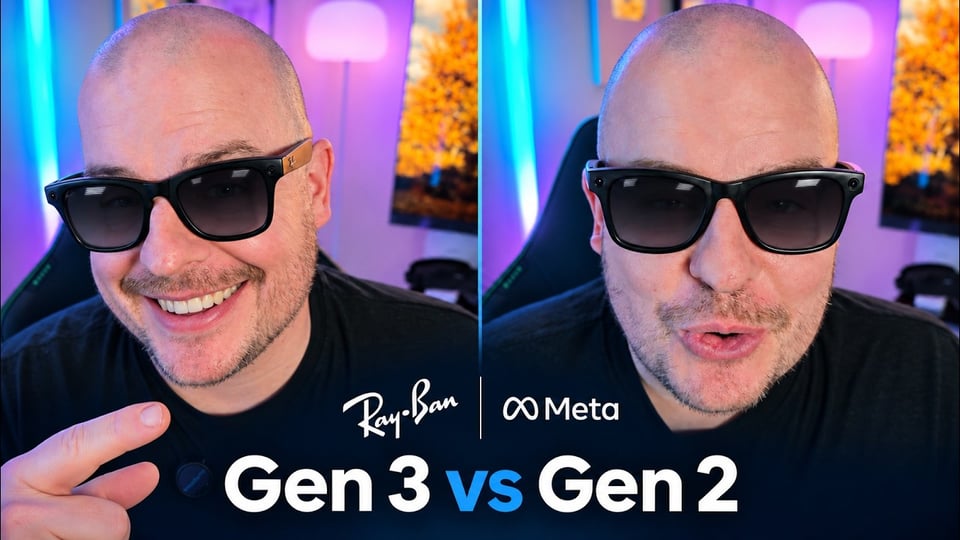
If you want the full side-by-side, I did a whole Ray-Ban Meta Gen 3 vs Gen 2 comparison, and I also answered the 15 questions I always get about the Gen 3s.
2. Ray-Ban Meta Gen 2: the sweet spot
The Gen 2s came out last year and they have basically all the same features as the Gen 3s. The cameras are basically the same, the video is basically the same, the AI and the speakers all sound the same across Gen 1, 2 and 3. What you give up:
- No nose bridge support like the Gen 3s have
- Bigger cutouts for the camera and light
- One fewer microphone than the Gen 3s, though day to day on phone calls you really shouldn’t notice. They’re amazing on calls.
Battery is definitely decent. In real-life use I get somewhere between five and seven hours. When I made the video they were under $300, versus over $500 for some Gen 3s, and that’s a lot more money for not that much more glasses. So if you’re on the Ray-Ban team, this is a really, really good spot.
3. Ray-Ban Meta Gen 1: skip them unless they’re really cheap
The Ray-Ban Meta Gen 1 still do the basics. You get the AI, the speakers, you can take calls, and in a lot of ways they match up with the Gen 2 and Gen 3. The problem is the battery life is just terrible. I get about two and a half to four hours of real use. That sounds okay, but if you’re trying to wear them all day you’re going to be charging them all day, and that gets really annoying.
So I’d skip the Gen 1s unless you can get them for under $150 and you’re only going to wear them a couple of hours at a time, and only if they’re still being sold. Otherwise, Gen 2 for sure.
Quick side note: VR Wave replaceable lenses
Real quick, VR Wave isn’t sponsoring this one, but I did want to mention them. If you want different lenses, they literally just pop out and pop back in, and VR Wave makes them for all the glasses in this guide: transition, prescription, non-prescription and shaded lenses. Use code gtv10 to save a little money. I’ve got install walkthroughs for the Ray-Ban Meta Gen 3, the Meta Adventurer and the Ray-Ban Meta audio glasses.
4. Meta Adventurer: the value pick (and the one I wear in large)
These are the Meta Adventurers. I have them in white and in a second color. What’s great about these is the price is really, really good, and they’re competitive with the Gen 2s and Gen 3s on battery life and features. They came out this year, so they should be supported for a really long time.
A few things I love:
- Built-in nose supports, so they fit a lot of different faces
- Regular or large sizes. I wear large, and that’s honestly a big reason I went with the Adventurers. (The Ray-Ban Meta Wayfarers also come in regular or large.)
- The case folds completely flat, slides right into your pocket, and charges them really well
Same features as the Ray-Bans: six microphones, good sound, same quality. So it really comes down to style. Do you like this look, or do you like the Ray-Ban look better? Otherwise, they’re basically the same glasses, and you’re not paying extra for the Ray-Ban name. My full thoughts are in my Meta Adventurer review and in 5 features the Adventurer does better than Ray-Ban Meta.
5. Ray-Ban Meta audio glasses: no camera, best battery
Then you have the Ray-Ban Meta audio glasses, with no cameras. You can still ask Meta AI questions, take phone calls and listen to music. There are six microphones, you get the Ray-Ban styling, the button on top for controls, and all the same swipe gestures. The price is also a bit lower than the regular Ray-Ban Meta glasses with cameras.
There are two big differences:
- No cameras. You don’t have to worry about people thinking you’re taking photos of them, and if you don’t care about photos anyway, you’re not paying for a camera.
- Battery life. It’s absolutely amazing. If you want to wear your glasses all day and not charge them until bed, get these.
They’re also the lightest pair I own. Mine are the same size as the Ray-Ban Meta, in this lighter brown color that I actually really like. For more, check out my Ray-Ban Meta audio glasses review and the setup guide.
So which Meta glasses should you buy?
Here’s how I’d decide:
- You want a camera and the Ray-Ban look: get the Gen 2. It’s such a sweet spot that it’s hard to argue with.
- You find the Gen 3 for a really good price (around $300 to $350): get the Gen 3. You get slightly better battery and a couple of extra features that might not change your life, but maybe they will. A lot of that stuff usually comes down to the Gen 2s too.
- You just want a really, really cheap deal: get the Gen 1, but only at a great price and if they’re still sold. Otherwise stay away, because the battery life is just terrible.
- The Ray-Ban look isn’t a must and you want a great price and a size that fits: get the Meta Adventurer.
- You don’t need a camera and want all-day battery and the lightest frames: get the Ray-Ban Meta audio glasses.
Looking for something different? Meta also makes the Meta Ray-Ban Display with a built-in display and Neural Band, and the Oakley Meta Vanguard for workouts. I didn’t compare those in this video, but they’re in the shop box below. Meta also has a Black Friday sale on its glasses; here’s what’s on sale. Use code GREGGLESTV on meta.com.
Final thoughts
Hopefully that breaks it down for whatever you’re looking for. I’ve owned all of these for months or years at this point, and honestly, there isn’t a bad pick here except the Gen 1s at full price. If you want more ideas once you’ve got a pair, here are the Meta AI glasses features I use every day and 10 secret tips and tricks.
Thanks for watching. Have a great day.
Watch the full video on YouTube, and subscribe to GregglesTV for daily tech news, reviews and walkthroughs.
See today’s GregglesTV Best Tech Deals or browse all deals posts.


Comments
Comments are moderated. Hate, slurs, spam and scam posts are blocked. Don’t include personal info you wouldn’t want public. See the privacy policy.
Loading comments…