Ray-Ban Meta Gen 3: Answering the 15 Questions I Always Get
Do Ray-Ban Meta Gen 3 glasses have a display? Can you get prescription lenses, do they work with iPhone, are there fees, and how long does the battery last? Here are my answers to the 15 questions I get asked the most.
Heads-up: VR Wave sponsored this video. I’ve also been a paying VR Wave customer for a long time, and all opinions are my own. Links on this page are affiliate links.
Quick summary: I’ve been wearing Meta’s glasses for about two years, and I get asked the same questions about my Ray-Ban Meta Gen 3 glasses all the time. So here are the 15 I hear the most, with straight answers. If a friend or family member is thinking about a pair, you can just send them this page.
Key takeaways
- No display. The Gen 3s have cameras, speakers and mics, but no screen. Only the Meta Ray-Ban Display has a display.
- Prescription lenses: yes. I use VR Wave lenses in all of my Meta glasses.
- Works with iPhone and Android through the free Meta AI app.
- IPX4 water resistant, so splashes and rain are OK, but they’re not waterproof.
- No monthly fees. Meta AI is included.
- Battery: up to 9 hours on the glasses and up to 50 hours with the charging case.
- Video is vertical only, with 1080p up to 5 minutes or 3K up to 3 minutes, and 32GB of storage.
1. Do the Ray-Ban Meta Gen 3s have a display?
No. This goes for the Gen 2s and Gen 1s too. There’s only one pair of Meta glasses with a display built in, and that’s the Meta Ray-Ban Display. Its display sits in the bottom-right corner of the right lens.
The Gen 3s have zero display. They have cameras, speakers and microphones, and you interact with them using your voice or the buttons and touchpad on the frame. If you want the one with a screen, my Meta Ray-Ban Display setup guide shows how it works.
2. Can you change the lenses or get prescription lenses?
Yes, you can. I use VR Wave (they sponsored this video), and I’ve had their lenses in basically every version of my Ray-Ban Meta and Meta glasses for a long time.
Here’s how it works:
- Go to the VR Wave website and pick the lenses for your glasses.
- Upload your prescription or type it in. You don’t even need a prescription. You can pick reading lenses or just plain lenses.
- Pick your lens type. I like transition lenses: they’re clear indoors and turn into sunglasses when I go outside.
So you’ve got prescription, non-prescription, sunglasses, clear lenses and everything in between. Here’s how I put VR Wave lenses in my Gen 3s, step by step.
3. Do my Gen 1 or Gen 2 lenses fit in the Gen 3s?
Kind of. They can go in, but they might be loose. When you wipe them down they wiggle a little, and if you drop the glasses they might pop out.
It can also go the other way. If you’re moving lenses into a different frame size (say you get the standard size), they might not fit at all.
My advice: just get new lenses. I wouldn’t reuse my old ones unless I really had to, because they might not fit perfectly.
4. Do you have to use the buttons?
No. You can use these completely hands-free. Just say “Hey Meta” and tell them to take a photo or a video, or ask a question and get an AI answer. You can also answer and end calls and control music:
- “Hey Meta, answer the call.”
- “Hey Meta, change the track.”
- “Hey Meta, play this song.”
If you do want the buttons, here’s the layout. The touchpad on the side lets you tap to play your music or answer a phone call. The capture button on top takes a photo with one press, and you press and hold it for video. Right behind it is the action button, which you can customize to bring up the AI, start your music or do pretty much anything the glasses can do. My Gen 3 setup guide covers the controls and settings in more detail.
5. Do they work with iPhone and Android?
Yes, both. Download the Meta AI app on your iPhone or Android phone and you can get them set up in a few minutes. It’s easy and it just works. You don’t need a brand-new phone, either. An older iPhone or an older Android phone works fine, so if you’re interested, they should work with the phone you already have.
6. Are they water resistant?
Yes. They’re rated IPX4, which means they can handle splashes of water and rain. But water resistant doesn’t mean waterproof. I know some folks who were out in a heavy downpour or a long, steady rain and their glasses stopped working. That’s true of almost any water-resistant device: if it gets enough water, it might break.
So don’t dunk them in water. Honestly, I take mine off in heavy rain, and even in light rain, just to be safe.
Should you get the insurance plan? I always recommend it. Whether you drop them and they break, the rain gets to them, or they fall into a pool, it’s really nice to have that coverage when something goes wrong.
7. Standard or large: which size should I get?
The Gen 3s (and the Gen 2s) come in standard and large. The lenses are a little bigger or smaller depending on the size, and the large frames don’t pinch your head as much.
- Most people just need the standard size.
- If you have a big head or wear a big hat size, get the large. I have a big head, so I always go large, and they’re super comfortable.
- If the large ones are too big for you, they’ll keep sliding down and falling off, so go standard.
8. Are there any fees or subscriptions?
No. The regular Meta AI features are included and free. That covers controlling the glasses, asking questions, taking photos and using translation. There’s no monthly cost to worry about.
9. How much do they cost, and should I just get the Gen 2s?
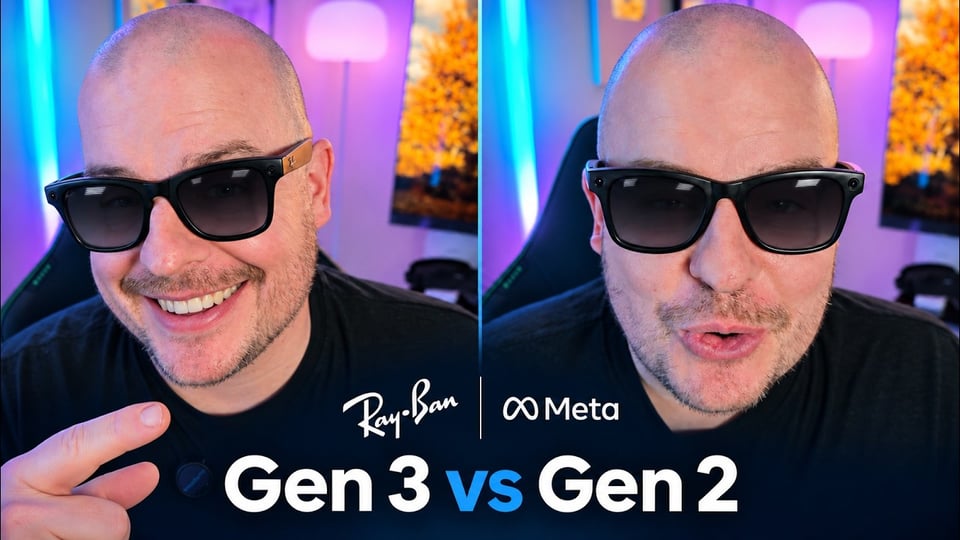
When they’re not on sale, Ray-Ban Meta Gen 3s generally run somewhere from about $450 to over $500, depending on the frame and lenses you pick. You can save money with the Gen 2s. When I made this video, Black Friday sales had the Gen 2s for less than $300.
The Gen 3s are built really well, and they fit a little more comfortably because of the nose pad you can install. So if comfort is your big thing, spend a bit more for the Gen 3s. But the Gen 2s are just as great. I break down every difference in Ray-Ban Meta Gen 3 vs Gen 2. On Meta’s site, try promo code GREGGLESTV at checkout.
10. How long does the battery last, and how do they charge?
- Up to 9 hours on a single charge.
- Up to 50 hours total with the charging case.
To charge them, you put the glasses in the case. The case has a USB-C port on the bottom and a built-in battery, so it gives you roughly four or five extra charges.
The battery is really good. It’ll get you through a workday. The Gen 1s were rough at about three to four hours, while these land in the 7- to 9-hour range depending on how you use them. Video drains them fastest: if you record a lot, you’ll get about an hour of recording before they die. My tips to get better battery life on Ray-Ban Meta glasses help stretch it.
11. Can you record horizontal (16:9) video?
No. Photos and videos are vertical only. The only way to get a horizontal shot is to literally take the glasses off and turn them sideways. Here’s that horizontal 16:9 video trick and its catch. Otherwise, think of everything you capture as vertical content.
12. How long can you record, and at what quality?
When you hit the capture button, the LED on the front lights up, and when you record video, it blinks the whole time so people know you’re recording.
- 1080p (full HD): up to 5 minutes per clip.
- 3K: up to 3 minutes per clip.
You change these camera settings in the Meta AI app.
13. How much storage do they have?
They have 32GB of storage, which is roughly thousands of photos or about 100 thirty-second video clips. Those are rough estimates. You can always delete photos and videos off the glasses to make more room.
14. How good are the speakers? Is there speaker bleed?
The built-in speakers are great for music and phone calls. Listening to music and taking calls on these is one of my favorite features.
Speaker bleed: at max volume, someone sitting right next to you can hear what you’re listening to. So if my son is sitting right next to me while I’ve got it cranked, he’ll hear it. Other than that, they’re really, really great.
15. How are the microphones on calls?
Really good. People hear me super clearly on calls. I can be riding my bike, have cars going by or be somewhere busy, and the person I’m talking to won’t even be able to tell. The mics do a great job of cutting down background noise.
Final thoughts
Those are the questions I get the most. Ray-Ban Meta glasses, both the Gen 2s and Gen 3s, have been some of my favorite tech for the past two years, and I definitely recommend them. If you want different lenses, check out VR Wave. Have a question I didn’t cover? Leave it in the comments on the video.
- Ray-Ban Meta Wayfarer (Gen 3) at Meta
- Meta Ray-Ban Display + Neural Band at Meta, if you want a display
- Oakley Meta Vanguard at Meta, if you want a sports pair
- VR Wave replacement lenses for Ray-Ban Meta (code gtv10)
Just got a pair? Start with my Ray-Ban Meta Gen 3 setup guide, then learn how to clean Ray-Ban Meta glasses safely.
Watch the full video on YouTube, and subscribe to GregglesTV for daily tech news, reviews and walkthroughs.
See today’s GregglesTV Best Tech Deals or browse all deals posts.


Comments
Comments are moderated. Hate, slurs, spam and scam posts are blocked. Don’t include personal info you wouldn’t want public. See the privacy policy.
Loading comments…