Samsung Galaxy: How to Use Now Brief
Now Brief is a little hidden on Samsung Galaxy phones. Here's how to turn it on, choose what it shows, and add it to your home screen and Edge panel.
Quick summary: Now Brief is a personalized summary for your morning, afternoon or evening on Samsung Galaxy phones: weather, routines, your events, news and music suggestions. It’s a little hidden, so here’s how to turn it on and add it where you’ll see it. You need One UI 7 or later.
Step 1: Turn it on in Now Bar settings
- Swipe down and tap the gear to open Settings.
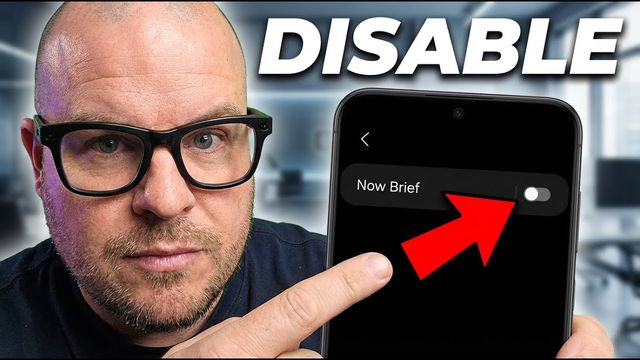
- Search for “Now Bar,” tap it, and make sure Now Brief is turned on.
Step 2: Choose what it shows in Galaxy AI
- Go back to Settings and open Galaxy AI > Now Brief.
- Expand Now Brief without unlocking: turn this on to see your full Now Brief by tapping it in the Now Bar on your lock screen.
- Content to include: turn on what you want, like weather, events, news and music. I have everything on except Moments (photo memories).
Step 3: Add the widget
- Press and hold the home screen and tap Widgets.
- Find Now Brief. It may be near the top, or under N alphabetically.
- Tap it, then tap Add. It sits on your home screen almost like an app.
Step 4: Add it to the Edge panel (optional)
Swipe in the sidebar, tap the pencil, search for “Now” and tap Now Brief to add it.
What you’ll see
Mine showed today’s weather, a morning routine suggestion (open the camera), my events for the day, news articles I can tap to read, and a Spotify playlist. It changes as the day goes on.
Related
Watch the full video on YouTube, and subscribe to GregglesTV for daily tech news, reviews and walkthroughs.
See today’s GregglesTV Best Tech Deals or browse all deals posts.

Comments
Comments are moderated. Hate, slurs, spam and scam posts are blocked. Don’t include personal info you wouldn’t want public. See the privacy policy.
Loading comments…