PixelBoard With Rambler: Keyboard Upgrade for Galaxy Phones
How I install PixelBoard on my Samsung Galaxy to get Google's Rambler AI voice typing: download, set it as default, turn on Rambler and keep it updated.
Quick summary: Rambler is the AI-powered voice typing built into Gboard on Pixel phones. It cleans up your speech into polished text. PixelBoard is a free project that brings it to Samsung Galaxy and other Android phones. Here’s how I install and set it up.
Key takeaways
- PixelBoard gives non-Pixel Android phones Gboard with Rambler voice typing.
- You may need to allow install from unknown sources.
- Set PixelBoard as your default keyboard and set voice typing to Rambler.
- Check the download link every so often for updates.
Step 1: Download and install
Grab the latest release from the PixelBoard GitHub page. Download it and install. You might have to turn on unknown sources first. Then hit open.
Step 2: Make it your default keyboard
- Open Settings and search for keyboard.
- Under the keyboard list, turn on PixelBoard.
- Set the default keyboard at the top to PixelBoard.
Step 3: Turn on Rambler
On the same page, tap PixelBoard, then go to Voice typing. Make sure voice typing is on and set to Rambler.
Step 4: Set your preferences
It’s a fresh Gboard setup, so configure it like you normally would. I turn on the number row, set sounds and vibration how I like them, and turn off “don’t suggest offensive words.”
How well it works
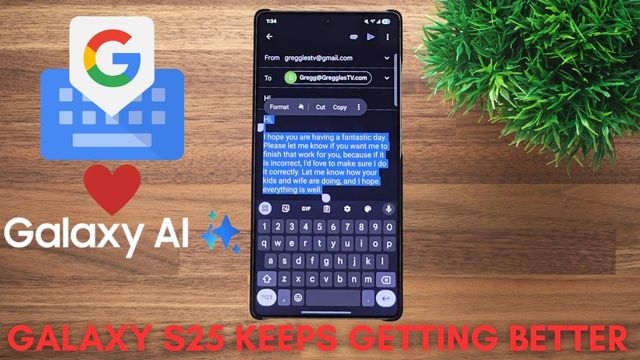
It’s freaking excellent at figuring out what you’re saying. The microphone looks different, with an AI button inside it. I do a ton of voice-to-text, and it makes you look like an expert typist.
Keeping it updated
Every so often, go back to the same link and use the direct download to get the latest update. There’s another method too, and there’s a Reddit walkthrough, but this way is super easy.
Watch the full video on YouTube, and subscribe to GregglesTV for daily tech news, reviews and walkthroughs.
See today’s GregglesTV Best Tech Deals or browse all deals posts.

Comments
Comments are moderated. Hate, slurs, spam and scam posts are blocked. Don’t include personal info you wouldn’t want public. See the privacy policy.
Loading comments…