How to Make Your Own GIFs With Gemini, Step by Step (Phone and Computer)
Gemini can now turn a text prompt, a photo or a video into a short looping GIF using Google's Gemini Omni 1.2 Flash model. Here's who gets it, how to make one on Android, iPhone or the web, and how to copy, download and share it.
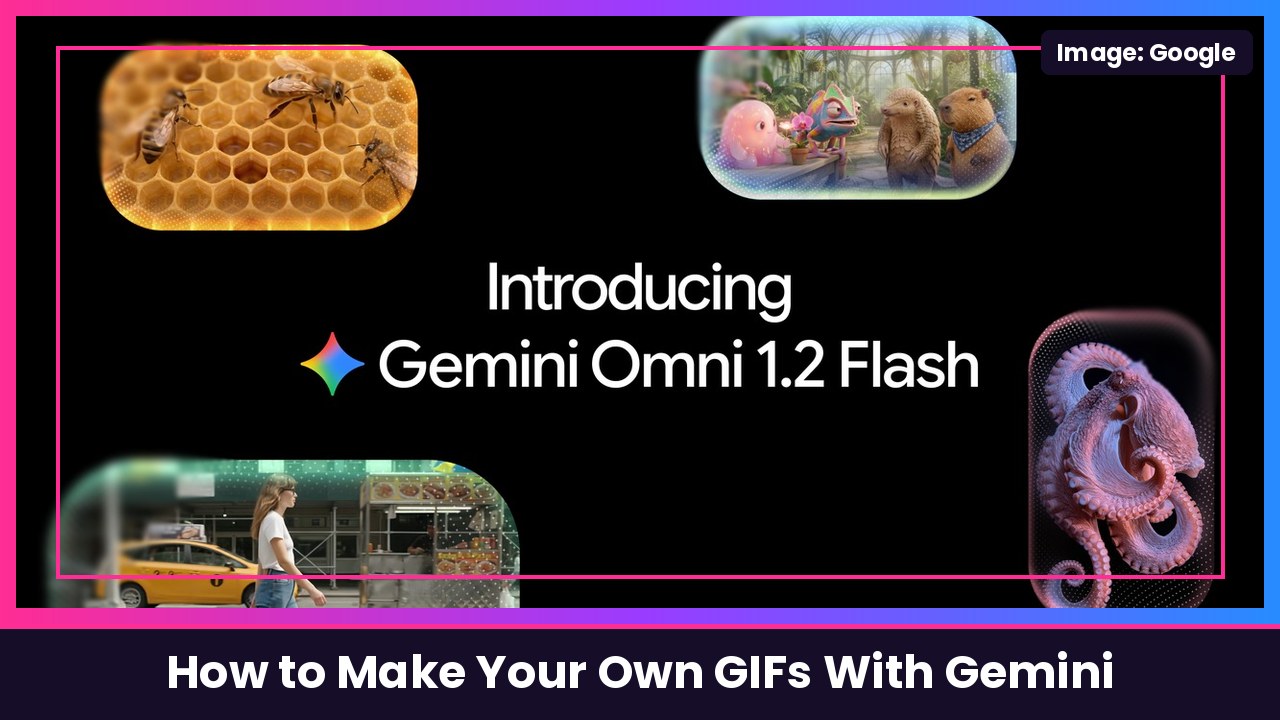
Quick summary: You don’t have to dig through Giphy anymore. Google just added GIF creation to the Gemini app, powered by its newest video model, Gemini Omni 1.2 Flash. You type what you want (or upload a photo or video), and Gemini makes a short looping GIF, about three seconds long, that you can copy and paste or download as a real .gif file. The Verge and Android Authority reported the rollout today, and here’s exactly how it works, straight from Google’s Gemini help page.
What you need
According to Google’s help page:
- A Google AI plan if you’re using a personal account (a qualifying Workspace license for work or school accounts).
- You must be 18 or older and signed in to Gemini.
- You must be in Australia, Canada, France, Germany, Japan, Korea, the UK or the US to create GIFs.
- Patience: Google says GIF creation is rolling out gradually, so it may not show up for you yet.
How to make a GIF in Gemini on Android, iPhone or iPad
- Open the Gemini app (or go to gemini.google.com in your browser).
- At the top left, tap Menu, then tap Videos.
- (Optional) Pick a template if you want a ready-made style.
- In the text box, type a prompt describing the GIF you want. Be specific, for example “a looping GIF of my dog wearing sunglasses, nodding to the beat.”
- Want to animate your own stuff? Tap Add image and/or Add video and pick your files. You can upload one video and up to 5 images.
- Tap Submit.
How to make a GIF in Gemini on a computer
- Go to gemini.google.com.
- At the top left, click Open Sidebar, then click Create video.
- (Optional) Select a template.
- Type your prompt in the text box. To use your own photos or a clip, click Add image and/or Add video.
- Click Submit.
Tip from Google: you can also brainstorm and refine your idea in a normal Gemini chat first. If you do, Google says you won’t need to tap Video to create it.
How long it takes
Google says it may take a few minutes. While your GIF is being made, you can’t keep using that same chat, but you can start a new chat and come back to it later.
How to edit, copy, download and share your GIF
- Edit it: after it’s generated, you can send another prompt to change it, like removing or replacing objects or characters, changing the camera angle or modifying the scene.
- Copy and paste it: Google says your GIF pastes in as an animated GIF in many apps, including docs, emails, messages and social media.
- Download it: save it to your device in .gif format.
Put yourself in it with an avatar
If you’ve set up a Gemini avatar, type @ followed by your Google username in the prompt to put yourself in the GIF. If a friend shared their avatar with you, type @ and their username. Google notes that uploading videos for edits and avatars isn’t available in the EEA, Switzerland, the UK and some US states.
Good to know
- Gemini can remove or refuse videos and GIFs that break Google’s Terms of Service or Prohibited Use Policy, and Google says to only upload photos you have the right to use.
- GIFs are about 3 seconds and loop. If you need something longer, the same Videos tool makes regular videos from 3 to 10 seconds (up to 15 seconds on AI Ultra), per Google.
My take
This is one of those small features you’ll end up using every day. Making a custom reaction GIF of your own dog, your car or your face in a couple of minutes is way more fun than scrolling for a GIF that’s almost right. It works on basically any modern phone, whether that’s a Pixel 10 Pro, a Galaxy S26 Ultra or an iPhone Duo. The catch is the Google AI plan requirement on personal accounts, so check your plan if you don’t see it.
More Gemini how-tos: see and edit what Gemini remembers and change Gemini’s voice. Galaxy owner? You can also make GIFs from any video right on your phone.
Sources: Google Gemini Apps Help: Generate videos with Gemini Apps (Android, iPhone and computer steps), The Verge (Nov 20), Android Authority (Nov 20), Google Gemini on X, Google blog: Gemini Omni 1.2 Flash.
Subscribe to GregglesTV for daily tech news, reviews and walkthroughs.
See today’s GregglesTV Best Tech Deals or browse all deals posts.
Comments
Comments are moderated. Hate, slurs, spam and scam posts are blocked. Don’t include personal info you wouldn’t want public. See the privacy policy.
Loading comments…