How to File a Claim in Apple's Siri AI Settlement (and Find Your iPhone's Serial Number), Step by Step
Lawyers now expect at least $61 per eligible iPhone in Apple's $250 million Siri AI settlement, and the deadline is December 21, 2026. Here's who qualifies, how to find your serial number, and how to file.
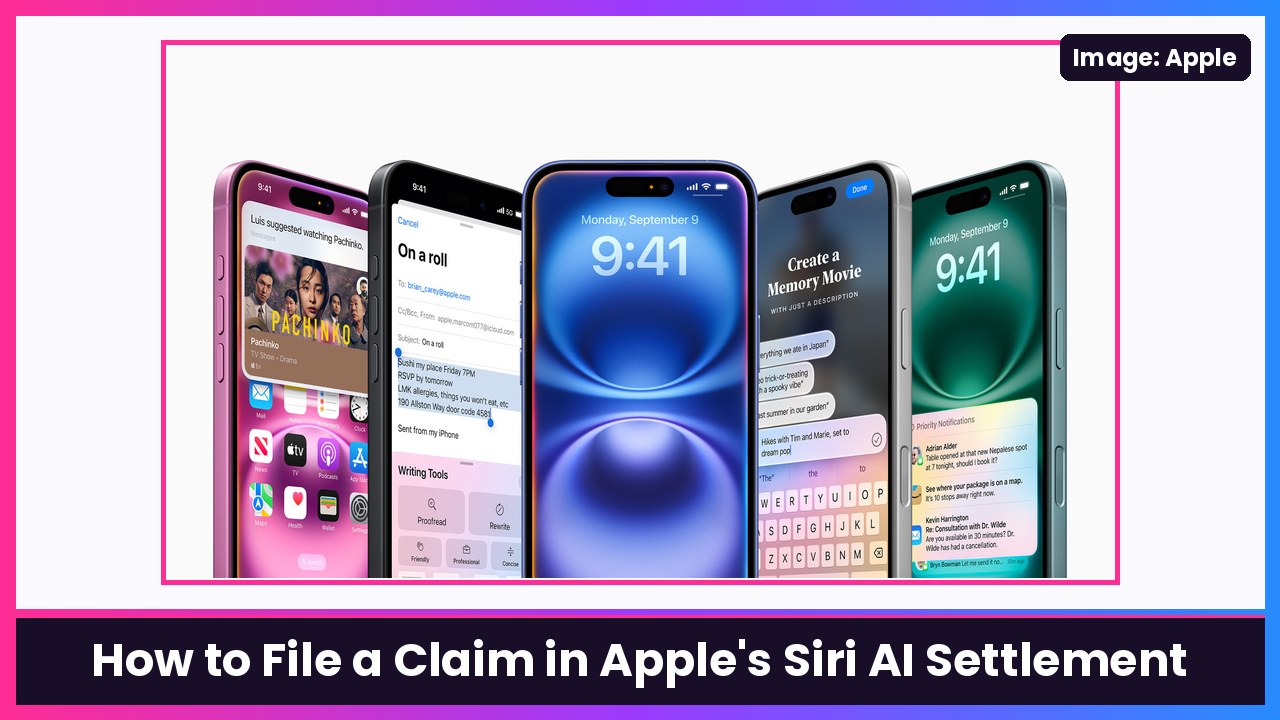
Quick summary: If you bought an iPhone 16 or an iPhone 15 Pro back when Apple was advertising the personalized Siri that didn’t ship on time, you can still get paid. Apple agreed to put $250 million into a settlement fund, and according to MacRumors, the lawyers for the class said this week that claimants will likely get at least $61 per eligible iPhone based on how many people have filed so far. The deadline to file is December 21, 2026. Here’s exactly how to do it, using the official settlement website and Apple’s own serial number guide.
Key takeaways
- Who qualifies: US residents who bought an iPhone 15 Pro, iPhone 15 Pro Max, iPhone 16, iPhone 16e, iPhone 16 Plus, iPhone 16 Pro or iPhone 16 Pro Max in the US between June 10, 2024 and March 29, 2025, and not for resale. The settlement site says you must be the original purchaser.
- How much: the settlement sets $25 per device, which can go up (to a max of $95) or down depending on how many valid claims come in. The class lawyers’ current estimate is at least $61 per iPhone.
- Deadline: December 21, 2026, which is also the last day to opt out or object.
- One claim per iPhone: bought two eligible iPhones? You file two separate claim forms.
- When you get paid: not before the final approval hearing on February 24, 2027, so payments are a 2027 thing.
Before you start
Grab two things:
- Your claim ID and PIN, if you got the email. MacRumors says eligible customers should already have received a notice email with a claim ID and PIN. Don’t have it? You can still file without it.
- Your eligible iPhone’s serial number. If you don’t have it, the claim form asks for your Apple Account email and the iPhone’s phone number instead (per MacRumors). Getting the serial number is easy, though, so do Step 1 first.
Step 1: Find your iPhone’s serial number
Straight from Apple Support:
- On the eligible iPhone, open Settings.
- Tap General, then tap About.
- Look for Serial Number. Touch and hold the number to copy it, so you can paste it into the claim form without typos.
Don’t have that iPhone anymore? Apple lists a few other places to look:
- On the web: go to account.apple.com, sign in with the Apple Account you used on that phone, choose Devices, then select the device to see its serial number.
- From another Apple device signed in to the same account: open Settings, tap [your name], scroll down to your device list and tap the old iPhone.
- The original box: the serial number is printed on the barcode label on the packaging.
- On a computer: connect the iPhone and use Finder on a Mac or the Apple Devices app (or iTunes) on a PC. Click the model name under the device name to show the serial number.
What you should see: the Serial Number row in About, with the number copied to your clipboard and ready to paste.
Step 2: Go to the official settlement website
Type smartphoneaisettlement.com into your browser yourself instead of tapping a link in a random text or email. That’s just good settlement hygiene, since scammers love copying these pages. The site’s headline reads: “If you purchased an iPhone 15 Pro, iPhone 15 Pro Max, or any iPhone 16 model, you may be entitled to compensation.”
Step 3: Start your claim
- On the homepage, start your claim. The settlement site also has a separate option if your organization bought eligible iPhones for business use, so pick the one that fits.
- If you have the claim ID and PIN from your notice email, enter them. If not, choose the option to file without them.
Step 4: Fill in your info and the iPhone details
The claim form asks for your personal information and the eligible iPhone’s serial number (paste it from Step 1). If you say you don’t have the serial number, it asks for your Apple Account email and the iPhone’s phone number instead, according to MacRumors.
Step 5: Pick how you want to get paid
The settlement site says you’ll choose your payment method from the options listed on the claim form. Double-check the email address or account details you enter here, since that’s where your money goes.
Step 6: Submit (and repeat for each iPhone)
Submit the form and save or screenshot any confirmation you get. If you bought more than one eligible iPhone, go back and file a separate claim for each device. Claims have to be submitted online or postmarked by December 21, 2026.
Quick FAQ
Did I need to have problems with Siri? No. The settlement covers buyers of the eligible models in that date window. Apple denies all of the allegations and agreed to settle to avoid the costs and risks of a trial, per the settlement site and MacRumors.
I bought my iPhone 16 used or after March 29, 2025. Then you’re not in the class. The settlement site says you have to be the original purchaser and buy it in the US in that window.
Why only these models? These are the iPhones Apple sold while it was advertising the personal-context Siri features it later delayed in March 2025. Apple finally announced Siri AI at WWDC 2026, and it runs on iPhone 15 Pro and newer with iOS 27.
Can I opt out and sue on my own? Yes, the deadline to exclude yourself or object is also December 21, 2026. The settlement site has the details.
Tips
- Do it now, not on December 20. It goes a lot faster if you copy the serial number first.
- Gifted iPhones: the settlement says it has to be the original purchaser, so the person who bought it files, not the person who uses it.
- Keep your confirmation until payments go out in 2027.
Recap checklist
- Bought an iPhone 15 Pro/Pro Max or any iPhone 16 model in the US between June 10, 2024 and March 29, 2025
- Copied the serial number from Settings > General > About (or account.apple.com > Devices)
- Filed on smartphoneaisettlement.com with your claim ID/PIN or without it
- Picked a payment method and submitted
- Filed a separate claim for each eligible iPhone
- Done before December 21, 2026
My take
$61 or more for a few minutes of typing is honestly worth it, and that number could move either way depending on how many people file. If you’ve been holding onto an iPhone 16 and thinking about upgrading, that check won’t cover an iPhone Duo or an iPhone 18 Pro Max, but it’ll get you most of the way to a MagSafe battery.
Related: Siri AI daily limits and the iCloud+ upgrade in iOS 27.3.
Sources: Smartphone AI Settlement official website (eligibility, $25–$95 per device, key dates, one claim per device, payment options), MacRumors: Siri AI Settlement: Here’s How Much Apple Will Pay You (Nov 21; at least $61 estimate, claim ID/PIN, serial number or Apple Account email and phone number), Apple Support: Find the serial number or IMEI on your iPhone.
Subscribe to GregglesTV for daily tech news, reviews and walkthroughs.
See today’s GregglesTV Best Tech Deals or browse all deals posts.

Comments
Comments are moderated. Hate, slurs, spam and scam posts are blocked. Don’t include personal info you wouldn’t want public. See the privacy policy.
Loading comments…