How to Edit an Instagram Story After You Post It (Fix Typos, Music and Stickers)
Instagram finally lets you edit a Story after sharing it, without losing views, likes or replies. Here's how to do it step by step, what you can change, and the 15-minute catch.
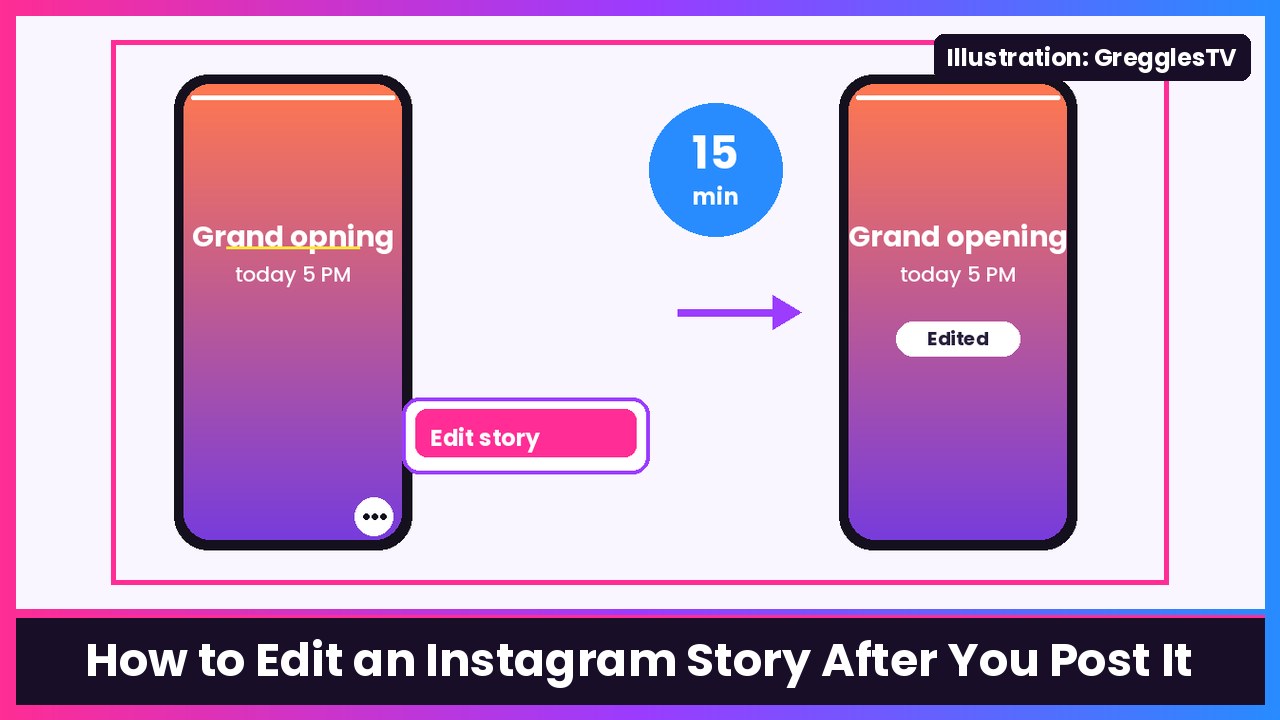
Quick summary: Finally. Instagram now lets you edit a Story after you share it. Instagram head Adam Mosseri announced today (Nov 18) that you can change the text, music, stickers and drawings on a Story for up to 15 minutes after posting, and you keep your views, likes and replies. No more deleting and reposting because of one typo. Here’s how it works on iPhone or Android.
Mosseri’s pitch, as quoted by Engadget: “A lot of people have been asking for this, so I’m excited to get this one out there.”
Before you start
- Update the Instagram app. Engadget says the feature is rolling out now, so if you don’t see it yet, update from the App Store or Google Play and check again later.
- Watch the clock. You get 15 minutes from when you share the Story. After that, the edit option is gone.
How to edit an Instagram Story after posting
- Share your Story like you normally do. The 15-minute window starts now.
- Open your Story (tap Your story, your profile photo, at the top of your feed).
- Tap the three-dot menu in the bottom-right corner of your Story. The Verge describes it as the three-dot menu; Engadget calls it the “more” menu.
- Tap Edit story.
- Make your changes. You can fix or rewrite text, add or swap the music, change stickers (like a mention or link sticker with a typo), and adjust drawings.
- Finish your edit and the updated Story replaces the old one, with your views, likes and replies intact.
Engadget notes that edited Stories get an “edited” label when people view them, so your followers will know it changed.
What you can’t change
Mosseri’s list is text, music, stickers and drawings. Swapping the actual photo or video isn’t on that list, so if you posted the wrong clip, you’re back to the old method: delete it and post a new one. Same thing if you miss the 15-minute window.
Why this matters (especially for creators)
As Engadget points out, Stories play in order, so deleting one slide from the middle of a sequence and reposting it pushes it to the end. Editing in place fixes that. And if you’re posting for a brand or your channel, you don’t lose the views you already got. 9to5Mac also confirms the 15-minute catch.
Instagram is also adding new fonts, colors and shapes for stickers, easier sticker sheets, a new way to select multiple photos, and new blur, color and gradient backgrounds, per The Verge.
My tip: make the Story look good the first time
Editing fixes typos, but it can’t fix shaky video or bad audio. If you shoot a lot of Stories, a gimbal like the DJI Osmo Mobile 7P and a tiny clip-on mic like the DJI Mic Mini make a huge difference. And the camera matters too: the iPhone Duo and Galaxy S26 Ultra are both great for vertical video.
Sources: The Verge, Engadget, 9to5Mac, Adam Mosseri’s announcement on Instagram.
Subscribe to GregglesTV for daily tech news, reviews and walkthroughs.
See today’s GregglesTV Best Tech Deals or browse all deals posts.

Comments
Comments are moderated. Hate, slurs, spam and scam posts are blocked. Don’t include personal info you wouldn’t want public. See the privacy policy.
Loading comments…