Gemini Can Run Tasks in Your Galaxy Apps: What's Officially Supported
Google's Gemini can book rides, order food and more inside apps on Galaxy S26, Z Fold 8, Z Flip 8 and Pixel 10/11 phones. Here's the official device list, the limits, and what a leaked 134-app list actually means.
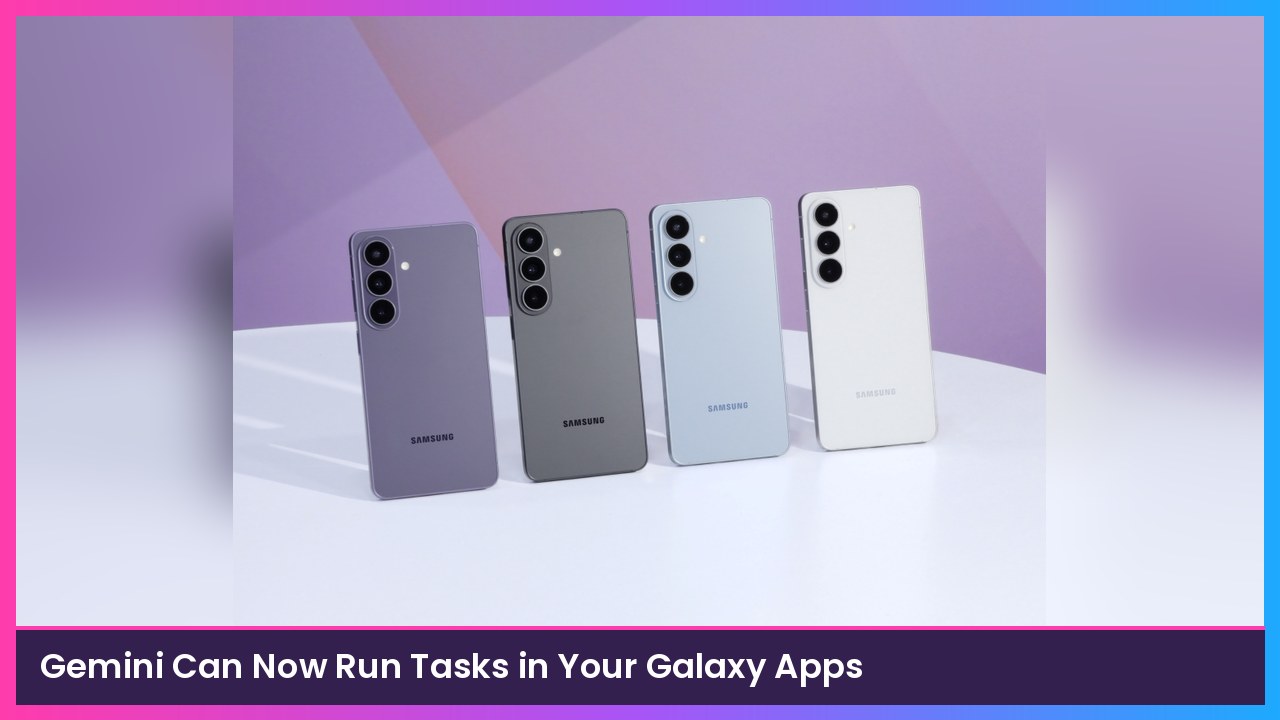
Quick summary: Gemini on Android can now handle multi-step tasks inside other apps, like booking a ride or adding groceries to a cart, then hand the phone back to you before checkout. Google’s official help page spells out which phones and countries are supported. A new Android Authority report also found a hidden list of 114 to 134 target apps, which SamMobile picked up for Galaxy owners. The important part: being on that list does not automatically mean the feature works yet.
Key takeaways
- Officially, this works on Pixel 10 and Pixel 11 models (including Pixel 11 Pro Fold), the Galaxy S26 series, Galaxy Z Flip 8, Galaxy Z Fold 8, and the Galaxy Tab S12 series.
- You need to be 18 or over, signed in with a personal Google Account, and in India, Japan, South Korea, the UK or the US. Pixel 10 phones are not supported in South Korea.
- Google says it’s a beta feature, it’s rolling out gradually, and for now it only works in English, Japanese and Korean.
- Ride, food and grocery tasks are listed for all supported devices. Buying or selling items, booking travel and buying tickets are listed as starting with the Z Flip 8 and Z Fold 8.
What Gemini can actually do
According to Google’s help page, Gemini uses something it calls screen automation. Instead of just dropping a link in the chat, it can open an app in an on-device virtual phone environment, tap through it, and stop so you can confirm the last step.
The official examples are everyday stuff:
- “Book a ride to the airport”
- “Reorder my last coffee”
- “Add milk and eggs to my grocery cart”
On the Galaxy Z Flip 8 and Galaxy Z Fold 8, Google also lists buying or selling an item, booking flights or hotels, and buying event tickets.
Google is very clear that you should not use this for emergencies or sensitive information, and you should not type sign-in or payment details into the Gemini chat. If the app needs that, you take over and enter it in the app yourself. You’re also responsible for what Gemini does during a task, including mistakes.
Which phones are officially supported
I’d start with Google’s own list, not a rumor chart. As of the current help page, you need one of these:
- Pixel 10, Pixel 10 Pro, Pixel 10 Pro XL
- Pixel 11, Pixel 11 Pro, Pixel 11 Pro XL, or Pixel 11 Pro Fold
- Samsung Galaxy S26 series, including phones like the Galaxy S26 Ultra
- Galaxy Z Flip 8 or Galaxy Z Fold 8
- Galaxy Tab S12 series
It only works in the Gemini mobile app on Android, including when you say “Hey Google.” Google also notes a couple of important limits: on Pixel 10 and Galaxy S26 devices, you can stop a task but you can’t take control of it. On the Z Flip 8 and Z Fold 8, if Gemini asks you to take over and you don’t within 10 minutes, it stops.
About that 134-app list
This is the part that’s been spreading today, and it needs a little caution. Android Authority says Google keeps a server-side allowlist of target apps, and as of November 12 that list had 114 apps on stable Android 17 QPR2 and 134 on Android Canary, including names like Uber, DoorDash, Lyft, Booking.com, Walmart, Target, Delta and United in the US.
That sounds huge, and some of those apps probably will work. But Android Authority also tested this and found the list is not a guarantee. Microsoft Word and Outlook were on the list, and Gemini still would not actually edit documents or automate Outlook. Apps that were not on the list, like Swiggy in India, were refused outright as “not available for automation.”
Google itself has not published a full app list. Its help page just says “select apps,” and it says the feature might not be available to you just yet. So if you see a giant chart of 134 apps, treat it as a leaked target list, not an official compatibility sheet.
How to try it
If you’re on a supported phone and in a supported country:
- Open the Gemini app, or say Hey Google.
- Tell it the task, like “Book a ride to the airport.”
- The first time, follow the on-screen prompt to give the Google app permission to use screen automation.
- Review the action plan if it shows one, then watch the progress and confirm the final step yourself.
You can manage that permission later in Gemini under Settings > Screen automation.
I like the idea a lot, especially on a Fold where you can watch Gemini work. Just don’t hand it your credit card details in the chat, and don’t assume every app on a leaked list is ready today.
Subscribe to GregglesTV for daily tech news, reviews and walkthroughs.
See today’s GregglesTV Best Tech Deals or browse all deals posts.


Comments
Comments are moderated. Hate, slurs, spam and scam posts are blocked. Don’t include personal info you wouldn’t want public. See the privacy policy.
Loading comments…