Fold 8 Ultra to iPhone Duo: Android Features I'll Miss
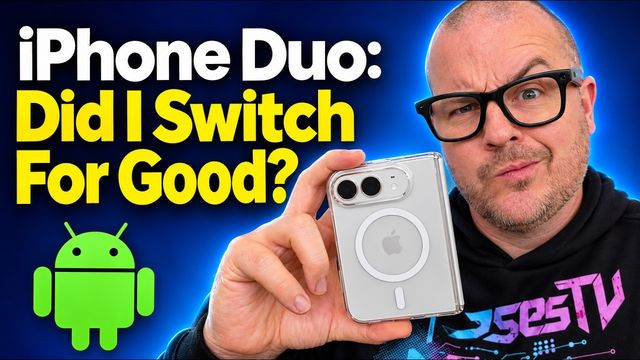
Before switching from the Galaxy Z Fold 8 Ultra to the iPhone Duo, here are 10 Android features I'll miss, from web messaging and Quick Share to Good Lock.
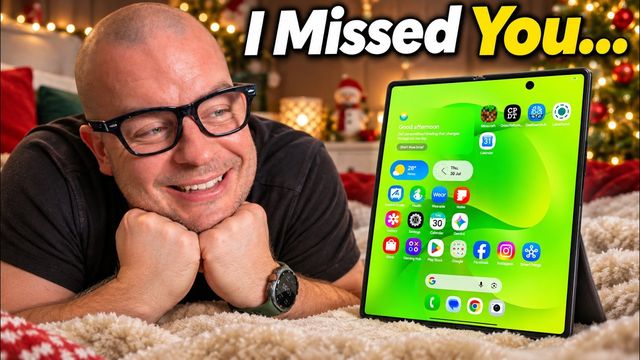
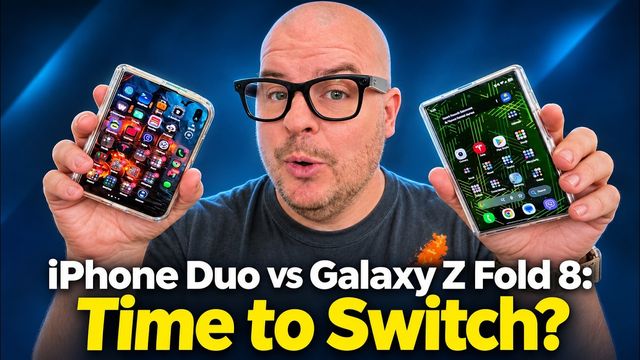
Quick summary: I’m about to switch from my Galaxy Z Fold 8 Ultra to the iPhone Duo for about two weeks. Before I do, here are the Android and Samsung features I’m worried I’ll miss most.
This video was sponsored by Speedtest. Links on this page may earn me a commission.
Key takeaways
- The biggest worries: texting from a PC browser, a universal back gesture, notification history, Quick Share and Good Lock.
- The Fold 8 Ultra’s taller display and three-app multitasking are hard to give up.
- Speedtest isn’t something I’ll lose, since it works on basically everything.
1. Texting from my Windows PC
On my Windows computer, I go to Google Messages on the web and can see group threads, send pictures and reply, just like on my phone. Without a Mac desktop, I can’t do the same with iMessage. The Windows link app is a dumbed-down version without group texts or file sending, as far as I know.
Sponsor: Speedtest
One thing I won’t miss is the Speedtest app, because it’s on Android, iOS, Windows, Mac, Apple TV and more. It’s the only speed test app I’ve used for years. Close to my router, I got about 1.4 Gbps down and 1.1 Gbps up, along with ping and jitter. I use it when speeds feel slow to know if it’s time to restart my router, and when I’m traveling to check whether my 5G hotspot beats the hotel Wi-Fi. It also saves your test history. Download Speedtest.
2. Gboard’s Rambler voice typing
If you’re coming from a Pixel, you might miss this too. Gboard’s Rambler voice typing is so good at turning my speech into texts with punctuation. I constantly talk my messages out, and they come out perfect. iPhone has some of this, but not like Rambler.
3. The taller Fold 8 Ultra display
I’ve had nearly every Fold, from the Fold 2 through the 7, plus the 8, and I loved those. But the bigger, taller display on the Ultra makes me worry the iPhone Duo will feel short. It’s even a bit shorter than the Z Fold 8. Yes, you can rotate the Duo, but keeping the phone in one orientation is just more comfortable.
4. Three apps at once
On the Fold I can run three apps, flip-flop them and rotate them. I don’t do it often, but I’ll miss having the option. The Duo runs two.
5. Saving app pairs
I can save a multitasking setup to my taskbar, home screen or Edge panel. I don’t believe the iPhone has anything like that.
6. The universal back gesture
This might be one of the biggest. On Android I swipe from either edge or tap a back button to go back anywhere. Apple has a version of this in some apps, but it’s not universal.
7. Notification history and Android notifications
If I miss or swipe away a notification, I can find it in notification history in settings. It’s super convenient. And Android notifications in general have been great for years. The last time I used an iPhone seriously, cleared notifications would come back hours later, which never made sense to me.
8. Quick Share
Almost everything in my house is Android or Windows, and Quick Share lets me send files between all of it. I don’t think the iPhone will share easily with my Windows PC, so wireless file sharing will be a nuisance.
9. Searchable settings
On Android, if a word is in a setting, search finds it, and there are even AI-assisted results. On iPhone, searching settings has often come up empty for me.
10. Good Lock and One UI
Good Lock gives total customization and control. I’m not as deep into it as I used to be, but nothing else on Android matches it, and it keeps adding modules. And I just love One UI’s look and feel. I wish the animations were a bit smoother sometimes, but it’s fast, fluid and feels like home.
The real test
I’ll use the iPhone Duo for about two weeks and see if I can stick with it full time. If you’re switching from Samsung or Android to the Duo, what are you worried about?
Watch the full video on YouTube, and subscribe to GregglesTV for daily tech news, reviews and walkthroughs.
See today’s GregglesTV Best Tech Deals or browse all deals posts.
Comments
Comments are moderated. Hate, slurs, spam and scam posts are blocked. Don’t include personal info you wouldn’t want public. See the privacy policy.
Loading comments…