Ray-Ban Meta: How to Switch Your Glasses to a New Phone
Two ways to move Ray-Ban Meta glasses to a new phone: the quick reset-to-pairing method, or unpairing in the Meta AI app and Bluetooth first.
Quick summary: Ray-Ban Meta glasses can only be connected to one Meta account and one phone at a time. To move them to a new phone, either put them straight into pairing mode, or unpair them from the old phone first.
The quick way
- Put the glasses in the case and close it.
- Press and hold the button on the back of the case for 5 seconds until the light changes from green to flashing blue.
- On the new phone, install the Meta AI app and sign in, tap the glasses at the bottom right, and pair them.
The clean way (if you still have the old phone)
This is better if you use more than one phone and don’t want to mix things up.
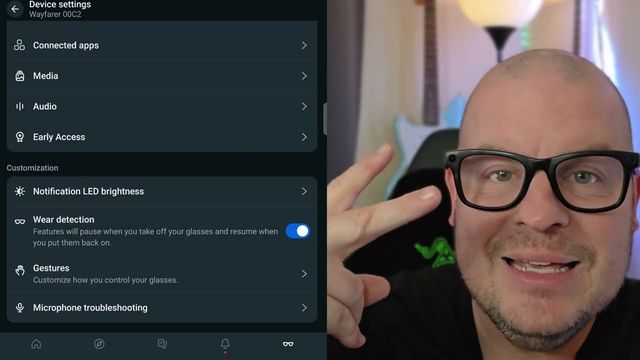
- On the old phone, open the Meta AI app, tap the glasses at the bottom right, and tap the gear in the top right next to the pair you want to move.
- Go to General > Unpair glasses and tap Unpair.
- Remove them from Bluetooth too: sometimes you need this extra step. In your phone’s Bluetooth settings, find the glasses in your list of devices, tap the gear next to them, and tap Unpair. This looks a little different on iPhone and on different Android phones.
- On the new phone, download the Meta AI app and sign in. If the glasses aren’t in pairing mode, press and hold the case button for 5 seconds until the light flashes blue, then connect them.
Get them
Watch the full video on YouTube, and subscribe to GregglesTV for daily tech news, reviews and walkthroughs.
See today’s GregglesTV Best Tech Deals or browse all deals posts.


Comments
Comments are moderated. Hate, slurs, spam and scam posts are blocked. Don’t include personal info you wouldn’t want public. See the privacy policy.
Loading comments…