PSA: The 2026 Kindle and Kindle Paperwhite's Back Can Pop Off When You Take the Case Off. Here's What Amazon Says to Do
Amazon's new Kindles have a removable back panel for easy battery swaps, but owners and reviewers say it can come loose when you pull the e-reader out of a case, even Amazon's own cover. Here's what's happening and Amazon's fix.
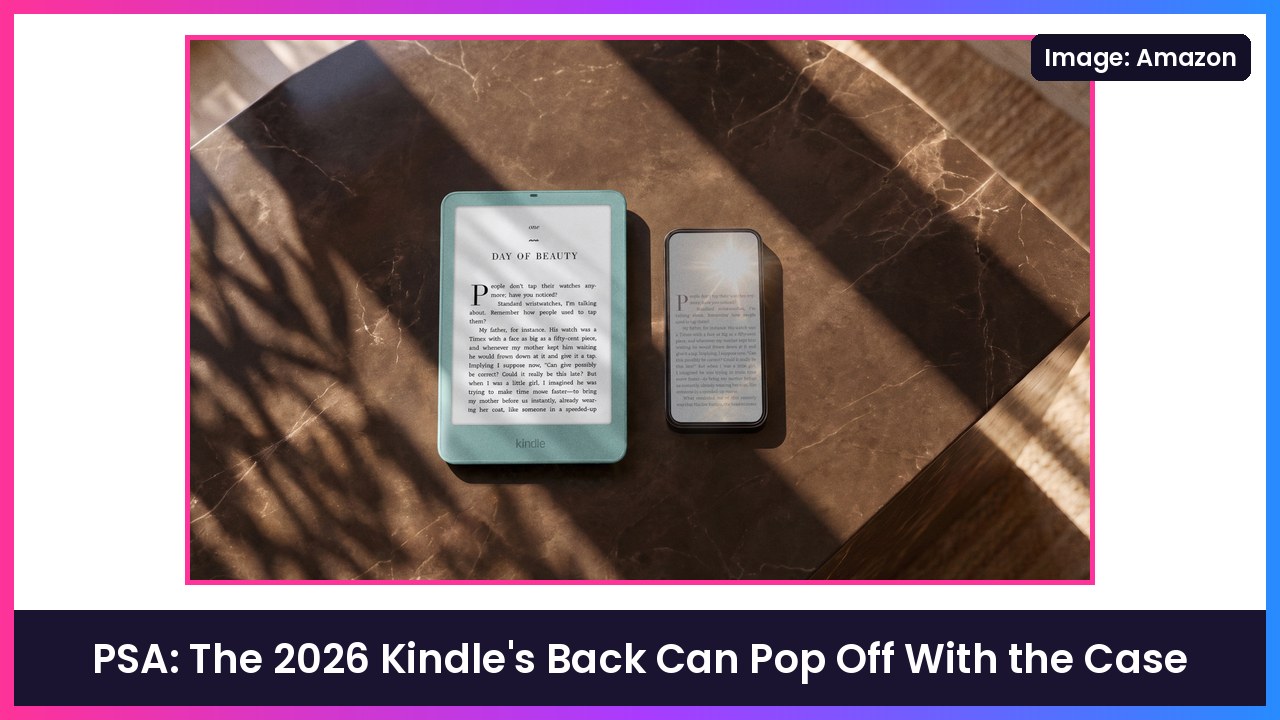
Quick summary: All right, guys, if you’re grabbing a new Kindle this Black Friday, or you just got one, you need to know this. Amazon redesigned the Kindle lineup in October, and the 2026 models have a removable back panel so you can swap the battery yourself. That’s awesome. The catch: Android Authority and Mashable report that on the standard 2026 Kindle and 2026 Kindle Paperwhite, that back panel can pop off when you pull the e-reader out of its case, and Mashable says it happened with Amazon’s own fabric cover. Amazon’s answer: just press it back into place.
Key takeaways
- Which models: Reports so far are limited to the standard 2026 Kindle and 2026 Kindle Paperwhite.
- Not seen (so far) on: The aluminum Kindle or the Paperwhite Signature Edition, per Android Authority and Mashable.
- When it happens: Taking the Kindle out of a case or cover, including Amazon’s official cover in Mashable’s testing.
- Does it break the Kindle? Mashable says it doesn’t affect how the Kindle works, but it saw gaps around the screen and a power button that got caught.
- Amazon’s fix: Press the panel “firmly back into place on all four corners and along the edges.”
What’s going on
Amazon’s 2026 lineup was built around easier repairs. Amazon’s own product listing for the new Paperwhite says it’s “built to last with a replaceable battery,” and that “the back panel opens for a quick battery swap. Snap it back into place and keep reading.”
The problem is that panel may come off a little too easily. Android Authority points to a Reddit owner whose Ube Kindle came apart with minor pressure, and to TikTok creator Jackie’s Book Tally, who showed her Kindle’s housing separating while peeling off a clear case.
Mashable ran into it during its own testing. Reviewer Samantha Mangino says removing the basic 2026 Kindle from Amazon’s fabric cover took so much force that she noticed the frame bending, and once it was out, the back had detached from the screen, exposing the internals. She says that in three years of testing Kindles, it never happened with the 2022 or 2024 models. Mashable also heard from a reader whose 2026 Kindle Paperwhite’s back came completely off after he took it out of its case. He returned it and went with the 2024 Paperwhite Signature Edition instead.
Why not the aluminum models? Android Authority cites TechRadar’s testing, which found the aluminum Kindle uses two small screws near the USB-C port to hold the housing, instead of the snap-on design of the plastic version.
What Amazon says to do
Here’s Amazon’s statement to Mashable, word for word:
“Your Kindle is designed to open along the edge of the display in order to replace the battery. If the back panel shifts when you remove a case or cover, press it firmly back into place on all four corners and along the edges, and keep reading.”
Mashable says the panel does click back easily, but it found two annoyances: the power button got caught in the frame the first time (it had to be popped back and ended up scratched), and there was still gapping along the seam that needed extra pressure to close. Because of this, Mashable dropped its performance score for the 2026 Kindle from 5 out of 5 to 4 out of 5.
If you have one (my tips)
These are my suggestions, not Amazon’s:
- Go slow taking it out of the case. Don’t pry from one corner. Ease it out evenly.
- If the back shifts, follow Amazon’s steps: press firmly on all four corners and along every edge.
- Check the power button sits right and presses normally after you snap it back.
- Still seeing a gap or loose panel? Contact Amazon support. If you just bought it, you’re likely still inside the return window. Amazon’s listing for the new Paperwhite currently shows returns until January 31, 2027. Double-check the date on your own order.
- Shopping right now? If this worries you, Android Authority and Mashable say the issue hasn’t shown up on the aluminum Kindle or Paperwhite Signature Edition.
Got an older Kindle? Make sure it’s still getting updates. Here’s what to know about the Kindle models losing software updates.
My take
I’ll be honest with you, I love that Amazon made the Kindle battery user-replaceable. That’s a really, really good move for a device people keep for years. But a back panel that pops off when you take the case off is a design miss, especially with Amazon’s own cover. The fix is easy, and it doesn’t seem to hurt how the Kindle actually works, so I wouldn’t panic. Just be gentle with that case. Everything I mentioned is linked down below.
Sources: Android Authority: PSA: Amazon’s 2026 Kindle back panels are popping off when owners remove their cases, Mashable: The new 2026 Kindle has an unexpected design flaw — how to fix it, TechRadar: Amazon Kindle (2026) review, Reddit r/kindle: Ube Kindle comes apart with minor pressure (via Android Authority), Amazon: Kindle Paperwhite (2026) listing, About Amazon: The new Amazon Kindle lineup (image).
Subscribe to GregglesTV for daily tech news, reviews and walkthroughs.
See today’s GregglesTV Best Tech Deals or browse all deals posts.


Comments
Comments are moderated. Hate, slurs, spam and scam posts are blocked. Don’t include personal info you wouldn’t want public. See the privacy policy.
Loading comments…