iPhone Duo: 24 Hours Later, What Am I Doing?
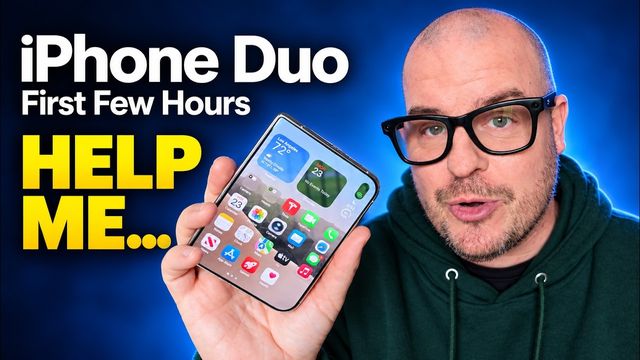
Day one with the iPhone Duo: tent-mode StandBy, cameras, awkward volume buttons, clunky unlocking, great typing, strong battery and notifications.
Quick summary: After 24 hours with the iPhone Duo, some things are winning me over and a lot of things are frustrating me. Here are my day-one impressions as a longtime Samsung user.
This video was sponsored by MOBOSI. In the video I mistakenly called the case “Tongate,” but the kickstand case shown is from MOBOSI. Links on this page are affiliate links.
Key takeaways
- Love: StandBy in tent mode, typing accuracy, solid cameras and strong battery life.
- Don’t love: volume buttons on top, a fingerprint sensor that needs the screen awake, a dock that won’t hide and limits you to four apps, no texting from my PC, and confusing notifications.
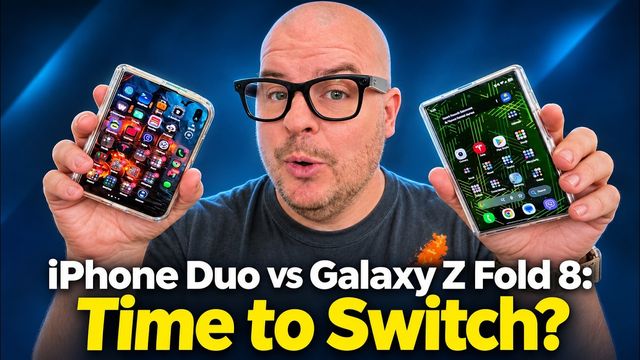
- After one day, I couldn’t wait to go back to my Galaxy Z Fold 8 Ultra, but I knew part of that was growing pains.
StandBy clock in tent mode
I really like this. Prop the phone open like a tent and you get a clock, calendar and events. I showed it to parents at a kid’s party, and they loved it. iPhones already have StandBy while wireless charging, but most people don’t know about it. On the Duo it’s functional because the phone stands up on its own. I’d love to see Samsung do something like this, maybe with a little fish tank clock.
Sponsor: MOBOSI kickstand case
The MOBOSI MagSafe kickstand case stands the phone up in lots of orientations, open or closed, for social media or videos. It has hinge protection, which few iPhone Duo cases have, and a screen protector built into the front piece, so there’s nothing extra to install. The buttons are easy to press, and it feels very protective and well built.
Camera impressions
I’ve taken a ton of photos and videos, and I like how they look. No complaints so far. The inside under-display camera only records up to 1080p, which is a little disappointing. Cinematic mode on the front camera looks really cool, and recording at 4K 30 with the rear cameras while using the preview on the other screen worked well. The depth effect feels very close-up compared with Samsung’s, though I could be wrong.
Awkward button placement
I still can’t get used to volume buttons on the top. My muscle memory reaches for the side, and the top is uncomfortable to reach. Apple needs to change this next generation, maybe with a gesture or by adding volume controls to the power button.
Unlocking annoyances
If the screen is off, you can’t unlock with the fingerprint sensor. You have to wake the phone first and then press the button. On Android, there’s a setting that lets you unlock with the screen off. I wish the Duo had Face ID. Apple nailed Face ID, and the fingerprint sensor feels slow and antiquated by comparison.
Typing and speech-to-text
I love typing on this phone. It’s very accurate, and it feels more accurate than Android. Speech-to-text is pretty good too, though I prefer Gboard’s Rambler. My one complaint is that dictation is a bit slow and sometimes cuts off the end of what I said.
The dock needs to go
On the outside display, the sidebar dock takes up too much room on an already small screen. It needs to auto-hide. It also holds only four apps. On my Samsung, I have six pinned plus recent apps, about 10 total. And picking up my Galaxy after this, it feels so much thinner and lighter.
Battery life so far
I went to bed with about 60%, didn’t charge, listened to audio with my AirPods for a while, and still had battery until about 1:30 p.m. the next day, when it hit around 10%. Very reliable so far.
Texting from my computer
On Android, I text from my PC through Google Messages on the web. I have a MacBook, but I mostly use a PC, and I don’t want third-party workarounds. Now when I want to text something from my computer, I end up sending it over Instagram or X instead.
Notifications and coming from Samsung
I woke up to notifications at the top and Notification Center below. I cleared the top ones, and they were still in the other section. Why two sections? I want one list where swiping something away means it’s gone. Between notifications, the UI and hunting through settings, I feel incredibly frustrated. The Pixel feels snappier to me, and Samsung’s quality-of-life features are easy to find.
Even my Ray-Ban Meta glasses had trouble. They connected and I could hear everything, but people couldn’t hear me on calls, and “Hey Meta” didn’t work.
Am I sticking with it?
After 24 hours, I couldn’t wait to go back to my Galaxy Z Fold 8 Ultra. That might change in a day or a week, and I know a lot of this is growing pains. My Apple Watch Ultra arrives tomorrow. Did you feel this frustrated switching from Android to iPhone?
Watch the full video on YouTube, and subscribe to GregglesTV for daily tech news, reviews and walkthroughs.
See today’s GregglesTV Best Tech Deals or browse all deals posts.
Comments
Comments are moderated. Hate, slurs, spam and scam posts are blocked. Don’t include personal info you wouldn’t want public. See the privacy policy.
Loading comments…