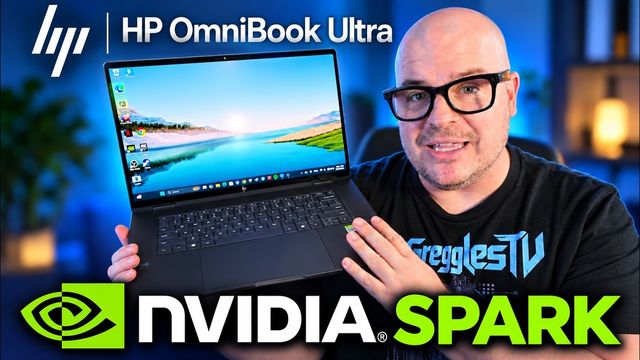
HP OmniBook 5 14-Inch Review: A Solid Under-$1,000 Laptop for Students and Office Work
I tested the HP OmniBook 5's ports, touchscreen, keyboard, browsing, gaming, heat, battery, speakers and bloatware. It nails the basics, but performance is modest and the RAM and 500GB SSD can't be upgraded.
Quick summary: The HP OmniBook 5 (14-inch) is a thin, light Windows laptop that does the basics really well. The keyboard is one of my favorite parts, the trackpad is big, the touchscreen is super responsive and battery life for browsing and office work looks good. The trade-offs are modest performance and RAM and storage that are soldered on, so what you buy is what you’re stuck with.
Key takeaways
- In the box: the laptop, a USB-C cable and a power block. That’s it.
- Ports: two USB-C (not USB4), HDMI and a headphone jack. No Ethernet.
- Best parts: a backlit keyboard with a satisfying click, a big trackpad, and a smooth, responsive touchscreen.
- Performance: fine for lots of browser tabs and 2D games, but 3D gaming is where it hits its limits.
- Not upgradeable: the RAM and the 500GB SSD are soldered on.
- Best for: students and office workers doing research, office apps and maybe a little light video editing.
Unboxing and build
Right away this thing is pretty thin and not heavy at all. I wouldn’t say it’s as light and thin as a Chromebook, but it’s definitely one you can toss in a backpack and forget about. The first thing I always do is try to flex a laptop, left, right, a little twist, and there’s really not a lot of give here. For a thin laptop it feels pretty durable.
Ports
You get two USB-C ports, an HDMI port and a headphone jack. Those USB-C ports are not USB4, and there’s no Ethernet port, so if you need wired internet you’ll want a dongle.
Touchscreen display
The screen is clear and bright, about what you’d expect from a modern laptop. The touchscreen is honestly really responsive. Scrolling a webpage or pinching to zoom on a photo just feels smooth and satisfying.
Two things to keep in mind:
- There’s no pen or stylus in the box, so factor that in if you like to draw or take handwritten notes.
- It’s a shiny screen. If you’re sitting with a light behind you, reflections and glare can get in the way.
Keyboard and trackpad
This is one of my favorite parts. A lot of thin laptops have keys that sit super low and you can barely feel them when you press. This one has a nice, satisfying click to the keys, which makes it way easier to type on. It’s also backlit, so typing at night is no problem.
The trackpad is big for the size of the laptop, with great response and a solid click. Really happy with both, so this one gets a plus in my book.
Performance and gaming
Keep in mind this is not a performance laptop, and it’s not trying to be. Here’s what I saw:
- 8 YouTube tabs open: CPU around 50%.
- 16 tabs open: CPU up to about 80%, with memory at 50% and up. It handles a lot of browsing, but you can see it working.
- 2D games: Vampire Survivors ran great, like on most modern computers.
- 3D games: Mecha Chameleon, which isn’t very demanding, sat around 20 fps at max graphics and about 40 fps on low. Playable on low, but this is not a gaming laptop.
Heat and fan noise
While gaming you can hear the fan, but it’s not loud at all. Same with heat: touch the bottom and you’ll feel a little warmth, but not a lot. It doesn’t have big, hot components inside, so heat and noise stay low, which goes hand in hand with the lower performance.
Battery life
My first test had me a little worried. Watching a video with the speakers going, it dropped about 10% in roughly 10 minutes. But when I tested again, watching a loud video for about 20 minutes only used about 4%, and 10 minutes of typing barely moved it at all. For office work and browsing, battery should be really good.
Bonus: the charger is about the size of a phone charger, which is awesome and super easy to throw in your bag.
Speakers, webcam and Wi-Fi
- Speakers get nice and loud, but they’re not the clearest. Fine for videos; you’ll probably want headphones for music.
- Webcam quality is pretty good for video calls. The one thing I wish it had is a physical privacy cover, and it doesn’t.
- Wi-Fi was reliable on my speed test, no issues.
Bloatware and upgradability
It comes with Windows and some preinstalled extras, including HP TV Plus, Dropbox, Adobe Offers, Adobe Express and Booking.com. No AI apps came preinstalled. Quick tip: you can uninstall anything you don’t use.
The bigger thing to know is that the RAM and SSD are soldered on, so you can’t upgrade either one later. Whatever you buy is what you get. The SSD here is 500GB, which is plenty for most things.
Pros and cons
Pros
- Lightweight and easy to carry
- Backlit keyboard with a great feel
- Big, responsive trackpad
- Super responsive touchscreen
- Tiny, phone-sized charger
Cons
- Performance is on the lower side
- 500GB of storage and RAM you can’t upgrade
- Glossy screen picks up glare
- No Ethernet, no USB4, no webcam privacy cover
Who should buy the HP OmniBook 5?
For under a thousand bucks, the HP OmniBook 5 does the basics really well with modern features. If you’re a student or office worker doing research in your browser, using office apps and maybe a little light video editing, this one might be just for you. If you want to game or do heavy editing, look at something with more power.
Shop the article
The configuration I reviewed and the closest alternative:
- HP OmniBook 5 14” (Intel Core 5, 8GB/512GB) at HP, $699.99
- HP OmniBook 5 14” (Intel Core 5, 8GB/512GB) at Best Buy, $699.99
- HP OmniBook 5 Flip 14 at HP, the 2-in-1 version if you want a laptop that folds into a tablet
Prices were checked November 13, 2026 and can change.
Watch the full video on YouTube, and subscribe to GregglesTV for daily tech news, reviews and walkthroughs.
See today’s GregglesTV Best Tech Deals or browse all deals posts.
Comments
Comments are moderated. Hate, slurs, spam and scam posts are blocked. Don’t include personal info you wouldn’t want public. See the privacy policy.
Loading comments…