HP Googlebook Review: Does It Live Up to the Hype?
HP Googlebook first review: great keyboard, touchscreen, Chrome desktop with extensions, strong Geekbench scores, average speakers and spotty app support.
Quick summary: Googlebooks are a new kind of laptop: not Windows, and running Android apps alongside a full desktop Chrome browser. The HP Googlebook has a great keyboard, a beautiful touchscreen and strong performance. But app compatibility isn’t there yet, and the speakers are just okay.
Key takeaways
- Keyboard and trackpad are really comfortable. The keyboard is backlit.
- Fingerprint and face unlock are both built in.
- Desktop Chrome with extensions, something an Android tablet doesn’t get.
- Geekbench: about 2,550 single-core and 11,892 multi-core.
- Not every Android app works: my security camera app and Fortnite weren’t available.
- Speakers are average, maybe a little below.
- It’s over $1,000, which makes it somewhat niche for now.
Design, keyboard and login
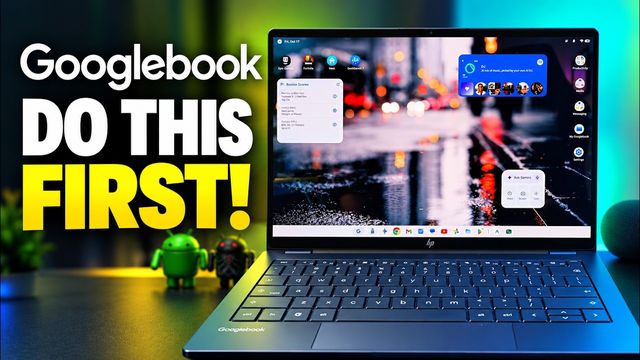
The keyboard is really comfortable and backlit. You get a fingerprint sensor and face unlock, plus all the keys you’d expect for brightness and volume, with a G key where the Windows key would be. The touchscreen looks beautiful, but I need it around 90% brightness to see it comfortably. In the 70% range it’s a bit hard for me.
Widgets and taskbar
Right-click the desktop to browse and add widgets, then drag them wherever you want. The G key opens all your apps. You can auto-hide the taskbar and pin or unpin apps on it.
App compatibility is the big catch
Transferring from my phone wouldn’t work, so I logged in manually. Some Android apps I use aren’t compatible: my home security app wasn’t, though Nest is. Fortnite doesn’t show up in the Play Store either, though I might be able to sideload it. It’ll get better with updates, but right now it’s frustrating.
Chrome and multitasking
This is the desktop Chrome browser with extensions, which is great. Use the middle window button to resize and snap a second app beside the first. It’s a touchscreen, so you can pinch to zoom too.
Performance
Geekbench CPU scores were about 2,550 single-core and 11,892 multi-core. That multi-core score beats what many Snapdragon 8 Elite Gen 5 phones get, roughly 9,000–10,000. A sideloaded game ran smoothly with no lag I could see.
Speakers, glow bar, webcam and accessories
- Speakers: not boomy and not very loud, a bit tinny. Passable.
- Glow bar: the light on the back changes color when charging or shutting down. It’s more for other people to notice.
- Webcam: fairly decent.
- Accessories: most PC keyboards and mice should work.
My verdict so far
The software is intuitive and easy, and I actually like it. I couldn’t use it full time because I need DaVinci Resolve for editing. For browsing, typing, spreadsheets and media, it’s great, like a Chromebook with more power. But at over $1,000, I’d currently tell most people to get a tablet, where every app works. A few updates should get it close to perfect.
Watch the full video on YouTube, and subscribe to GregglesTV for daily tech news, reviews and walkthroughs.
See today’s GregglesTV Best Tech Deals or browse all deals posts.
Comments
Comments are moderated. Hate, slurs, spam and scam posts are blocked. Don’t include personal info you wouldn’t want public. See the privacy policy.
Loading comments…