Gemini Tasks Are Now Free, and You Can Text or Email Gemini to Get Stuff Done
Google made Gemini's tasks mode free in six countries today and launched Text with Gemini and Email with Gemini in the US. Here's what changed, what you need, and how to turn it on.
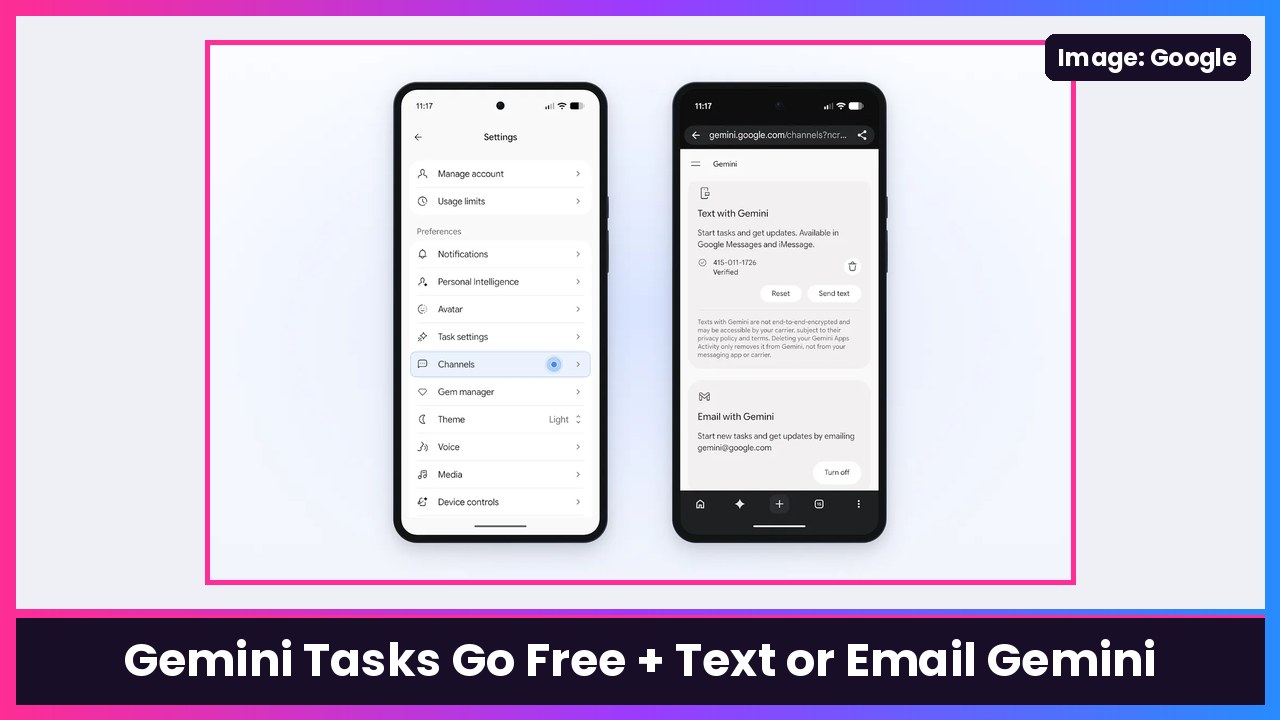
Quick summary: Google just made a big move with Gemini. The tasks mode (the agent that used to be called Spark and used to need AI Pro) is now free for “hundreds of millions of people across the U.S., Japan, Korea, Canada, Australia, and India,” running on Google’s new Gemini 4 Hydrogen model, according to Google’s announcement. And starting in the US, you don’t even need the Gemini app: you can now text Gemini (over RCS in Google Messages on Android or the Messages app on iPhone) or email it at gemini@google.com. Works on a Pixel 11 Pro Fold, a Galaxy S26 Ultra or an iPhone Duo.
What “tasks” means
In the Gemini app you’ll now see a Chat and Task toggle. Chat is the normal chatbot. Task is where you “hand off even more tasks to Gemini,” as 9to5Google puts it. Google’s Josh Woodward gave real examples in the post: Gemini called two dealerships at once to book a service appointment and put it on his calendar, dug through a surprise $389 electric bill using his utility portal, and bought a USB-C charger through the new Google Pay integration (and found a $10 discount code).
A few guardrails Google spelled out:
- Gemini is “designed to ask for your confirmation or pre-approval before clicking ‘Buy’,” and you can set an “Always allow” for routine stuff.
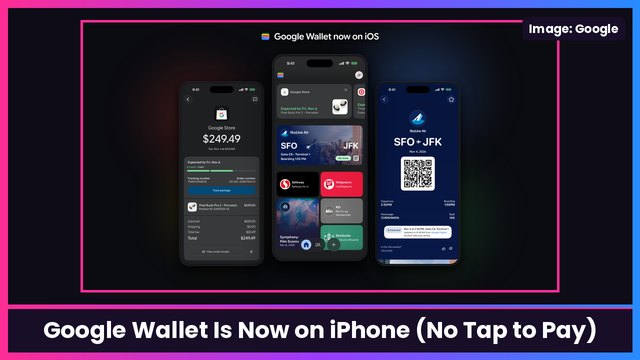
- You can set a hard spending cap, and Google says purchases use the Agent Payments Protocol with Mastercard and Visa (American Express “coming soon”). Receipts land in Google Wallet, which also launched on iPhone today.
- Each task runs in a hardware-isolated virtual machine dedicated to your account, with prompt-injection filters and Google Safe Browsing.
- When Gemini calls a business, Google says it “disclosed right away that it’s an AI,” and businesses can opt out. Calling through Gemini isn’t available in Indiana, Louisiana, Minnesota, Montana and Nebraska.
Google also admits it “haven’t eliminated all” mistakes, and on some sites Gemini will hand the screen back to you for the final click.
Text with Gemini: what you need
From Google’s Text with Gemini help page:
- A personal Google Account based in the US, with English as the account language, and access to tasks.
- A US phone number with an eligible carrier (Google says some carriers aren’t supported yet).
- Android: Google Messages installed, RCS chats on, and the same phone number and Google Account in Gemini and Messages.
- iPhone: go to Settings > Apps > Messages > RCS Messaging, then turn on RCS Messaging and RCS Business Messages.
One important note straight from Google: texts with Gemini are “not end-to-end-encrypted and may be accessible by your carrier.” Attachments can be up to 15 MB each, and you can text STOP to opt out or START to opt back in.
To set it up: on your computer, go to gemini.google.com, click Settings > Channels, click Set up next to “Text with Gemini,” pick (or add and verify) your number, and follow the prompts. Gemini then texts you first.
Email with Gemini: what you need
From Google’s Email with Gemini help page: you need a personal US Google Account, signed in to the same account in Gemini and Gmail. Turn it on at gemini.google.com > Settings > Channels, then click Turn on next to “Email with Gemini.” After that, email gemini@google.com from Gmail, or from an app like Apple Mail or Outlook set up with your Gmail account.
A few limits: no more than 10 attachments, auto-forwarded emails don’t count, Gemini has to be in the To field, and work or school accounts aren’t supported. For now, email only creates tasks. If you email asking for an update, it makes a new task instead.
My take
This is the most useful Gemini update in a while, mostly because of the “free” part. Texting an assistant feels way more natural than opening an app, and forwarding a pile of school emails to get every date on your calendar is exactly the kind of chore I want gone. I’d just keep the privacy note in mind: texts aren’t end-to-end encrypted, so I wouldn’t send anything sensitive that way. And I’d set a spending cap before letting it buy anything.
Sources: Google Keyword: tasks in Gemini (Nov 17, 2026), Gemini Apps Help: text message, Gemini Apps Help: email, 9to5Google: Email and Text with Gemini, 9to5Google: Gemini tasks free, Android Authority.
Subscribe to GregglesTV for daily tech news, reviews and walkthroughs.
See today’s GregglesTV Best Tech Deals or browse all deals posts.

Comments
Comments are moderated. Hate, slurs, spam and scam posts are blocked. Don’t include personal info you wouldn’t want public. See the privacy policy.
Loading comments…