Gemini Is Rolling Out on Apple CarPlay Starting Today
Google is bringing the Gemini app, including hands-free Gemini Live, to Apple CarPlay worldwide starting November 11. Here's how to turn it on and what it can do in the car.
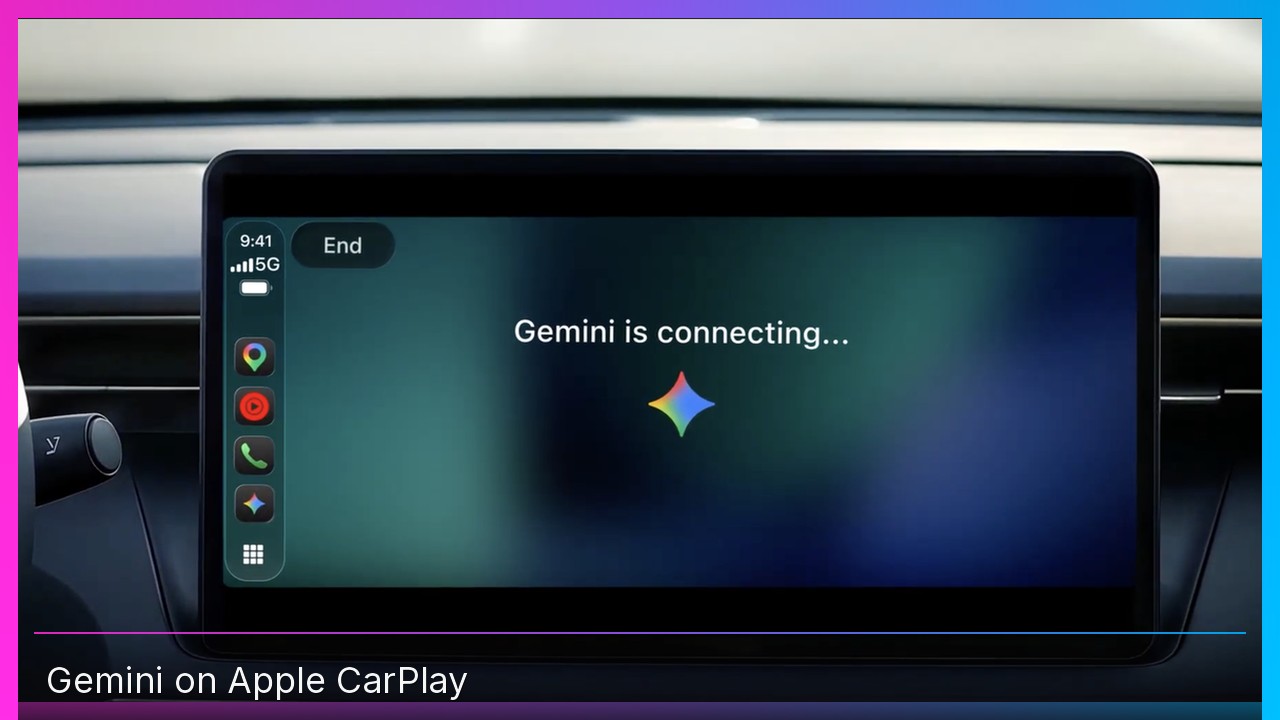
Quick summary: Google announced today that the Gemini app is rolling out on Apple CarPlay, including hands-free Gemini Live. It starts reaching iPhone users worldwide on November 11.
Key takeaways
- The Gemini app, with Gemini Live, is coming to CarPlay globally, in every supported Gemini Live language.
- Chats sync with your iPhone, so you can pick up a conversation after you park.
- To use it, update the Gemini app, turn on microphone permission, and use Gemini Live on your phone at least once.
- Gemini was already in Google Maps on CarPlay, and it was already on Android Auto and cars with Google built-in. This is the dedicated Gemini app on the dashboard.
What you can actually do with it
Google is pitching this as a driving companion, not just another “Hey, play a song” button. From the car display, you can start a new chat or continue one from your phone, interrupt mid-sentence, or pause when you need to watch an exit.
Google’s own examples include:
- “What does my day look like?” or “Help me prep for my 10am with the design team.”
- “Give me my daily brief for today,” or a recap of a long email thread in Gmail.
- “What’s a quick lunch spot in downtown Austin that’s easy to get in and out of?”
- Role-playing a pitch, or talking through a topic out loud on a longer drive.
Because Gemini can connect to Gmail and Google Calendar, the useful part for me is the commute brief: what’s on the calendar, what you missed in email, and a quick voice reply. Google does note that Daily Brief and some personalization features aren’t available to users under 18, or in the EEA and Nigeria, and Daily Brief has to be turned on first.
How to turn it on
Google’s steps are simple, and MacRumors and 9to5Mac walked through the same list:
- Update to the latest Gemini app on your iPhone.
- Enable microphone permission.
- Use Gemini Live on your phone at least once.
- Plug into CarPlay, tap the Gemini icon, and start or resume a conversation.
9to5Mac noted that the app update might not have been live at the moment Google posted, so if you don’t see the icon yet, give it a little time.
Gemini wasn’t the first AI in the car
CarPlay has allowed voice-based AI apps since iOS 26.4. ChatGPT, Claude, Grok, Copilot, Perplexity and others already made it there, and iOS 27 added a Siri AI app on CarPlay too. 9to5Mac called Gemini the last major chatbot holdout. I’d agree with that. If you live in Gmail and Google Calendar, this is the one that might actually replace a lot of those “I’ll check when I park” moments.
You’ll need an iPhone that supports CarPlay. If you’re on Apple’s foldable, that’s the iPhone Duo.
My take
I care more about whether this is safer and faster than poking at Siri mid-drive than I do about the AI brand on the screen. If Gemini can give me a real daily brief and a restaurant suggestion without me looking down, that’s a feature I’ll use. Just keep your eyes on the road and let it talk.
Subscribe to GregglesTV for daily tech news, reviews and walkthroughs.
See today’s GregglesTV Best Tech Deals or browse all deals posts.

Comments
Comments are moderated. Hate, slurs, spam and scam posts are blocked. Don’t include personal info you wouldn’t want public. See the privacy policy.
Loading comments…